
Cut QBR Prep Time in Half: Copyable Customer QBR Template for SaaS CSMs


This page gives you a ready-to-use, slide-by-slide customer QBR template with 10 to 12 slides, plus 30/45/60/75 minute agendas, a prep checklist, and copy-ready talking points. Use it to turn account data into decisions and measurable next-quarter goals for every customer success manager or account manager who needs a quarterly business review that runs in under 60 minutes.
TL;DR:
- Use a scorecard of three to five key metrics with clear baselines, targets, actuals, and owners to make results verifiable and actionable.
- Tailor the depth and length of the QBR based on account size and maturity, focusing on adoption for SMBs and strategic renewal insights for enterprise clients.
- Prepare data at least a week in advance, verify metric owners, and share the pre-read 48 hours before the meeting to prevent live data gaps and surprises.
- Keep slides lean with 10 to 12 slides, emphasizing decisions needed, next-quarter goals, and only the most relevant roadmap updates to avoid slide fatigue.
- Automate data collection and deck generation using tools like Customerscore to reduce prep time and improve template consistency across accounts.
Table of Contents
- What Goes Into a Customer QBR Template?
- The Slide-by-Slide QBR Template You Can Copy Today
- How Long Should a QBR Meeting Run?
- Building Your QBR Prep Checklist: What to Pull and When
- Talking Points and Scripts for Running the Meeting
- Adjusting the QBR Template by Account Segment and Maturity
- Customerscore's Take on Faster, More Reliable QBRs
- What Separates a Great QBR From a Merely Good One
- Run Your Next QBR With Half the Prep Time
- Sources
What Goes Into a Customer QBR Template?
A quarterly business review only works when it forces a decision, not when it recites a status report. The strongest customer qbr template structures start with an executive summary that states the verdict in one line: on track, at risk, or expanding. That single sentence, placed at the top of the deck, tells the room what the next 60 minutes are actually about before anyone opens a spreadsheet.
From there, every QBR needs to show goals versus results with real evidence. If a goal was hit, partial, or missed, say so plainly and back it with the number that proves it. Vague language like "good progress" invites the customer to ask questions you should have already answered.
The scorecard is where most QBRs fall apart or come together. A tight scorecard of 3 to 5 customer-facing metrics, each with a baseline, target, actual, and variance column, gives the customer something they can verify on the spot. Every metric needs a named data owner, because "the numbers" mean nothing if nobody can explain where they came from when someone pushes back.
Beyond the scorecard, a complete review covers:
- Adoption and usage metrics that actually predict retention, such as active users versus licensed seats and feature adoption rates, not just login counts.
- Value delivered, translated into business terms. QBRs should convert product usage into outcomes like hours saved, revenue influenced, or cost avoided, with the calculation method shown so the number holds up to scrutiny.
- Risks and open items, each with an owner and a mitigation date. An unowned risk is just a complaint waiting to resurface next quarter.
- Next-quarter goals that are co-created in the room rather than pre-written by the vendor. Goals the customer helps set are goals they actually follow through on.
- Roadmap updates, but only the two or three items that touch this customer's specific goals. A generic roadmap slide is a signal you didn't tailor the deck.
Retention metrics deserve particular attention here, since the right usage signals often predict churn months before a renewal conversation starts, and applying proven strategies to increase customer retention can help you act on those signals effectively. Build your scorecard around those signals, not vanity metrics that look good but explain nothing.
The Slide-by-Slide QBR Template You Can Copy Today
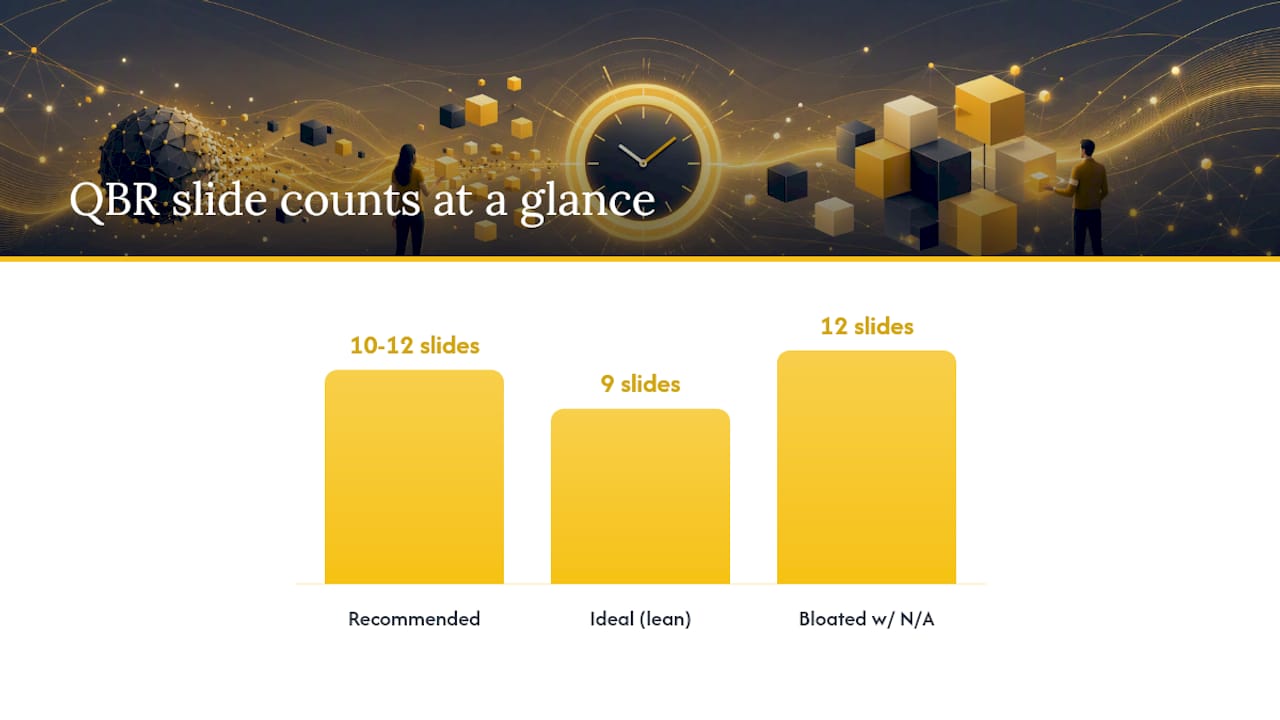
A QBR deck works best lean. Practitioner guides consistently recommend 10 to 12 slides for a 60-minute review, enough depth to be credible without losing the room to slide fatigue. Here's a slide-by-slide breakdown you can drop straight into a deck or a Notion doc.
- Header and verdict. Customer name, review period, attendees, prepared by, and the renewal date if one is approaching. Below that, one line: on track, at risk, or expanding.
- Customer context and active goals. List the goals set last quarter with their owner, target, and baseline, so the room remembers what was actually agreed to.
- Quarter scorecard. A table with goal, baseline, actual, variance, and status for each metric. This is the slide the customer will screenshot.
- Adoption. Active users versus seats, feature adoption trends, and any drop-off worth flagging.
- Value delivered. The ROI math: hours saved, revenue influenced, or cost avoided, with the formula visible on the slide itself.
- Wins. Two or three specific outcomes tied directly to the metrics above, not generic praise.
- Issues reported. What came in through support or escalations, current status, and who owns the fix.
- Benchmark context (optional). Only include peer comparisons when you have accurate, comparable data; a made-up benchmark does more damage than skipping the slide.
- Next-quarter goals. One to three goals, each with an owner and a measurable success criterion.
- Decisions needed. The specific asks you need answered in this meeting, not "let's circle back."
- Action register. Every action item paired with an owner and a due date. A QBR closes well when every action has both, and the meeting itself ends with one clear ask rather than five vague ones.
- Appendix. Metric definitions, data sources, and query links, so anyone can audit the numbers after the meeting.
Two rules make this template hold up under real customer scrutiny. First, if a metric isn't tracked in the customer's systems, label it "unavailable" on the slide rather than skip it silently, then make getting that data a named action item for next quarter. That transparency reads as honesty, not a gap. Second, for accounts approaching renewal, move the renewal timing conversation toward the back half of the deck and ask for one specific executive decision in the room, rather than letting it drift into an unscheduled scramble weeks later.
One more editing rule worth adopting: cut the slide entirely rather than write "N/A" across it. A lean deck with nine relevant slides beats a bloated one with twelve, three of which say nothing.
How Long Should a QBR Meeting Run?
The right agenda depends on the account, not a fixed habit. Here's how to time-box four common formats.
- 30-minute brief. Built for SMB accounts or a lighter-touch cadence. Spend 5 minutes on the verdict and scorecard, 15 minutes on adoption and one key decision, and the last 10 minutes locking one next-quarter goal. Skip the benchmark slide entirely.
- 45-minute standard. The default for most mid-market accounts. Open with the verdict (5 minutes), move through adoption and value delivered (15 minutes), spend 15 minutes on issues and the decisions they require, and close with 10 minutes on next-quarter goals and the single ask.
- 60-minute operational review. Add a deeper ROI walk-through and a roadmap relevance discussion, roughly 20 minutes combined, then extend the action register conversation to make sure every owner in the room actually agrees to their date.
- 75-minute executive business review. Reserved for renewal-year or strategic accounts with executive sponsors present. Add 15 minutes for cross-functional alignment and renewal-timeline discussion, since these meetings often double as the first real renewal conversation of the cycle.
Pro Tip: Never let the CSM present alone in a 60-minute or longer review. Have the account executive or a solutions engineer own one section, since a single voice for an hour is where attention drops fastest.
Whoever presents, the pre-read should already be in every attendee's hands before the meeting starts. That single habit changes how much of the meeting gets spent debating numbers versus deciding what to do about them.
Building Your QBR Prep Checklist: What to Pull and When
Most QBRs fail before the meeting starts, not during it. The prep work is where the credibility gets built or lost.
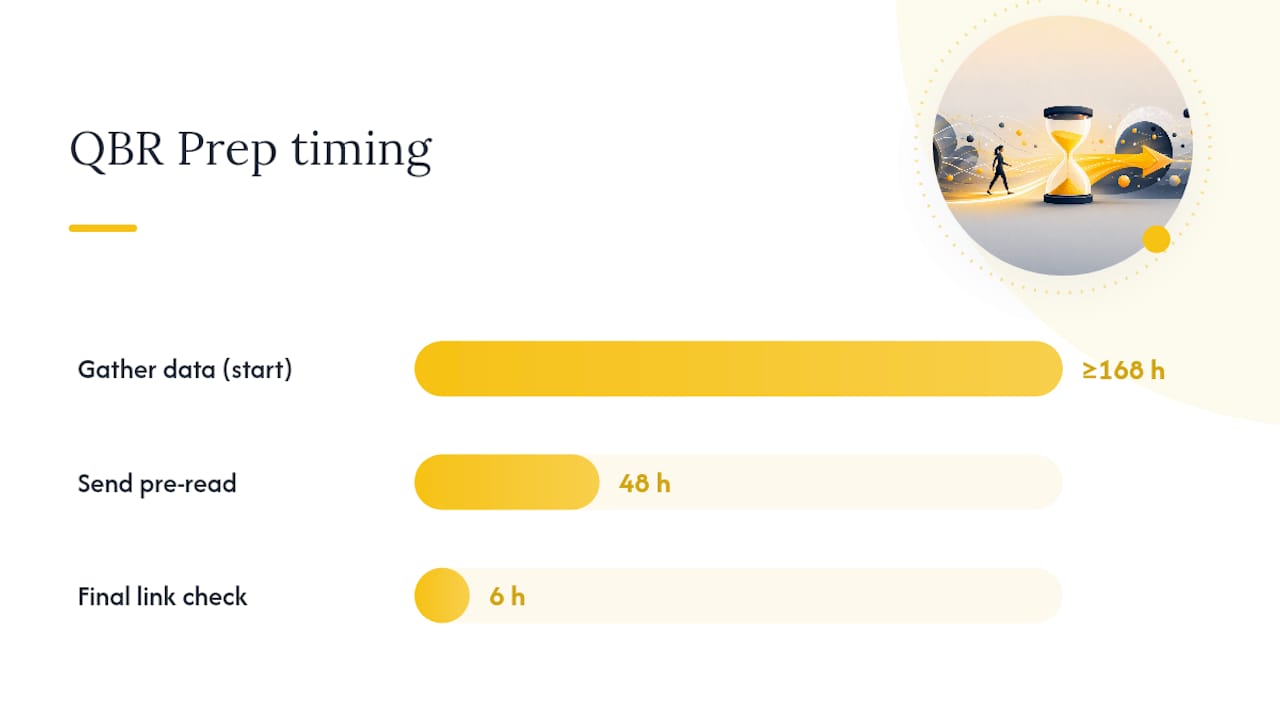
Start by gathering data at least a week out, with clear definitions attached to every number:
- Usage and adoption data from your product analytics tool, pulled for the exact date range you'll present.
- Billing and contract details from your CRM or billing system, including renewal date and current ARR.
- Support ticket volume and resolution status for anything escalated during the quarter.
- A named data owner for every metric, so someone can answer a follow-up question on the spot rather than promising to "check and get back to you."
Attendee lists change by meeting type. A 30-minute SMB check-in might just need the champion and the CSM. A 75-minute executive review needs the customer's executive sponsor, your account executive, and possibly a solutions engineer on your side.
The pre-read matters more than most CSMs treat it. Sending the deck at least 48 hours before the meeting gives the customer time to flag anything that looks wrong and lets you fix a data error before it becomes an awkward moment in front of their leadership. Ask explicitly for factual corrections in that email, not just a "let me know if you have questions."
Before you hit send, confirm every metric owner has signed off on the numbers, and attach the source queries as an appendix so the deck is self-auditing. If you're embedding live dashboards from a tool like Looker or Tableau, test every link the morning of the meeting and keep an attested snapshot in the pre-read in case the live view changes before the call.
Talking Points and Scripts for Running the Meeting
The words you use in the first two minutes set the tone for the whole review. A few scripts worth having ready:
- Opening the meeting: "Here's where we stand this quarter: [one-line verdict]. We've got three things to cover and one decision I'd like your input on before we close." That framing tells the customer exactly what to expect and why their attention matters.
- Presenting a missed goal: "We targeted 80% adoption in the finance team and landed at 54%. Here's what got in the way, and here's the specific action we're taking next quarter." Own the gap in one sentence, then move straight to the fix. Defensiveness reads as weakness even when the explanation is reasonable.
- Presenting ROI: "Based on [X hours saved per user] times [Y active users], this puts the estimated value at [Z]. Does that match what your team is seeing?" Inviting the customer to validate the number, rather than just presenting it, turns a claim into a shared fact.
- The issues slide: "This came in on [date], it's currently [status], and [name] owns the fix by [date]." Specificity here does more to rebuild trust than any apology.
- Closing the meeting: "The one thing we need from you before next quarter is [specific ask]. Can we get that confirmed by [date], and lock in our next review for [date]?" One ask, one date, no ambiguity.
Adjusting the QBR Template by Account Segment and Maturity
The same slide deck rarely fits an SMB account and an enterprise renewal equally well. Adjust both content and staffing by segment.
For SMB accounts, keep it to 30 minutes and lean almost entirely on adoption metrics. The champion is usually your only attendee, so focus actions on things they can execute without needing internal buy-in.
Mid-market accounts justify the full 45 to 60 minute standard format, with a real ROI section and an adoption deep-dive since these accounts often have budget authority spread across two or three stakeholders.
Enterprise and renewal-year accounts need the 75-minute executive business review format, executive sponsors in the room, and finance context tied directly to the renewal timeline. This is where the single clear decision ask matters most, since delaying it usually means the renewal conversation restarts from scratch weeks later.
Maturity matters as much as size. A customer six weeks into onboarding needs a QBR built around early adoption wins; a five-year account renewing next quarter needs one built around expansion evidence and renewal terms.
Customerscore's Take on Faster, More Reliable QBRs
Manually rebuilding a QBR scorecard from four different systems every quarter is where most CSM teams lose hours they don't have. Automated templates that populate directly from a customer's account data cut that prep time down and, more importantly, make every deck consistent across your book of business. Customerscore's AI-generated QBR feature builds on that idea by pulling usage, billing, and support signals into a draft deck automatically, so a CSM's time goes toward the decisions and talking points rather than chasing exports.
The single biggest source of QBR disputes isn't a bad number. It's an unexplained one. Publishing the metric definition and data owner directly on the slide, not buried in an appendix, removes most objections before they're raised.
Two habits worth adopting regardless of what tool builds your deck: publish metric definitions and owners on the slide itself, and cap next-quarter goals at one to three with an owner named on both the vendor and customer side. More goals than that rarely survive to the next review.
What Separates a Great QBR From a Merely Good One
Preparation is the whole game. A CSM who walks in with a one-line verdict already written and speaks in the customer's own numbers, not vanity metrics, controls the room from the first slide. The weakest QBRs I've seen weren't poorly designed. They were under-prepared, with the CSM discovering a data gap live, in front of the customer's leadership.
The strongest ones follow a pattern: pre-read sent, numbers verified by an owner, one clear ask defined before anyone opens the deck.
Before your next review, check three things: does the verdict fit in one sentence, does every metric have a named owner, and is there exactly one decision you need from the customer today. If any answer is no, the deck isn't ready yet.
— Patrik
Run Your Next QBR With Half the Prep Time
Customerscore replaces the spreadsheet-and-screenshot routine most CSM teams still use to build QBRs. Instead of pulling usage data from one tool, billing from another, and support tickets from a third, Customerscore's health scoring surfaces the explainable metrics your scorecard needs, already tied to a baseline and trend, so the numbers on slide 3 are ready before you open the deck.
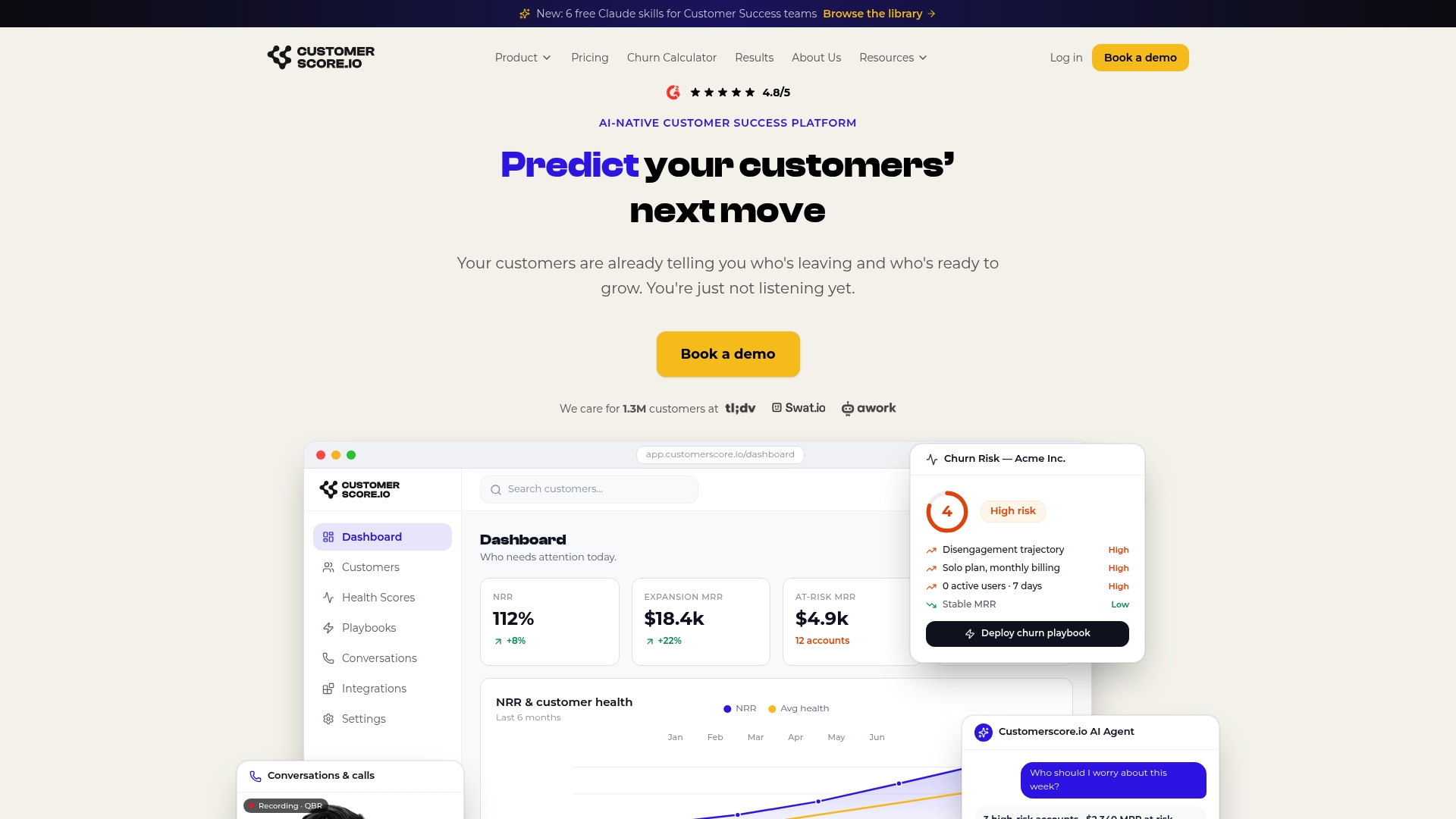
Inside a QBR workflow, that translates into three concrete gains: an AI-drafted deck pulled from real account data instead of a blank template, a health score breakdown that explains exactly why an account is at risk or expanding (so slide 1's verdict writes itself), and an action register that populates automatically from flagged risks rather than a manual list you rebuild every quarter. Teams evaluating a move away from other churn tools can also see how Customerscore compares as a Churnkey alternative built specifically around this workflow.
If your next review is on the calendar, book a demo and see how a live account's health score and scorecard data would look in your own deck before you build the next one by hand.
Sources
- Customer Success QBR Template: Agenda and Slides — Fairview
- QBR Template: Free Slide-by-Slide Builder | Selvo
- Quarterly Business Review (QBR) Template — Qwilr
Recommended
Related articles
90–120 Day Renewal System for CSMs: SaaS Renewal Playbook
90–120 Day Renewal System for CSMs: SaaS Renewal Playbook ! Team planning a structured SaaS renewal Run renewals as a 90 to 120 day managed pipeline, not a calendar reminder.
BlogCut Response Time 60% with This Slack for Customer Success Playbook
Cut Response Time 60% with This Slack for Customer Success Playbook ! Customer success team routing a Slack conversation Slack works best for customer success when it functions as the conversation
BlogProduct Led Customer Success in 90 to 180 Days Without a Data Team
Product Led Customer Success in 90 to 180 Days Without a Data Team ! Customer success operator reviewing product signals Product-led customer success uses product usage data and in-product
BlogPredict Churn 60–90 Days: Five Phase Customer Risk Scoring for B2B SaaS
Predict Churn 60–90 Days: Five Phase Customer Risk Scoring for B2B SaaS ! Customer success manager reviewing account risk dashboard Customer risk scoring produces a predictive, explainable health