
Slack Customer Alerts: Turning Churn Signals Into Action


Send predictive churn and health alerts from a dedicated customer success platform into narrowly scoped Slack channels or DMs, filtered by ARR thresholds and combined-signal rules. That's the setup worth building. Generic Slack notifications built from single events (one bad ticket, one login dip) flood channels with noise CS teams learn to ignore.
The better model looks like this:
- Earlier lead time. Combined signals routed through a platform like Customerscore catch risk weeks before a cancellation email, not days.
- Higher action rate. Teams respond to alerts that name a specific, filtered condition, not vague "check in on this account" pings.
- Fewer false alarms. Tracking signal-to-noise ratio as your primary success metric keeps the channel worth watching.
Key Takeaways
Predictive churn alerts work best when combined signals, ARR filters, and clear playbook ownership keep Slack channels actionable instead of noisy.
| Point | Details |
|---|---|
| Combine signals, not single events | Usage decline plus an open support ticket predicts churn three weeks out, with a 41% rescue rate for flagged accounts. |
| Filter hard before sending | Use ARR thresholds, combined-condition rules, and cooldown windows to protect signal-to-noise ratio. |
| Route by risk tier, not one channel | Send DMs for urgent accounts, tiered channels for everything else, and shared channels for cross-functional escalations. |
| Build one workflow first | Pilot a single high-value trigger for two to three weeks before expanding to additional signal types. |
| Use a predictive platform to skip the build | Customerscore.io provides explainable health scores, prebuilt integrations, and playbook-mapped Slack alerts out of the box. |
Table of Contents
- Why Predictive Slack Customer Alerts Matter for CS and RevOps
- Which Customer Signals Should Trigger a Slack Alert?
- How Do You Keep Slack Alerts From Becoming Noise?
- Where Should Alerts Go in Slack, and What Should They Say?
- What Playbook Should Fire When an Alert Lands?
- How Long Does It Take to Implement Slack Customer Alerts?
- What Customerscore.io Sees Across B2B SaaS Rollouts
- Get Predictive Churn Alerts Into Slack Without Building It Yourself
- Frequently Asked Questions
- Sources
Why Predictive Slack Customer Alerts Matter for CS and RevOps
The value isn't the notification. It's what happens in the three weeks before a customer would otherwise churn silently.
One case study combined product usage decline with an unresolved support ticket to predict churn three weeks ahead of cancellation, and teams that acted on those flagged accounts retained 41% of them. That's not a marginal improvement. That's the difference between a save play and a post mortem.
Beyond retention, this approach delivers:
- Faster escalations, because the alert already routes to the right owner instead of sitting in a shared inbox.
- More expansion opportunities surfaced, since health-score gains get flagged the same way risk does.
- One notification backbone instead of five disconnected dashboards CSMs have to check manually.
Statistic Callout: A separate case study on daily AI scoring paired with automated retention workflows reported a 41% drop in net revenue churn within 90 days, alongside an 18% lift in expansion revenue, largely by triggering the right workflow the moment risk tiers shifted.
Which Customer Signals Should Trigger a Slack Alert?
Not every data point deserves a notification. The signals worth sending fall into five categories, and the strongest alerts combine two or more of them.
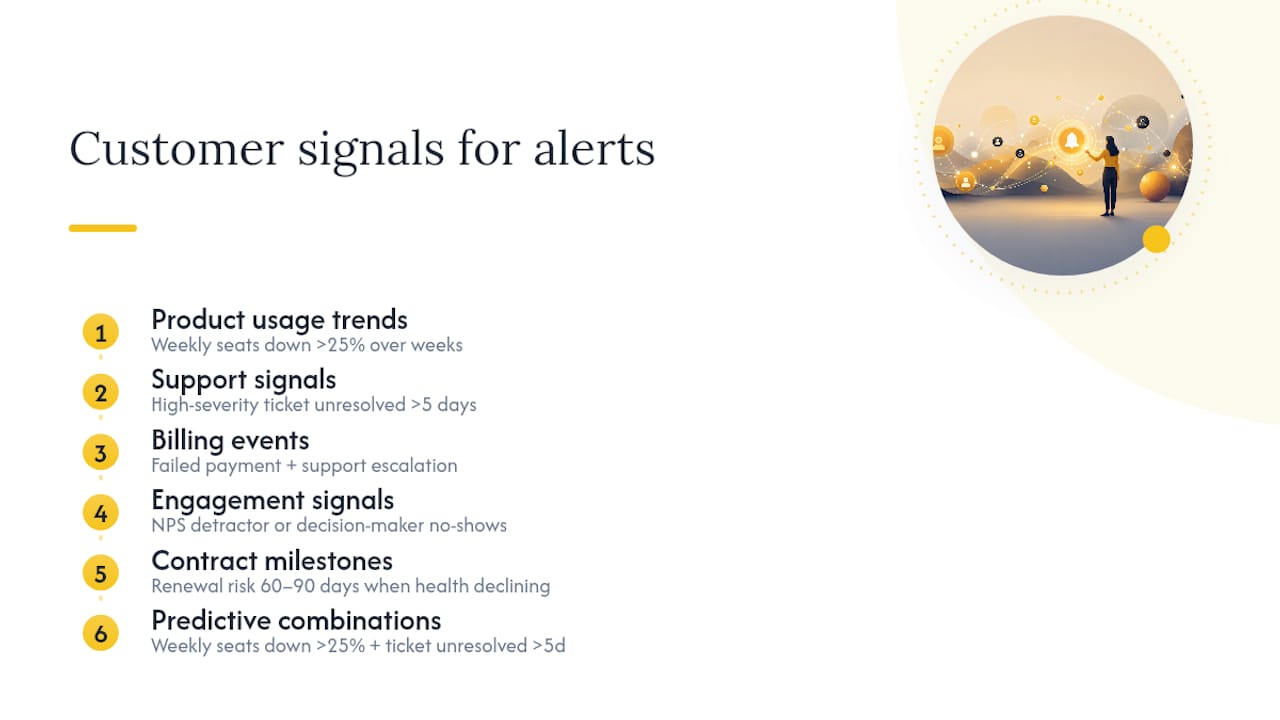
Product usage trends. A directional drop matters more than a single bad day. Example: weekly active seats down substantially over several weeks. Source: Mixpanel or PostHog.
Support signals. Ticket age and severity, not just volume. Example: a high-severity ticket unresolved past five days. Source: Zendesk or Intercom.
Billing events. A failed payment alone is routine. A failed payment plus a support escalation is not. Source: Stripe or Chargebee.
Engagement signals. NPS detractor scores and repeated meeting no-shows from a decision-maker. Source: your survey tool plus calendar integration.
Contract milestones. Renewal risk flagged 60 to 90 days out when health score is already trending down. Source: CRM (Salesforce or HubSpot).
The predictive combinations matter more than any single trigger. Weekly active seats down more than 25% plus an unresolved ticket over five days is a stronger churn predictor than either signal alone, which is exactly the pattern documented in the Mindra case study.
Pro Tip: Write the alert message with the exact numbers baked in. "Active seats down 31% over 3 weeks; 1 open ticket at day 7" drives faster action than "Please check in on this account," according to operational write-ups on churn alerting.
How Do You Keep Slack Alerts From Becoming Noise?
Signal-to-noise ratio is the metric that determines whether your Slack channel gets watched or muted within a month. Teams that skip this step build a channel nobody reads by week three.
Filter hard, using rules like these:
- ARR or MRR thresholds. Don't alert on a $500/month account with the same urgency as a $50,000/month one.
- Combined-condition requirements. Require two or more signals before firing, not one.
- Severity tiers. Low, medium, and high risk get different destinations and different urgency.
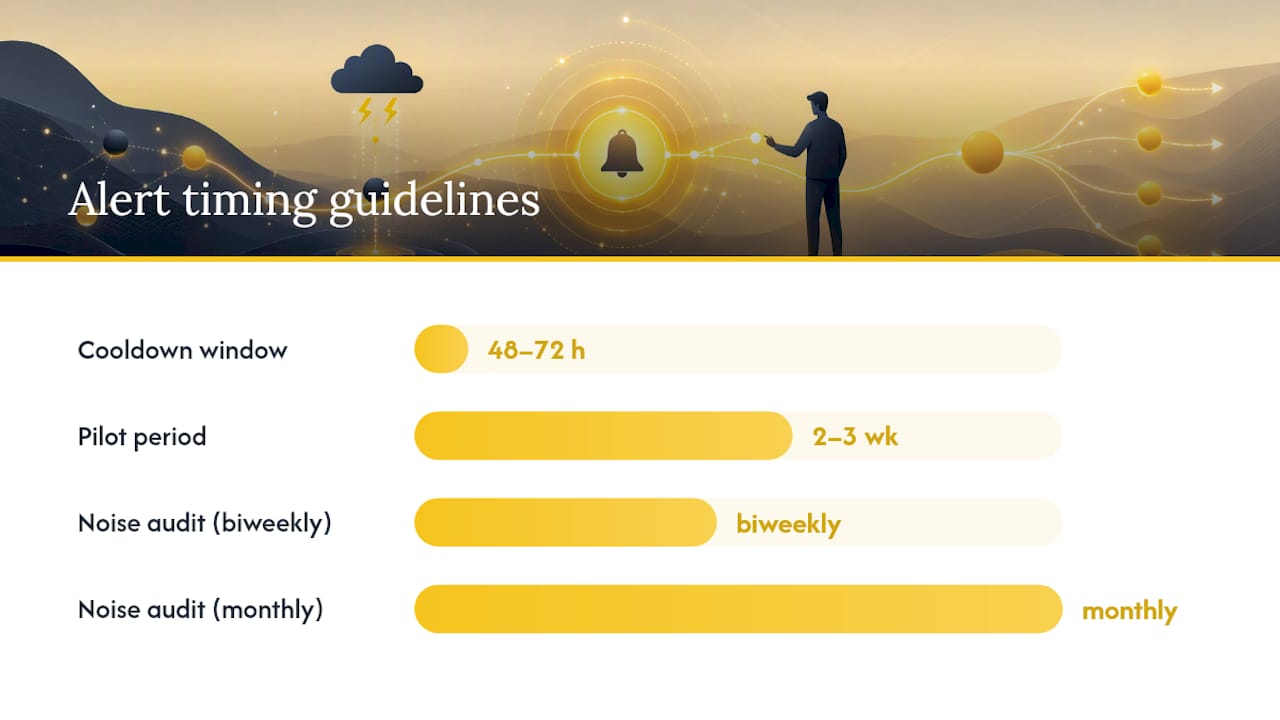
- Cooldown windows. Don't re-alert on the same account within 48 to 72 hours unless the risk tier changes.
- Channel-specific throttles. Cap how many alerts a single channel receives per day.
Governance matters as much as the filters themselves. For example, detailed criteria for escalation and SLA tracking can be guided by resources like SLA Tracking for Service Managers: A Practical Guide to ensure timely and effective responses. Every alert needs an owner mapped to it, a clear SLA for first response, and a recurring noise audit (biweekly or monthly) where the team reviews which alerts actually led to action and which got ignored. Adjust thresholds based on that data, not gut feel.
Pro Tip: Start with one workflow. Pick your single highest-value signal combination, like usage decline plus open ticket, and run it alone for two to three weeks before adding a second. Rollout playbooks consistently recommend this staged approach because it lets you measure signal-to-noise before noise erodes trust in the channel.
Where Should Alerts Go in Slack, and What Should They Say?
Routing determines whether an alert gets acted on in minutes or scrolled past. Three patterns work well together, not in isolation.
Send urgent, high-risk alerts as a DM to the account owner first, then mirror them into a tiered channel (#renewals-urgent, #onboarding-risk, #product-escalations) so managers have visibility without every alert hitting a shared channel. Reserve threads for follow-up updates on an already-flagged account; start a new message only when a distinct trigger fires. Cross-functional escalations, like a churn-risk account that also needs a product fix, should route to a shared channel where CS, product, and support can coordinate without forwarding screenshots. Slack's own guidance on customer success workflows points to this kind of integration-driven centralization as the reason teams stop losing context between tools.
Every alert payload should include the same core fields, regardless of trigger type:
| Field | Purpose |
|---|---|
| customer | Account name and identifier |
| ARR | Contract value to prioritize response |
| health_score | Current score and trend direction |
| trigger_reasons | Top two signals that fired the alert |
| timestamp | When the condition was detected |
| owner | Assigned CSM or account team |
| link | Direct link to account dashboard or ticket |
A sample message might read: "🔴 High Risk: Acme Corp ($82K ARR). Health score 41, down from 68. Owner: @jsmith. [View account]." That's a message a CSM can act on without opening five tabs first.
What Playbook Should Fire When an Alert Lands?
An alert without a defined next step is just an interruption. Playbooks turn the notification into a repeatable motion, tiered by risk level.
Low risk triggers an automated context brief and a task added to the CSM's queue, no human intervention required yet. Medium risk adds an automated calendar-booking suggestion for a check-in call within 48 hours. High risk notifies a manager or executive sponsor directly and prioritizes the account's support tickets automatically.
The human runbook behind each tier needs to specify the owner, a first-contact script tailored to the specific trigger reasons, an escalation chain if the customer doesn't respond within the SLA window, and a clean handoff into your ticketing system when the issue is technical rather than relational. Playbook-driven routing that maps trigger to destination to owner consistently outperforms ad hoc "someone should look at this" alerts.
Pro Tip: Pair every generated outreach template with the exact signal that triggered it. A CSM who sees "usage drop + support escalation" gets a different opening line than one facing "renewal in 60 days + declining health score," and that specificity is what gets replies.
How Long Does It Take to Implement Slack Customer Alerts?
Most mid-market B2B SaaS teams can go from discovery to a working pilot in four to eight weeks. Roles typically split across product/analytics (data mapping), CS (playbook design), RevOps (governance and thresholds), engineering (integration and webhooks), and QA (testing).
- Discovery (week 1 to 2): Identify which signals matter, who owns each account segment, and which systems hold the data.
- Prototype (week 2 to 4): Build one workflow end to end, from trigger to Slack message.
- Validation (week 4 to 5): Run it in shadow mode, scoring accounts without alerting, to check accuracy.
- Pilot (week 5 to 6): Roll out to a small cohort of accounts and a single Slack channel.
- Scale (week 6 to 8): Expand signal types and channels, with governance rules already in place.
One note that shouldn't get skipped: mask personally identifiable information in alert payloads, restrict channel access by role, and keep an audit log of who saw what, since customer data is now living inside a chat tool.
What Customerscore.io Sees Across B2B SaaS Rollouts
The architecture above isn't theoretical for us. Customerscore.io's explainable health scoring pulls from billing, product usage, CRM, and support data specifically so trigger_reasons in a Slack alert are never a guess. Multi-source ingest plus AI agents means the platform builds the context brief before a CSM even opens the account.
Teams that adopt the signal-to-noise discipline, filtering hard and mapping every alert to a playbook, consistently report their CS team actually reads the churn channel instead of muting it within a month.
Get Predictive Churn Alerts Into Slack Without Building It Yourself
Most teams trying to build this in house end up stitching together a data warehouse, a scoring model, and a Slack webhook, and it takes months before the signal-to-noise ratio is even close to usable. Customerscore.io skips that build phase entirely.
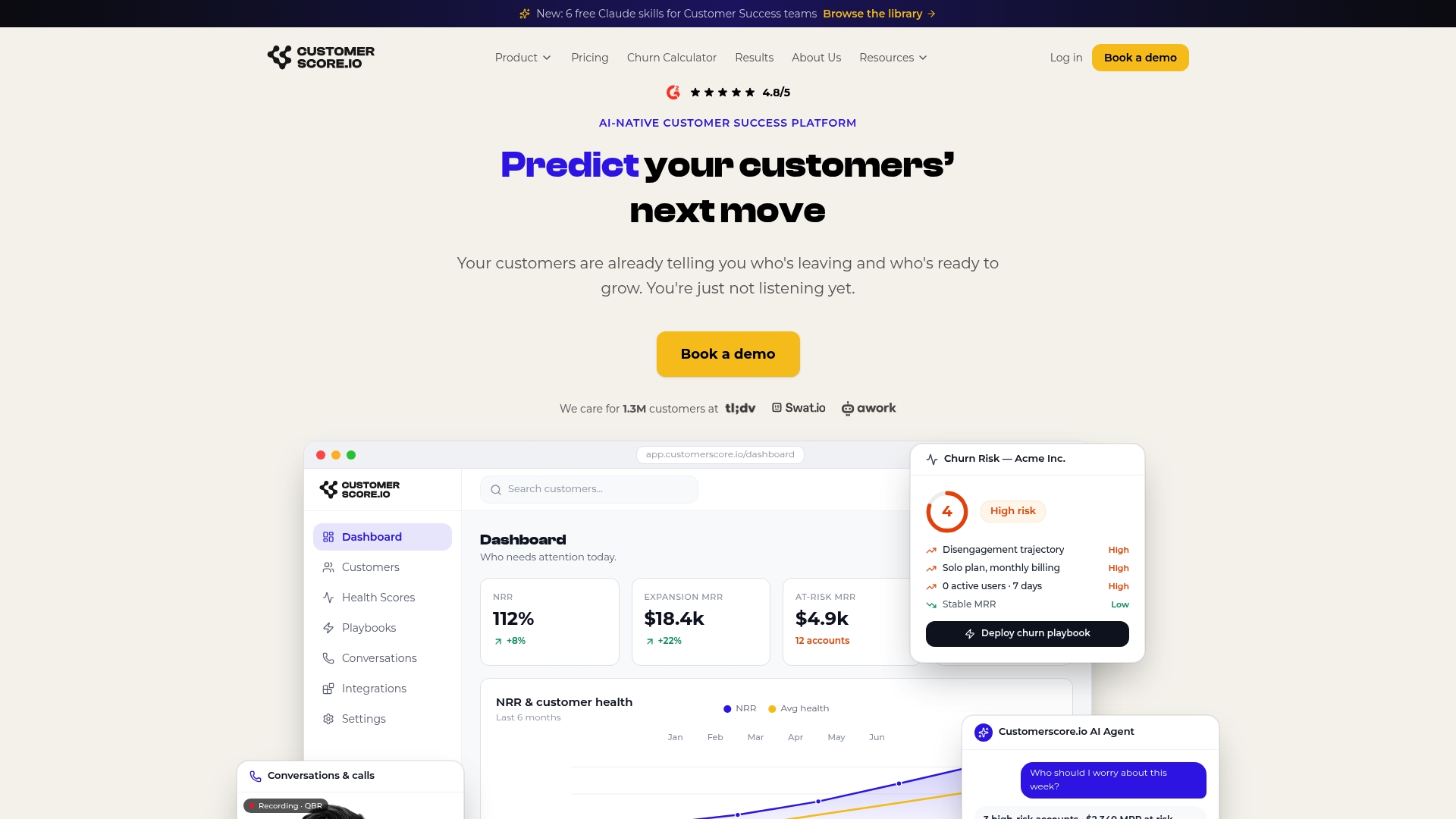
The platform ships with automated churn prediction, explainable health scores that show exactly why an account's risk changed, and prebuilt integrations across Mixpanel, PostHog, Zendesk, Intercom, Stripe, Chargebee, HubSpot, and Salesforce. Playbooks are already mapped to risk tiers, and alerts land in Slack with the trigger reasons, ARR, and owner already attached, the same payload structure covered above.
If you're ready to see how it handles your own account data, you can book a demo and walk through a live scoring example, or start with the churn prediction software page to see the integrations and health-score model in detail.
Frequently Asked Questions
What are Slack customer alerts? In this context, they're predictive customer health and churn notifications, generated by a customer success platform, delivered into specific Slack channels or direct messages so CS and RevOps teams can act before an account churns.
How is this different from regular Slack notifications? Regular Slack alerts fire on single events like a new ticket or a mention. Predictive customer alerts combine multiple data sources, usage, billing, and support, and only fire when a filtered, high-confidence risk pattern emerges.
What ARR threshold should trigger an alert? There's no universal number. Set it relative to your average contract value, then adjust after a noise audit shows which threshold produces alerts your team actually acts on.
Do I need a dedicated platform, or can I build this myself? You can build a basic version with webhooks and a CRM, but combining multi-source signals into an explainable health score with playbook mapping is what platforms like Customerscore.io are built to handle without months of internal engineering work.
How often should we review our Slack alert thresholds? A monthly or biweekly noise audit, checking which alerts led to action versus which got ignored, keeps thresholds accurate as your customer base and product usage patterns shift.
Sources
- Userflow Slack Notification Playbook: 14 Workflows to Copy
- Slack for customer success: 4 ways to collaborate and improve customer experience
- How AI Cut Customer Churn by 41% for a B2B SaaS Company | AXI Blog
Recommended
Related articles
Cut CSM Intervention 18%: Predictive Playbooks for CS & RevOps
Cut CSM Intervention 18%: Predictive Playbooks for CS & RevOps ! Predictive playbook geometric title card Predictive playbooks link a churn prediction to a specific, repeatable action so customer
BlogPinpoint B2B SaaS Adoption Gaps and the Fix That Lifts Renewal
Pinpoint B2B SaaS Adoption Gaps and the Fix That Lifts Renewal ! Analysts reviewing SaaS adoption gaps Adoption gap analysis identifies the funnel stage where eligible users or accounts fail to reach
BlogAnalysts: 6–12 Month Cohort Forecasts for Net Dollar Retention
Analysts: 6–12 Month Cohort Forecasts for Net Dollar Retention ! Analyst reviewing cohort retention forecast The most reliable way to forecast net dollar retention is cohort-based modeling that
BlogStop Surprise Churn: 5 Phase Data Mapping for RevOps and CS
Stop Surprise Churn: 5 Phase Data Mapping for RevOps and CS ! Analyst mapping customer data fields Data mapping for CS means connecting product usage, billing, CRM, and support data to the fields your