
Cut Pages to Five per Shift: 90 Day Alert Fatigue Management for Ops


Alert fatigue management works when you treat it as a sequence, not a tool purchase: audit every rule for 30 days, delete or tune what fails a strict actionability test, add deduplication and dynamic thresholds, then lock in ownership and quarterly reviews so the gains don't erode. Teams that follow this order typically see paging volume drop sharply within weeks, with pages per engineer per shift as the metric that tells you whether it's working.
TL;DR:
- Frequent rule audits and removal of low-actionability alerts (less than 30%) can sharply reduce alert volume within weeks.
- Technical measures like deduplication, grouping, and replacing static thresholds with dynamic ones effectively prevent notification storms and flapping.
- Establishing clear ownership, detailed runbooks, and scheduled reviews ensures ongoing alert hygiene and prevents regrowth of noise over time.
- Moving toward symptom-based alerting that prioritizes user or patient impact improves signal relevance and minimizes false positives.
- Continuous monitoring of metrics like pages per shift and signal-to-noise ratio guides timely remediation and sustains alert quality improvements.
Table of Contents
- What Is Alert Fatigue and Why Does It Matter?
- Root Causes and Common Misconceptions Behind Alert Overload
- How Do You Measure Alert Quality? Metrics and Benchmarks
- A Step-By-Step Noise Audit and 90-Day Remediation Plan
- Technical Controls: Deduplication, Grouping, Correlation, and Thresholds
- Human Factors, Runbooks, Ownership, and Rotation Design
- Healthcare-Specific Considerations and Patient Safety
- Automation and AI: Event Intelligence and Safe Auto-Triage
- Continuous Governance: Cadence, Reviews, and Embedding Alert Hygiene
- What I've Learned Watching Alert-Hygiene Programs Succeed or Stall
- A Complementary Layer: Customer-Health Alerts for B2B SaaS Teams
- Sources
What Is Alert Fatigue and Why Does It Matter?
Alert fatigue is the desensitization that happens when people get flooded with more notifications than they can meaningfully act on. In hospitals, the clinical term is alarm fatigue, and it describes the same failure mode: a nurse or physician who hears dozens of monitor alarms an hour eventually stops responding to individual ones with the urgency each deserves. In IT operations, the pattern is identical, just with pagers and Slack channels instead of bedside monitors.
The mechanism is simple. Human attention is a limited resource, and every alert competes for it. When most alerts turn out to be false positives or duplicates, the brain adapts by learning to ignore the channel altogether, not just the noise. That adaptation doesn't discriminate. It suppresses the one alert that actually matters along with the ninety-nine that don't.
The operational fallout shows up in a few predictable ways:
- Slower response times to genuine incidents, because on-call engineers or nurses have learned to delay checking notifications
- Higher burnout and attrition on rotation-heavy teams, since constant interruption erodes sleep and focus
- Missed incidents entirely, when a real signal gets buried in a stream of low-value pages
- Erosion of trust in the monitoring system itself, which leads teams to build informal workarounds that bypass the official alerting pipeline
Statistic: Rules where fewer than 30% of firings are actionable are strong candidates for tuning or outright deletion, and event intelligence tooling applied to that kind of noisy rule set can filter out the vast majority of it. That threshold is worth writing down and checking every rule against, because it turns a vague complaint ("we get too many alerts") into a measurable, fixable problem.
The healthcare and IT versions of this problem share root causes, which is why the same audit-and-tune discipline applies to both, even though the consequences of missing a signal look very different in an ICU than in a data center.
Root Causes and Common Misconceptions Behind Alert Overload
Most alert overload traces back to a handful of design failures, not to any single bad actor or unlucky week. Redundant alerts are the most common: three different tools monitoring the same dependency, each firing its own notification for the same underlying event. Static thresholds are a close second, flagging normal daily or weekly variation as an emergency because nobody updated the rule after traffic patterns changed. Flapping, where a metric oscillates around a threshold and fires repeated on/off alerts, turns a single blip into a notification storm. And tool sprawl, where five monitoring platforms each have their own alerting layer with no central correlation, guarantees duplicate pages for the same root cause.
The biggest misconception driving all of this is the belief that monitoring everything increases safety. It doesn't. Observing every metric that can be measured, rather than the ones that reflect actual user or patient impact, produces volume without insight. The corrective reframe is symptom-based alerting: trigger on user-facing degradation, like latency spikes or error rates, rather than on internal signals like CPU usage that may or may not translate into anything a customer or patient notices. A server at 60% CPU with error rates climbing is.
There's a real cost to getting this wrong beyond the alert itself, and it's the one teams underestimate most.
- Context switching costs compound fast, because every notification forces a mental reset even when it turns out to be nothing
- Attention is finite and doesn't reset between interruptions, so the tenth alert of a shift gets less scrutiny than the first, regardless of severity
- False confidence sets in when dashboards are full of green checkmarks next to a wall of muted, unaddressed alerts
- Teams start building shadow processes, like personal filters or side channels, that route around the official system entirely
None of this means monitoring less. It means monitoring the right things, at the right sensitivity, and killing everything that doesn't clear that bar.
How Do You Measure Alert Quality? Metrics and Benchmarks
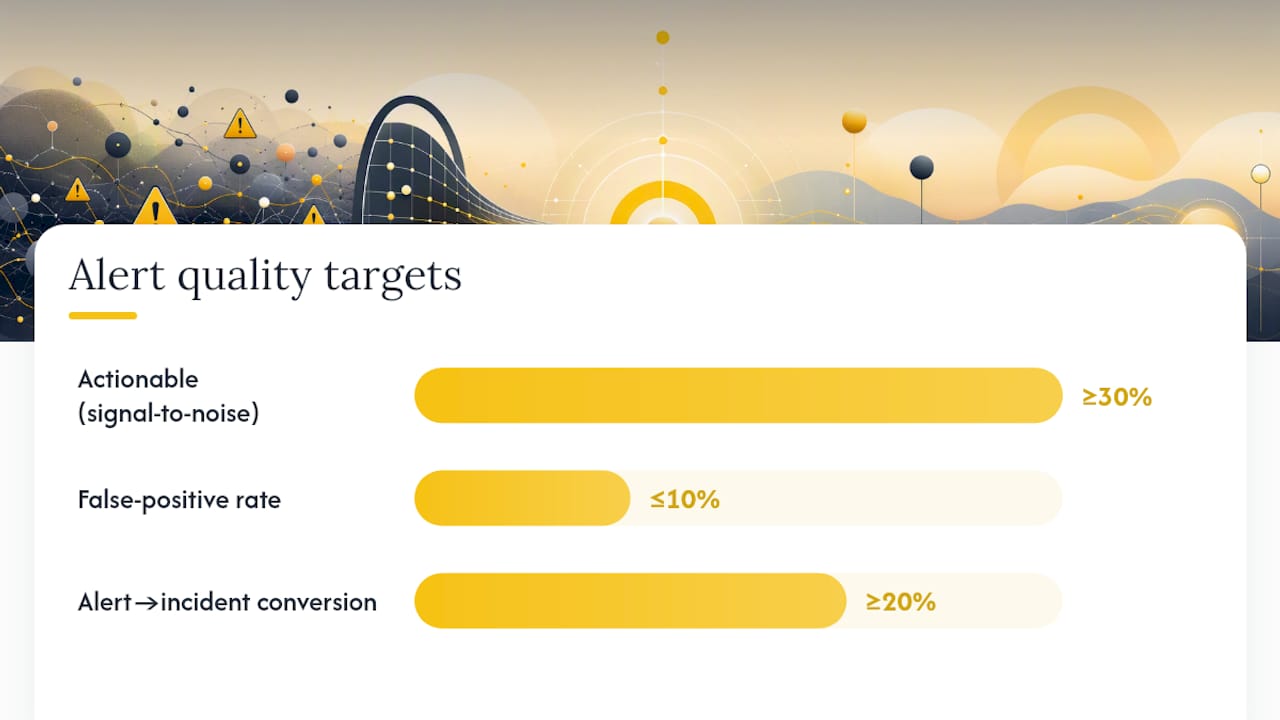
You can't manage what you don't measure, and alert quality has a small set of numbers that tell you almost everything you need to know. Signal-to-noise ratio, the percentage of alerts that are genuinely actionable, is the headline metric. Industry guidance sets the false-positive target below 10%, with alert-to-incident conversion above 20%, meaning at least one in five alerts should correspond to something you'd classify as a real incident after the fact.
Pages per engineer per shift is the metric leadership actually feels. Mean time to acknowledge (MTTA) tells you whether fatigue is already degrading response speed, since a rising MTTA on a stable alert volume is a fatigue signal on its own.
| Metric | Healthy target | Warning sign |
|---|---|---|
| Signal-to-noise (actionable %) | Above 30% | Below 30% |
| Pages per engineer per shift | 5 or fewer | More than 5 |
| False-positive rate | Below 10% | Above 20% |
| Alert-to-incident conversion | Above 20% | Below 10% |
| MTTA trend | Flat or improving | Rising over successive weeks |
Collecting a clean baseline takes 30 to 90 days, not a single week, because you need enough data to separate genuine noise from seasonal or launch-related spikes. Pull every alert fired in that window, tag each one as actionable or not based on whether it led to a real fix, escalation, or documented incident, and total them per rule. A rule that fired 400 times and led to two actual fixes is not a monitoring success. It's a liability wearing a green checkmark.
That framing matters, because teams that classify chronic alert noise as a "known issue" rather than an incident tend to let it fester for quarters instead of fixing it in weeks.
A Step-By-Step Noise Audit and 90-Day Remediation Plan
You don't fix alert fatigue with a single sprint. You fix it with a structured 90-day program that has clear acceptance tests at each phase, so leadership can see progress and teams don't lose momentum halfway through.
- Days 1 to 30: Audit everything that fires. Pull a full inventory of every alert rule across every tool, then log every firing for 30 days with a simple tag: actionable or not. Rank rules by total volume, and identify the worst offenders first. Any rule with an actionability rate under 30% goes on the delete-or-tune list immediately, and every remaining rule gets assigned a named owner before the audit closes.
- Days 31 to 60: Tune and document. Rework thresholds using the actual data from the audit rather than guesses, and add duration requirements so a metric has to stay past threshold for a set window, often 5 to 15 minutes, before it pages anyone. Convert lower-severity alerts that don't need a human awake at 3 a.m. into tickets instead of pages. Write a runbook for every alert that remains, and reject any rule that can't get one, since an alert nobody knows how to respond to shouldn't be paging humans in the first place.
- Days 61 to 90: Automate and correlate. Turn on deduplication and grouping so related alerts collapse into one notification instead of five. Add suppression rules for planned maintenance windows. Pilot AI-assisted triage on a low-risk subset of alerts, with a human reviewing every automated decision before it goes fully autonomous. Close the quarter by re-measuring signal-to-noise and pages per shift against the day-1 baseline, and present the delta to leadership in plain numbers.
Pro Tip: *Don't try to fix every rule at once.
The acceptance test for each phase should be numeric, not anecdotal. Phase one succeeds when every alert has an owner and a firing count. Phase three succeeds when pages per shift land at or under five and stay there for two consecutive weeks. If a phase misses its number, don't move to the next one. Extend it.
This staged approach also protects you from the most common failure mode in noise-reduction projects: burning out the team doing the tuning work while they're still fielding the same alert volume they started with. Front-loading deletions in phase one relieves pressure fast enough that the team doing the work actually feels the improvement before phase two even starts.
Technical Controls: Deduplication, Grouping, Correlation, and Thresholds
The fastest wins in alert fatigue management are almost always technical, not procedural, and deduplication tops the list. If the same underlying failure triggers five separate alerts across five monitoring tools, grouping them into a single notification with the individual signals nested underneath cuts perceived volume immediately without losing any information.
- Deduplication collapses repeat firings of the same condition into one active alert instead of a new notification every time it re-checks
- Grouping bundles related alerts, like every service behind a failing load balancer, into a single incident view
- Duration requirements delay a page until a condition has persisted for a set window, filtering out transient blips that resolve on their own
- Recovery delays keep an alert active for a set window even after the metric dips back under threshold, which is the direct fix for flapping
Flapping deserves special attention because it's one of the most preventable sources of pure notification volume. A metric oscillating just above and below a threshold can generate dozens of open/close cycles in an hour, each one a fresh page. A recovery delay that holds an alert active for 15 to 30 minutes after the metric drops back under threshold eliminates that storm entirely, at the cost of a slightly slower "all clear" signal, which is almost always the right trade.
Multi-window burn rates, borrowed from SLO-based alerting, solve a related problem: a short, sharp spike and a slow, sustained degradation both look identical to a single-threshold rule, but they call for very different urgency. Pairing a fast-burn window (catches sudden severe drops) with a slow-burn window (catches gradual degradation) lets one SLO cover both without needing two disconnected rules.
Static thresholds are the quiet failure behind a lot of chronic noise, because a number that made sense during a traffic baseline six months ago often doesn't reflect current volume. A tiered approach that replaces static thresholds with dynamic ones, adjusted automatically against a rolling baseline, keeps the alert relevant as usage patterns shift instead of requiring someone to remember to update it every quarter.
The rule that mattered at launch is rarely the rule that matters six months later. A threshold set once and never revisited isn't a safeguard anymore. It's a countdown to the next 3 a.m. page for something completely normal.
Suppression rules round out the technical toolkit, specifically for planned maintenance windows. Nothing erodes trust in an alerting system faster than a wave of expected, self-inflicted pages during a deploy that everyone already knew was happening. Suppression isn't hiding a problem. It's telling the system not to interrupt a human for a condition that's already understood and being handled on purpose.
Human Factors, Runbooks, Ownership, and Rotation Design
Technical fixes only hold if the people running the system have clear rules for what happens next when an alert fires, and that starts with runbooks. A useful runbook follows a decision-tree format: what the alert means, the first three diagnostic steps, links to the relevant dashboards, and an explicit escalation path if the first responder can't resolve it. A runbook that says "investigate the issue" isn't a runbook. It's a placeholder that guarantees the next person on call reinvents the response from scratch.

Ownership needs a name attached, not a team name. Every alert rule should have one accountable owner, a documented review date, and a defined decommission path for when the underlying system it monitors gets retired or replaced. That lifecycle discipline is exactly what keeps a clean alert set clean, because alert management is a continuous engineering discipline, not a project with an end date.
A few governance habits separate teams that hold onto their gains from teams that slide back to noise within a quarter:
- Peer review any new alert rule before it goes live, the same way you'd review a code change
- Set a hard review date on every rule, typically 90 days out, forcing a re-check rather than letting it run indefinitely
- Decommission alerts tied to deprecated systems immediately, not "eventually"
- Rotate ownership documentation into onboarding materials so new hires inherit context, not tribal knowledge
Rotation design matters just as much as the alerts themselves. A schedule that pages the same two people every night for a week, regardless of alert volume, will burn them out even if the alert quality is excellent. Sustainable on-call design spreads load evenly, compensates on-call time explicitly rather than treating it as an unpaid expectation, and caps consecutive on-call days. Teams that pair alert-hygiene work with rotation redesign tend to see attrition drop alongside their page counts, because the two problems were often the same problem wearing different clothes.
Pro Tip: If a runbook hasn't been opened in 90 days, that's not proof the alert is stable. Check whether the alert itself has fired at all in that window. Silence usually means the rule is dead weight, not that the system got healthier.
Healthcare-Specific Considerations and Patient Safety
Alarm fatigue in clinical settings carries stakes that IT alerting simply doesn't. A missed IT page might mean a delayed fix. A missed monitor alarm can mean a missed cardiac event, which is why the mitigation research here has gone through more rigorous scrutiny than most enterprise alerting guidance.
Device alarms differ from IT alerts in a critical way: they're often physically unavoidable, tied to a patient's bedside, and legally mandated in many care settings, so you can't simply delete a noisy rule the way you'd retire a redundant server check. A scoping review of alarm fatigue identifies the mitigation strategies that actually move the needle in hospitals, and they map closely to the IT playbook even though the tools differ completely:
- Alarm customization, adjusting default thresholds to the individual patient rather than a one-size-fits-all factory setting
- Staff training on which alarms represent genuine urgency versus routine monitoring noise
- Protocol changes that formalize who responds to which alarm type and how quickly
- Documentation standards that create accountability for alarm response, similar to runbook ownership in IT
AHRQ's patient-safety guidance recommends targeted customization paired with toolkit-driven training programs rather than a blanket policy applied hospital-wide, because a cardiac unit and a general medical floor have genuinely different alarm needs. Escalation protocols matter as much as the alarm settings themselves. A clear chain of who gets notified, and how quickly, when a first responder doesn't acknowledge an alarm within a set window prevents the single point of failure that a fatigued individual nurse represents.
The parallel to IT alert fatigue management is direct: customize instead of defaulting, train the humans who respond, document the escalation path, and revisit the settings on a schedule rather than leaving them static from installation day. The tools are different. The discipline is identical.
Automation and AI: Event Intelligence and Safe Auto-Triage
Automation earns its place in alert fatigue management once the manual audit has already done the hard work of separating signal from noise, not before. Feeding an unfiltered, undisciplined alert stream into an AI triage layer just automates the noise instead of fixing it.
Event intelligence platforms bring three capabilities worth piloting: noise filtering that suppresses known-bad patterns automatically, ranking that surfaces the highest-severity open items first, and deduplication that collapses related firings before a human ever sees them. Applied to a genuinely noisy rule set, event intelligence tooling can filter out the vast majority of alert volume, turning a wall of pages into a short, prioritized list.
Safe auto-triage requires guardrails, though, and skipping them is how automation projects lose trust fast:
- Every automated triage decision needs an audit log showing what the system decided and why
- Human-in-the-loop validation on any auto-resolution for at least the first several weeks, before expanding scope
- A defined rollback path if the automation misclassifies a real incident as noise
- Clear boundaries on what automation is allowed to auto-close versus what always routes to a human
Test any new alert workflow in a pre-production environment before flipping it live against real pages. Practical guidance on validating workflows before they go live applies directly here: an automation rule that misfires in a staging environment is a minor annoyance, and the same rule misfiring against a live production incident is a credibility problem you'll spend months repairing.
Continuous Governance: Cadence, Reviews, and Embedding Alert Hygiene
Alert hygiene decays without a schedule forcing it back into shape. Quarterly noise audits, at minimum, keep pace with the reality that thresholds set for last quarter's traffic rarely fit this quarter's. Monthly reviews are tighter and better suited to teams still working through backlog from an initial cleanup.
A useful governance rhythm has three layers working together: a monthly rule review that checks new alerts against the ownership and runbook standard, a quarterly noise audit that re-baselines actionability rates, and a rolling dashboard that leadership can check without needing a meeting scheduled for it.
- Track pages per engineer per week as the headline trend line leadership actually reads
- Track signal-to-noise ratio month over month to catch regression before it becomes a crisis
- Set an explicit trigger, such as pages per shift climbing back above five for two consecutive weeks, that automatically schedules a remediation sprint
- Version-control every alert rule change the same way you'd version-control application code, so regressions are traceable
Reporting this upward matters as much as tracking it internally. A short recurring update, structured the way a quarterly business review frames progress for external stakeholders, works just as well pointed inward at engineering or clinical leadership: here's where we started, here's the current signal-to-noise number, here's what's scheduled next quarter. Numbers that trend the wrong way for two review cycles in a row should trigger the same remediation sprint you ran in the original 90-day program, not a shrug and a note to revisit it later.
What I've Learned Watching Alert-Hygiene Programs Succeed or Stall
The programs that stick almost never start with a tooling decision. They start with someone pulling 30 days of raw firing data and showing leadership a number nobody can argue with, like "412 pages last month, 11 led to an actual fix." That single statistic does more to secure buy-in than any pitch about culture or best practices, because it reframes the conversation from a vague complaint into a quantified, embarrassing inefficiency.
The resistance you'll hit isn't usually technical. It's the quiet fear that deleting an alert means missing something important later, so people keep noisy rules alive out of caution rather than conviction. The way through that isn't a policy memo. It's static that's already hiding the signal you're worried about losing.
Start with the loudest offenders, not the most interesting ones. The alert firing 200 times a month for something nobody's fixed in a year will teach your team more about your actual noise problem than a week of theorizing about the ideal alerting architecture ever will.
Patrik
A Complementary Layer: Customer-Health Alerts for B2B SaaS Teams
Everything above applies to infrastructure and clinical alerting, but the same fatigue shows up wherever raw metrics get piped straight into notifications, including customer success. A B2B SaaS team watching login counts or feature-usage dashboards for churn signals runs into the identical problem: too many low-signal numbers, no context on which ones actually predict a customer walking away.
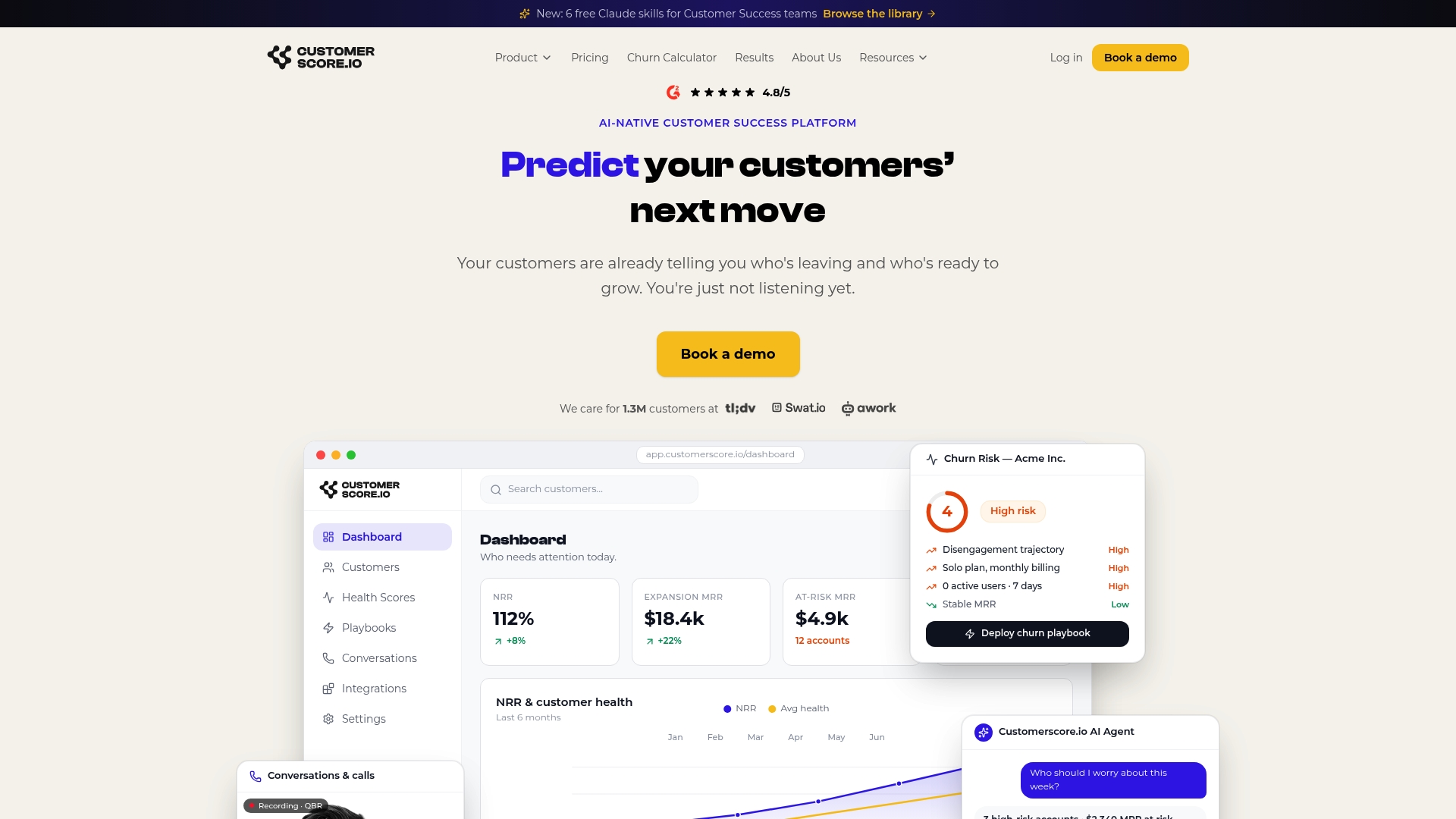
Customerscore approaches this the same way the audit-first playbook above recommends: instead of raw usage metrics firing constant, unranked alerts, explainable health scores weigh billing, product usage, CRM, and support data together, so the alert that reaches a customer success manager already reflects genuine churn risk rather than a single metric wobble. Paired with AI churn prediction, teams get fewer, more actionable signals instead of a dashboard full of noise, plus playbooks that turn a flagged account straight into a defined next step instead of a mystery someone has to investigate cold.
If your customer success team is drowning in unranked usage alerts the same way an on-call engineer drowns in unranked pages, the fix is structurally the same: fewer, better, owned signals. Book a demo to see how explainable scoring and churn prediction cut that noise down to what actually needs a human response.
Sources
- Understanding Alert Fatigue & How to Prevent it | PagerDuty
- Alarm fatigue in healthcare: a scoping review of definitions, influencing factors, and mitigation strategies
- Reducing the Safety Hazards of Monitor Alert and Alarm Fatigue (AHRQ PSNet)
- SOC alerts best-practices (Secure)
Recommended
Related articles
Five Fields to Fix Playbook Trigger Design for B2B SaaS CS & RevOps
Five Fields to Fix Playbook Trigger Design for B2B SaaS CS & RevOps ! Isometric trigger routing system illustration The most reliable approach to playbook trigger design is to sort every alert into
BlogStop SaaS Downgrades: Save 31% of At Risk Accounts for CS & RevOps
Stop SaaS Downgrades: Save 31% of At Risk Accounts for CS & RevOps ! Isometric account protection title card The fastest way to prevent SaaS downgrades is to stop treating every at-risk account the
Blog24–48 Hour Handoffs: B2B SaaS Support to CS Checklist, Six Fields
24–48 Hour Handoffs: B2B SaaS Support to CS Checklist, Six Fields ! Isometric handoff cards crossing between platforms A reliable support to CS handoff transfers ownership and context so the new owner
Blog90–120 Day Explainable AI Playbook to Reduce Renewal Risk for SaaS CS
90–120 Day Explainable AI Playbook to Reduce Renewal Risk for SaaS CS ! Isometric illustration of explainable renewal risk decisions To reduce renewal risk, you prioritize accounts daily using