
8 Best Customer Health Score Software Tools (2026)

A customer health score is only as good as what it tells you to do next. Most tools hand you a configured, rule-based number that turns red after an account has already checked out, and never explains why. The best customer health score software in 2026 does the opposite: it scores both churn risk and expansion potential, explains the drivers behind each score, and puts the accounts that need attention in front of your team.
This guide compares the 8 best customer health score tools for B2B SaaS in 2026, focused on the thing that matters most: how each one actually scores health. Rule-based or AI, churn-only or churn-and-upside, a number or an explanation.
TL;DR: the top picks at a glance
| Platform | Best for | Why it wins |
|---|---|---|
| Customerscore.io | Lean and scaling CS teams that want AI-first scoring | Scores every account daily for churn and upsell, shows the drivers behind each score, and tells your team who to focus on; live in days |
| Gainsight | Large enterprise CS operations | The deepest scorecard engine in the category, inside the most complete suite, built to be run by a dedicated admin |
| Planhat | Enterprise teams that want scoring inside a custom data model | The AIP engine predicts churn and recommends interventions on top of a fully customizable customer platform |
The rest of this guide is the evidence behind those picks, plus five more tools worth knowing.
What makes a great customer health score tool in 2026?
A dashboard with a colored dot is table stakes. The tools worth paying for share five traits:
- Predictive and explainable scoring, it surfaces risk early and shows the drivers behind the score, instead of a configured composite you have to recalibrate by hand.
- Both sides of health, churn risk and expansion/upsell signals, not just a single "are they happy" gauge.
- Analysis, not just a number, it tells you which activities drive retention and adoption in your base, so the score doubles as product insight.
- The right data, billing, product usage, and support signals measured against each account's own baseline, not a flat threshold.
- It tells your team where to act, alerts and a prioritized list delivered where your team works, so the score turns into follow-up instead of sitting on a dashboard.
Why trust us?
We scored each tool against those five traits using publicly available pricing data, vendor documentation, and the pattern of praise and complaints across thousands of verified G2 reviews (ratings cited as of September 2026). We also compete with or integrate alongside most of these platforms, so we hear every week from SaaS teams who evaluated them side by side. Where our own product is concerned, we state its limitations as plainly as its strengths. Pricing and ratings change, so verify the current numbers on each vendor's site before you buy.
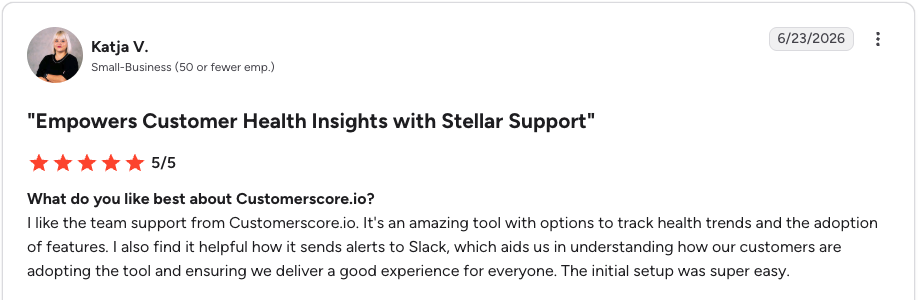
We also hold ourselves to the same standard we judge the others by: Customerscore.io is rated 4.8/5 on G2, the highest of the eight tools in this guide. Reviews like this one are why we build the way we do:
The 8 best customer health score tools in 2026
1. Customerscore.io: Best for explainable churn + expansion scoring that doubles as product analytics
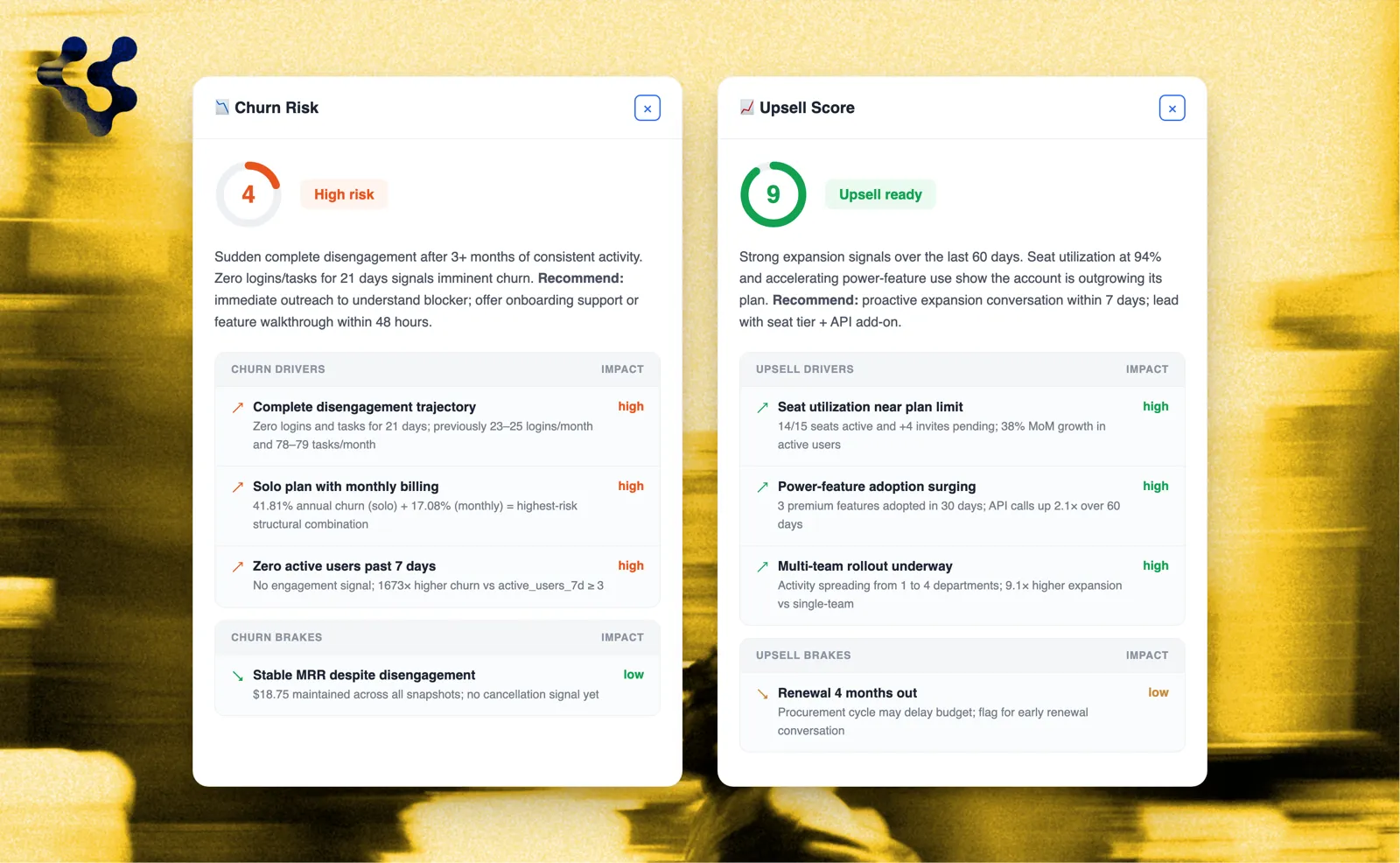
Customerscore.io is the most explainable scorer on this list, and the only one that grades both churn risk and upsell potential, not just churn. Connect your billing, CRM, and product data and this AI-native Customer Success platform scores every account daily, each score carrying the specific drivers and brakes behind it. The result is that your team always knows who to talk to today, and why.
What makes the scoring explainable is how the model is built: on your data, not a generic benchmark. It learns the patterns shared by the customers you have already lost, assembles a profile of what churn looks like in your base, then grades every active account by how closely it fits that profile, history included. The fit is the score; the signals that match the churn pattern surface as drivers, and the ones that pull the other way surface as brakes. It needs roughly 30–40 churned accounts to find reliable patterns, and it retrains itself as new data lands, with no manual recalibration.
Prefer to set your own logic? You can. Customerscore.io offers rule-based scoring as well as AI scoring, so teams that want manual control over weights and thresholds get it, while most tools on this list only give you the configure-it-yourself version that drifts without recalibration. And because the model exposes the behaviors that separate retained accounts from churned ones, the output reads like product analytics: you see which activities genuinely move retention and adoption, not a bare red-or-green dot.
Key features:
- Churn and upsell scoring: every account scored daily from 1 to 5 in both directions, with the drivers and brakes behind each score
- Rule-based option: set your own weights and thresholds alongside (or instead of) the AI model
- My Day and routines: every CSM starts the day with a clear list of who to reach out to, why, and what is due
- Tasks: follow-ups with assignees, due dates, and priorities, linked to the account they are about
- QBR and meeting briefs: prepared from the account's full history and touchpoints, so prep takes minutes instead of an afternoon
- Customer Rooms: a shared workspace per customer, one link and no login needed on their side, for onboarding plans, QBRs, and renewals
- MCP support: ask about your customer base straight from Claude or Slack in natural language, plus a conversational AI agent in the app
- Integrations and security: Stripe, HubSpot, Salesforce, Mixpanel, PostHog, Segment, Intercom, Chargebee; ISO 27001 certified, EU hosting, GDPR compliant
- Enrich the platforms you already run: churn and upsell signals can also flow into HubSpot, Intercom, Slack, and webhooks, so insights reach the tools your team works in
Pricing: One flat platform fee tiered by your ARR, never per seat and never per monitored customer. Most teams land between $5,000 and $20,000 per year, and you get your exact number in one call.
Pros:
- Explainable scoring with drivers and brakes, so CSMs act with context instead of guessing at a black-box number
- The only tool here scoring churn and upsell, which is where the NRR upside hides
- Live in days with white-glove, expert-led onboarding, no dedicated admin or CS Ops hire needed
Cons:
- No in-app walkthroughs or product tours; that is where ChurnZero and Gainsight PX are stronger
- No built-in NPS/CSAT surveys; survey data comes in through integrations instead
G2 rating: 4.8/5, the highest on this list. Reviewers highlight the automated alerts, the health trend tracking, and setup speed. You can book a demo and see exactly how the scoring works before you commit.
2. Gainsight: Best for enterprise scoring backed by a dedicated CS Ops team
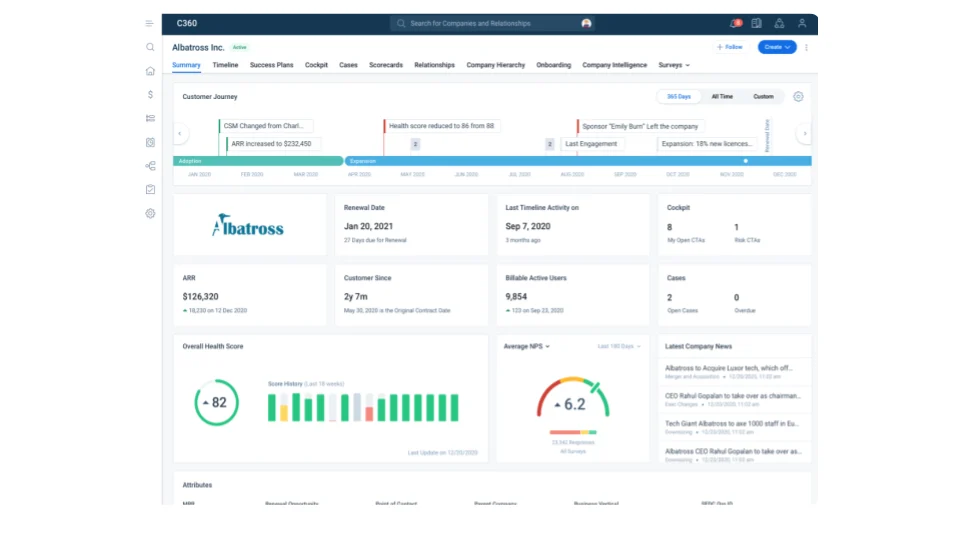
Gainsight is the enterprise standard. Its scorecards combine quantitative metrics with qualitative inputs, and it layers AI analysis on top, which is powerful if you have the team to run it. The catch is weight: the Rules Engine is hard, reviewers consistently recommend a dedicated Gainsight Admin, and full adoption is measured in months. The scoring is something your team configures, not something that explains your base out of the box. See the Gainsight alternative comparison.
Key features:
- Scorecards mixing quantitative metrics and qualitative CSM inputs
- Rules Engine and Journey Orchestrator for score-driven workflows
- AI analysis layered across the suite
- Deep reporting with tight Salesforce integration
Pricing: Quote-based, enterprise territory. Public sources put it at $150–$300 per user per month, a median contract near $50,000/year, and first-year costs often above $120,000 with implementation.
Pros:
- The most complete scorecard and CS suite on the market, hard to outgrow
- Scales to the most complex enterprise motions and account hierarchies
- Strong reporting depth once configured
Cons:
- Needs a dedicated admin; Ease of Setup and Ease of Admin are its weakest G2 sub-scores
- Reviewers report around five months on average to go live
- The score reflects your configuration, not a model that learns your base on its own
G2 rating: 4.5/5. Reviewers praise the comprehensive customer view; complexity and setup effort are the most consistent complaints.
3. ChurnZero: Best for usage-based scoring tied to in-app engagement
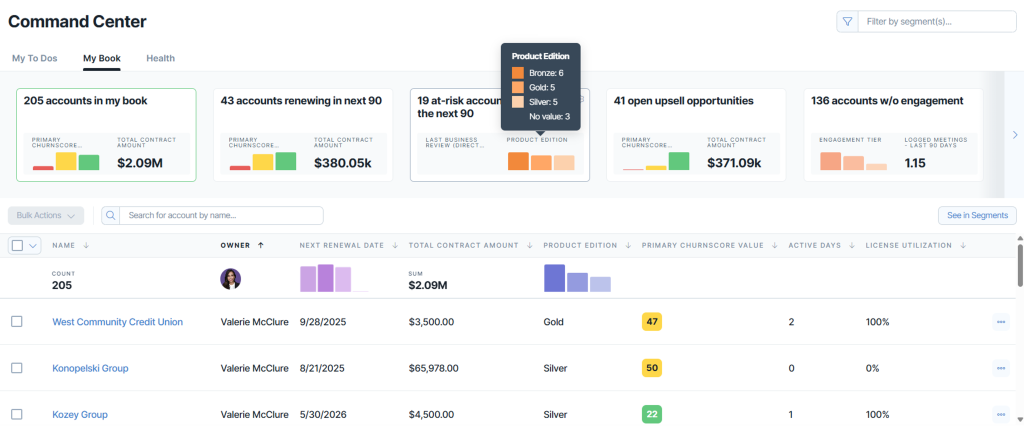
ChurnZero's ChurnScores blend product usage, CRM data, support tickets, and sentiment, with AI pattern recognition on top, and the score connects directly to its Plays automation, in-app messaging, and Success Centers. It is a capable mid-market and enterprise suite. But the score model is configured and operated by your team: reviewers report 6–8 weeks to set up and 3–6 months to full deployment, a steep learning curve, and usually a dedicated admin. See the ChurnZero alternative comparison.
Key features:
- Composite ChurnScores with configurable inputs across usage, CRM, support, and sentiment
- Plays automation triggered by score and segment changes
- In-app communications, WalkThroughs, and Success Centers
- Customer Success AI for drafting and summarization
Pricing: Per CSM seat plus a platform fee and account overages, with a typical first-year cost of roughly $20,000–$50,000 including implementation.
Pros:
- Score connects directly to in-app engagement, a real differentiator
- The highest-rated large suite on G2, with best-in-class support marks
- Powerful, flexible automation once configured
Cons:
- 6–8 weeks of setup and 3–6 months to full deployment, per reviewer reports
- The learning curve is the most-cited complaint; most teams need a dedicated admin
- Composite scores need ongoing recalibration as your product changes
G2 rating: 4.7/5, with a Satisfaction score of 96 in G2's Spring 2026 Grid Report.
4. Vitally: Best for high-touch teams that want a polished, customizable scorecard
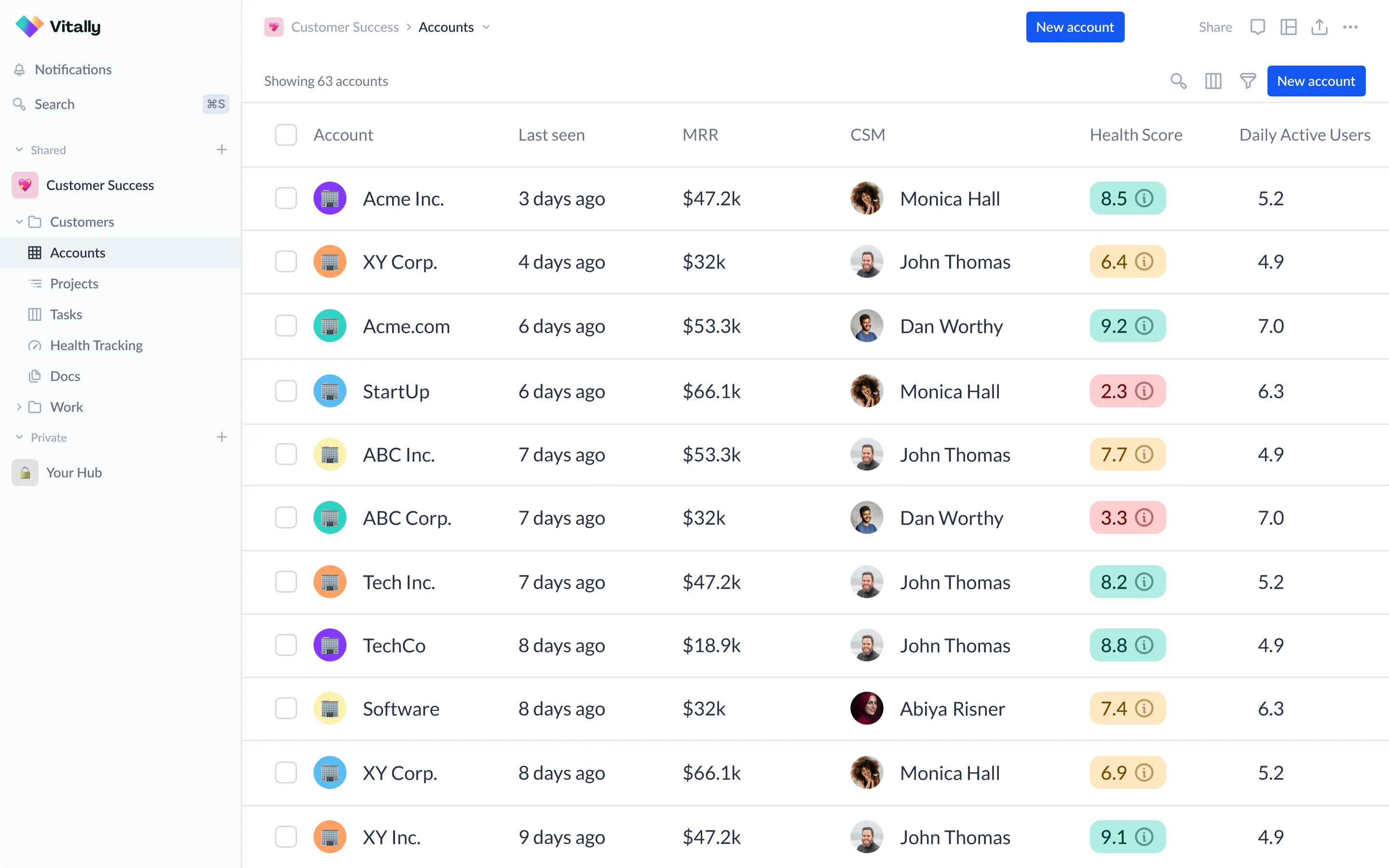
Vitally gives you highly customizable health scores inside a polished CSM workspace, with AI summaries and an emphasis on transparent models. It shines for human-led teams that will invest in configuration. The trade-off: the score is only as good as the data and rules you feed it, the AI mostly assists rather than predicts, and there is a real learning curve. See the Vitally alternative comparison.
Key features:
- Fully customizable health score models with transparent weighting
- Polished CSM workspace: tasks, playbooks, and customer-facing Docs
- Vitally AI for account summaries and Q&A
- Segments and automation driven by score changes
Pricing: Quote-based and driven by the number of accounts you manage; expect a low-to-mid five-figure annual contract for a real deployment.
Pros:
- One of the most polished UIs in the category
- Transparent, fully controllable score models
- Faster implementation than the enterprise suites
Cons:
- The AI assists rather than predicts; scores drift without an owner recalibrating them
- Account-based pricing punishes large low-touch bases
- Needs an internal owner to keep the configuration honest
G2 rating: 4.5/5. Reviewers highlight the UI and automation builder; the configuration lift is the most common criticism.
5. Custify: Best for mid-market teams that want scoring plus a full workspace
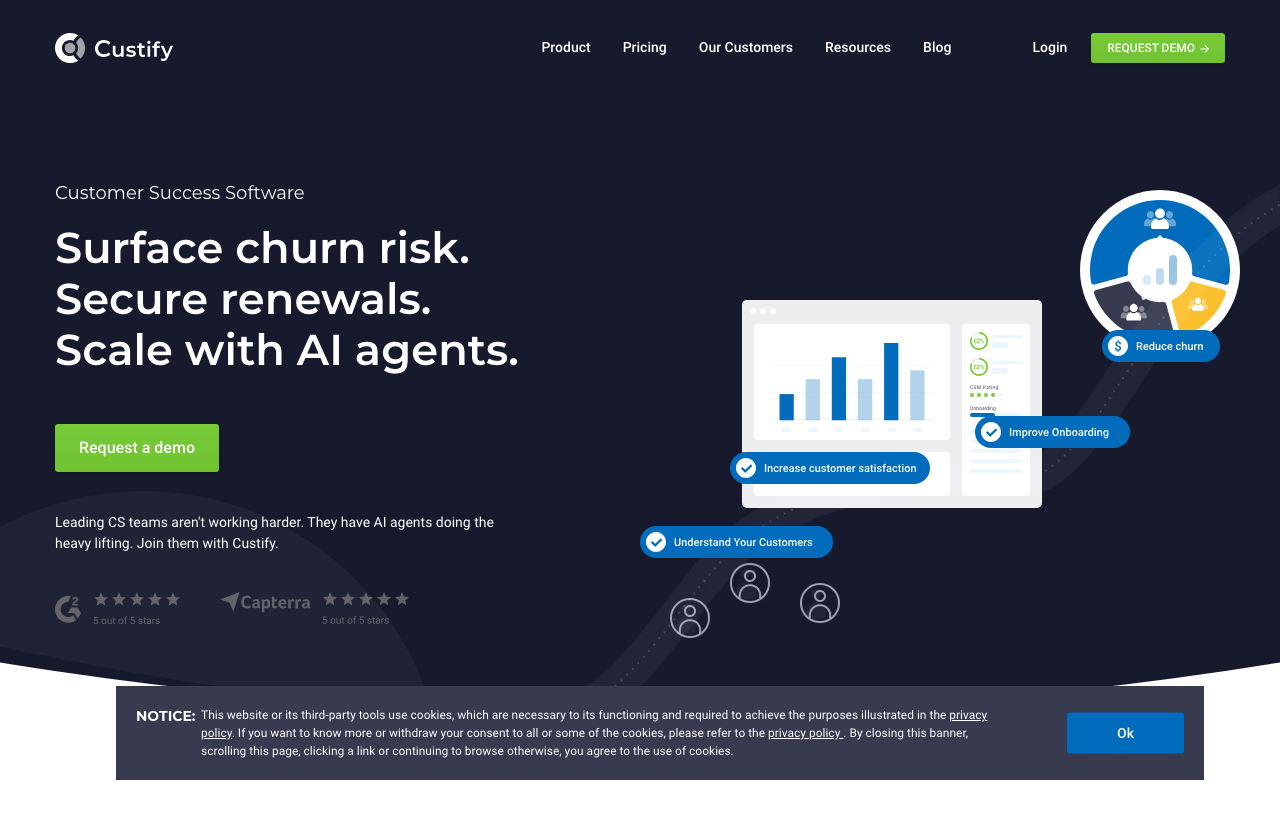
Custify pairs health scores with its automated "Signals" system, a customer 360, tasks, and surveys aimed at mid-market CS teams. It covers the basics well, but you define the health scores and playbooks from scratch, and the interface takes time to master. See the Custify alternative comparison.
Key features:
- Configurable health scores with the automated Signals system
- Customer 360 view with tasks and playbooks
- Built-in surveys (NPS, CSAT)
- Concierge onboarding and hands-on support
Pricing: Quote-based and per seat; public sources put it around $899/month for just three seats, so cost climbs as your team grows.
Pros:
- Strong support and ease-of-use marks on G2
- Scoring, workspace, and surveys in one mid-market package
- Well liked by small and mid-size CS teams
Cons:
- Health scores and playbooks are defined from scratch by your team
- Per-seat pricing grows with headcount
- The interface takes time to master, per reviewers
G2 rating: 4.7/5. Reviewers praise the support quality and ease of use; the setup effort for scores is the most common criticism.
6. Planhat: Best for enterprises that want scoring inside a custom data model
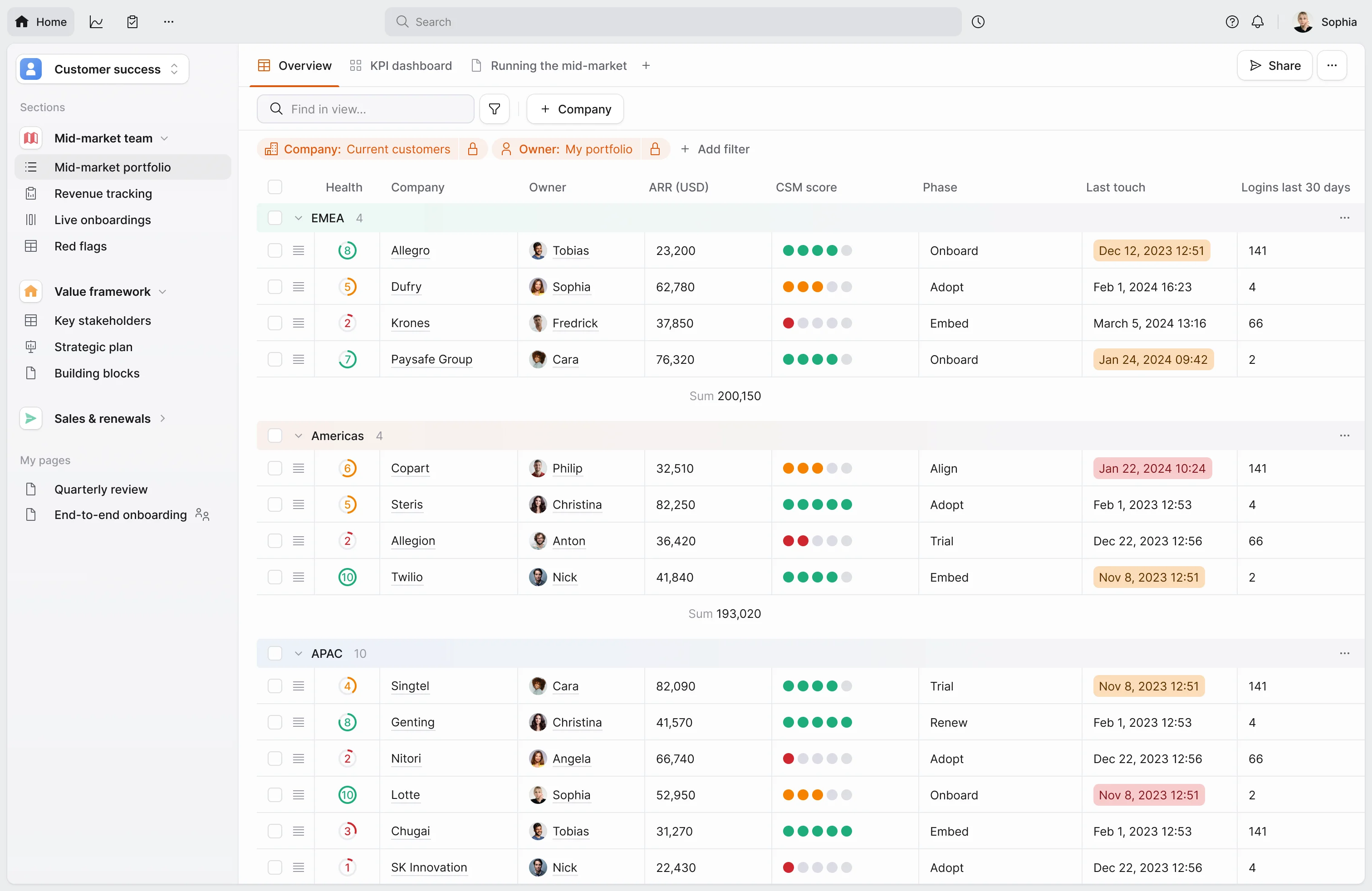
Planhat scores health through its flexible customer platform and Planhat AIP engine, which analyzes historical data to predict churn and recommend interventions. For enterprises that want to model their own data, it is one of the most adaptable options. That flexibility is also the catch: implementations commonly run 12–16 weeks and most teams need a dedicated admin. See the Planhat alternative comparison.
Key features:
- Health scoring on top of a fully custom data model
- Planhat AIP: churn prediction with recommended interventions
- CSP, CRM, and PSA workflows in one platform
- Strong revenue management and dashboards
Pricing: Quote-based. Public sources put most contracts at $25,000–$60,000+/year plus implementation.
Pros:
- The most adaptable data model in the category
- AIP genuinely predicts rather than just aggregating rules
- Strong value against Gainsight for a comparable feature set, per reviewers
Cons:
- 12–16 week implementations with real data-modeling work up front
- Needs a dedicated admin to configure and maintain
- Steep learning curve is the most common review criticism
G2 rating: 4.6/5. Reviewers praise the customization and health tracking; the learning curve draws the most criticism.
7. Totango: Best for modular, incremental scoring rollouts
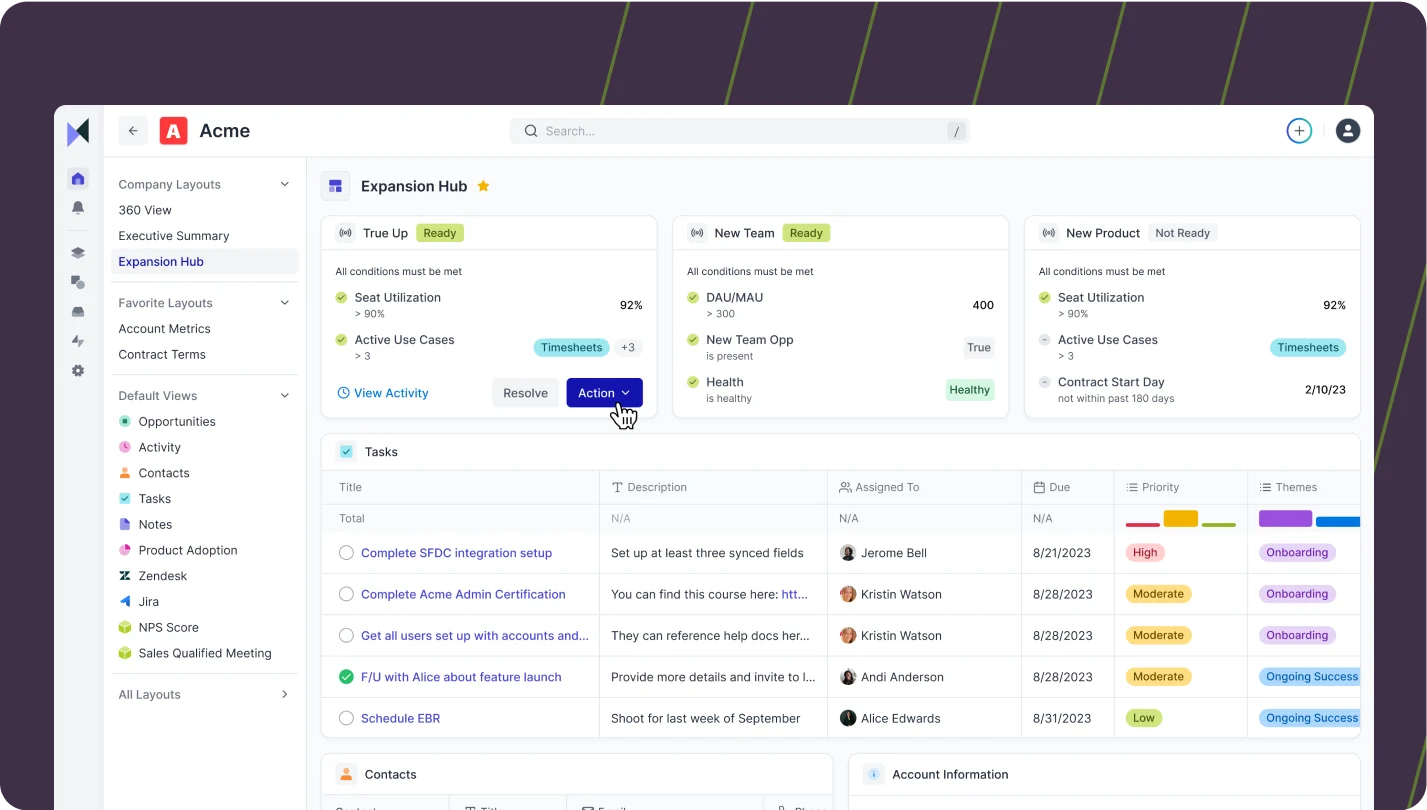
Totango offers an AI-powered scoring engine inside its modular "SuccessBLOC" approach, so teams can roll out health scoring incrementally (now alongside a more polished workspace following its merger with Catalyst). It is flexible for teams that want to start small, though scaling insights and keeping the configuration tidy takes hands-on effort over time, and explainable, dual churn-and-expansion scoring is not its core strength.
Key features:
- Modular SuccessBLOCs adopted one program at a time
- AI-powered scoring engine with journey templates
- Catalyst-derived CSM workspace on top of the modular engine
- Health scoring you can roll out incrementally
Pricing: Quote-based, scaling with modules and accounts. Entry points have historically been more accessible than the heavyweight suites here.
Pros:
- Incremental rollout instead of a big-bang implementation
- Strong enterprise usability marks on G2
- Broad feature surface after the Catalyst merger
Cons:
- Keeping the scoring configuration tidy takes ongoing effort
- Explainable, dual churn-and-expansion scoring is not its core strength
- The merged product surface can feel broad rather than deep
G2 rating: 4.4/5. Reviewers like the modular approach and usability; depth and setup upkeep draw the most criticism.
8. HubSpot Service Hub: A CRM you'll keep, not the health score you need
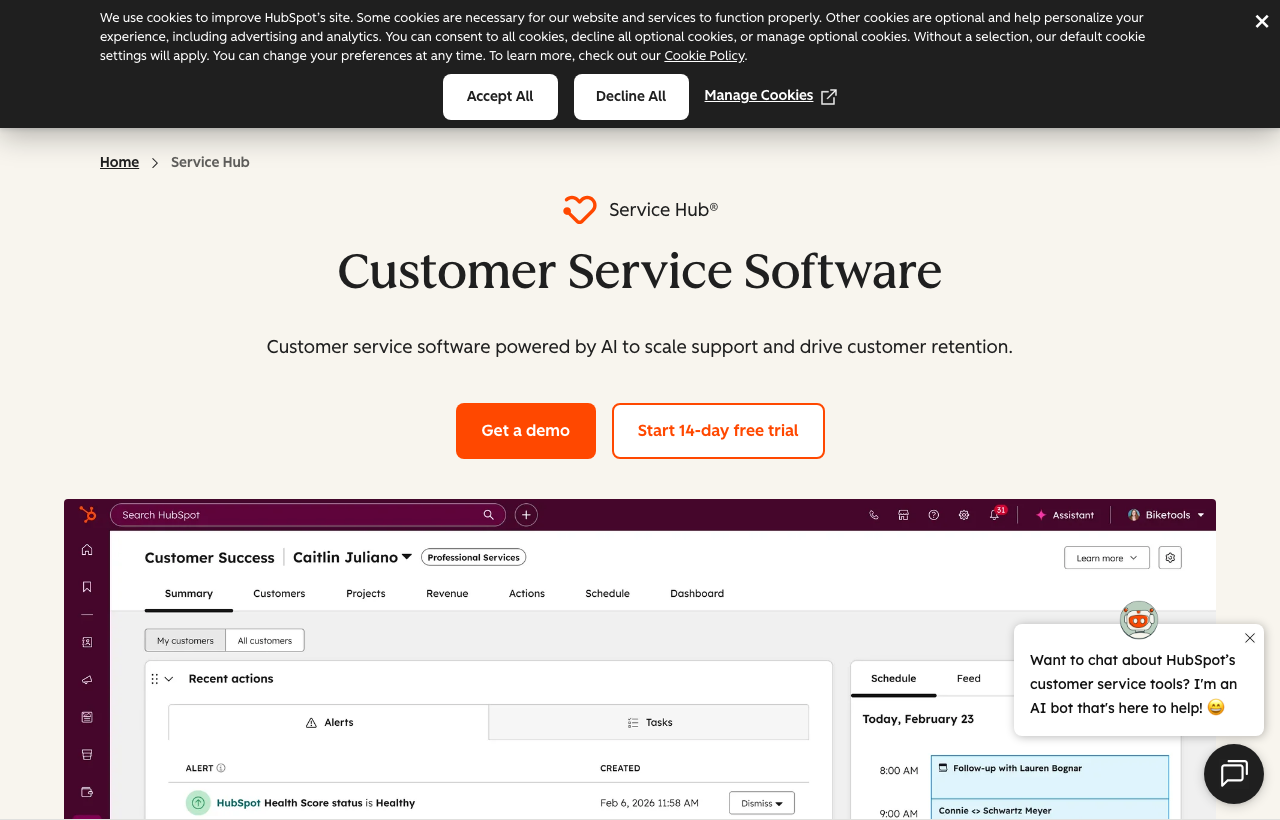
Because so many SaaS teams already run on HubSpot, its native "customer health" field is the score people reach for first. It is also the bare minimum, and it is worth being honest about why:
- Rule-based only: you hand-set the weights and thresholds; there is no model to find the patterns you didn't think to code.
- No product usage: it scores from CRM and support data but ignores how customers actually use your product, which is the single most important signal for any usage-based SaaS.
- A static number, no trend: you see a value today, not whether the account is sliding or recovering.
- No explanation: there are no drivers behind the number, so it tells you that an account looks unhealthy, never why.
Pricing: Included in Service Hub's per-seat tiers, so the health field itself costs nothing extra if you already pay for the Hub.
G2 rating: 4.4/5 for Service Hub as a whole, which reviewers rate as a service desk, not a scoring engine.
This is exactly why nearly every Customerscore.io customer runs both HubSpot and Customerscore.io: HubSpot is where the team works, Customerscore.io is where the real score comes from. We unify all of your data, product usage, billing, support, and the records already sitting in HubSpot, into one explainable churn-and-expansion score, then feed that score and its drivers back into HubSpot or Intercom so your team can act on it where they already are. Teams like awork do exactly this; see the awork case study.
Comparison table: best customer health score software in 2026
| Platform | Scoring method | Churn + upsell | Explainable drivers | Setup | G2 rating | Pricing |
|---|---|---|---|---|---|---|
| Customerscore.io | AI (ML + LLM) and rule-based | ✅ both | ✅ drivers + brakes | ✅ days | 4.8 | ⚠️ quote, flat fee by ARR |
| Gainsight | Rule-based + AI analysis | ⚠️ churn-focused | ⚠️ configured | ❌ months | 4.5 | ❌ quote only |
| ChurnZero | Composite + AI patterns | ⚠️ churn-focused | ⚠️ composite | ❌ weeks | 4.7 | ❌ seat + fee |
| Vitally | Configurable scorecard | ⚠️ churn-focused | ⚠️ manual setup | ⚠️ data-dependent | 4.5 | ❌ quote only |
| Custify | Configurable + Signals | ⚠️ churn-focused | ⚠️ manual setup | ⚠️ weeks | 4.7 | ❌ per seat |
| Planhat | AI engine (AIP) | ⚠️ churn-focused | ✅ predicts + recommends | ❌ 12–16 weeks | 4.6 | ❌ quote only |
| Totango | AI scoring engine | ⚠️ churn-focused | ⚠️ | ⚠️ weeks | 4.4 | ❌ quote only |
| HubSpot Service Hub | Rule-based, no product usage | ❌ static, no trend | ❌ | ✅ quick | 4.4 | ⚠️ tiered/seat |
Comparison last updated September 2026, based on publicly available information; G2 ratings as of September 2026. Figures change, so verify on each vendor's site.
How to choose the right one for your stage
- You want the score to tell you why and what to do: prioritize explainable AI scoring with drivers. Customerscore.io is built for exactly this.
- You want to grow revenue, not just prevent loss: you need a tool that scores expansion too; most score only churn.
- Enterprise with CS Ops to spare: Gainsight or Planhat give you depth you can configure and staff.
- High-touch CSM team: Customerscore.io gives every account the attention your best CSM gives the top five, with the full picture and QBR prep to match; Vitally or Custify fit if a workspace-led motion is your priority.
- You already run on HubSpot: keep working there, but generate the real score elsewhere and feed it back; HubSpot's native health score is rule-based and ignores product usage. See why HubSpot's health score is basic and how Customerscore.io works with HubSpot.
The honest rule: if you want a health score that predicts churn and expansion, explains the drivers, and shows your team who to focus on, Customerscore.io is likely your best fit.
Related guides: 8 best customer success software · Best Gainsight alternatives · Best customer retention software
FAQs
What is a customer health score?
A customer health score is a single measure of how likely an account is to renew, churn, or expand, built from product usage, billing, and engagement signals. The best modern scores are predictive and explainable. See our complete customer health score guide and definition with examples.
Rule-based vs AI health scoring: which is better?
Rule-based scoring uses weights and thresholds you set by hand; it is transparent but drifts as your product changes and can't find patterns you didn't think to code. AI scoring learns the patterns from your own churned customers and adapts automatically. The strongest tools offer both, and Customerscore.io does.
Can a customer health score predict expansion, not just churn?
Yes, though most tools only score churn risk. Customerscore.io scores both churn risk and upsell potential, because the same signals that predict loss often predict growth. See why net revenue retention depends on catching both.
How is an explainable AI health score calculated?
Customerscore.io's model learns what churn looks like in your base, then scores each active account by how closely it matches those patterns. Where an account matches are the drivers of risk; where it differs most are the brakes. That is the "why" behind the number, not just the number.
How much customer data do you need for AI scoring to work?
AI scoring sharpens with history. A practical threshold is around 30–40 churned accounts, enough for the model to learn reliable patterns. Below that, rule-based scoring (or a hybrid) is a sensible start.
How long does it take to implement health score software?
It varies widely. Enterprise suites like Gainsight or Planhat commonly take months and a dedicated admin. AI-native tools like Customerscore.io connect your data and go live in days, and you can book a demo to see exactly how it works first.
Key Takeaways
- The best 2026 health score tools are predictive and explainable: they show the drivers, not just a colored dot.
- Most tools score churn only; scoring expansion too is rare, and it is where your NRR upside hides.
- Rule-based vs AI isn't either/or: the strongest setups offer both, so you get automatic pattern-finding and manual control.
- A great score doubles as product analytics: it tells you which activities drive retention and adoption.
- For explainable churn + expansion scoring with the analysis behind it, Customerscore.io is the standout; Gainsight, ChurnZero, Vitally, Custify, Planhat, Totango, and HubSpot fit different team sizes and budgets.
Related articles
SaaS Retention Statistics: 8 Findings From 44,000 Users
1 in 4 paying customers is doing nothing. Monthly plans churn 4.7× faster than annual. Eight findings from analyzing 44,000 SaaS users.
BlogAccount Health Dashboard: A B2B SaaS Guide for 2026
What an account health dashboard is, the metrics it should track, how to implement one your team actually trusts, and how it fits into your B2B SaaS workflows.
BlogHow to Build a Customer Health Score in HubSpot (Step by Step)
A step-by-step guide to building a customer health score in HubSpot, from a manual RAG score to weighted workflows, how to bring in product usage, and the pitfalls to watch.
BlogChurn Prediction in SaaS: How to Spot Risk Before You Lose the Customer
97% of customers churn silently. Here's how to predict it, the signals, the models, and the intervention playbook that saves accounts.