
Building a SaaS Integration Strategy That Actually Pays Off


A SaaS integration strategy is a company-wide plan that prioritizes the integrations that accelerate activation, reduce churn, and scale operations. The catch is that most companies build integrations reactively, one customer request at a time, until the roadmap looks like a junk drawer.
The fix starts before a single line of code gets written: map revenue at risk, then map the source of truth for each data domain. If your top three enterprise deals are stuck waiting on a Salesforce sync, that's your first build. If support tickets and product usage live in three different systems with three different versions of "active user," that mismatch needs an owner before it needs an engineer.
Two moves get you there fast:
- Run a 48-hour audit. List every open integration request from sales, support, and customer success, then tag each one with estimated annual contract value attached.
- Assign an owner per data domain. Billing, product usage, and CRM each need one accountable team, not a rotating cast of whoever answers the Slack ping.
Key Takeaways
A SaaS integration strategy succeeds when it prioritizes by revenue at risk, assigns clear ownership per data domain, and tracks activation and retention deltas as proof of ROI.
| Point | Details |
|---|---|
| Start with revenue at risk | Audit open integration requests and tag each with attached annual contract value before building anything. |
| Use a four-dimension rubric | Score integrations on business, engineering, operations, and experience impact, not gut feel. |
| Budget for maintenance | Plan for 10 to 25 percent of build cost annually in ongoing upkeep, credential rotation, and field mapping fixes. |
| Combine delivery models | Blend productized, bespoke, embedded, and agentic integrations instead of forcing one model everywhere. |
| Sync signals, not raw events | Feed activation status, session recency, and feature adoption into platforms like Customerscore for churn prediction and health scoring. |
Table of Contents
- What Is a SaaS Integration Strategy, and What Types Should You Know?
- How Does an Integration Strategy Improve Retention and Revenue?
- Where Do Integration Programs Break Down?
- What Framework Should Guide Integration Prioritization?
- Which Delivery Model Fits Each Integration Need?
- What Belongs on an Integration Implementation Checklist?
- Who Owns Integration Maintenance After Launch?
- Which KPIs Prove an Integration Program Is Working?
- How Should You Sequence and Launch New Integrations?
- How Customerscore Turns Product Signals Into Retention Playbooks
- What Actually Separates Good Integration Programs From Great Ones?
- Put Your Product Signals to Work With Customerscore
- Frequently Asked Questions
- Sources
What Is a SaaS Integration Strategy, and What Types Should You Know?
Vocabulary gets sloppy fast when product, engineering, and go-to-market teams talk past each other about "integrations." Nail down the terms first.
API-based integrations connect two systems directly through documented endpoints; you own the code and the maintenance. Connectors are pre-built, often community-maintained links that trade flexibility for speed. Native integrations ship inside your product, built and supported by your own engineering team. iPaaS (integration platform as a service) tools like workflow-orchestration platforms let you build and manage many integrations from one control plane, cutting duplicate work. Embedded iPaaS takes that same orchestration layer and surfaces it inside your own product, so customers configure integrations themselves. Agentic integrations expose your platform's actions as callable functions that AI agents can invoke directly, without a human clicking through a UI.
The trade-offs run in predictable directions:
- Bespoke API work is fast to justify for one big deal but slow to maintain across dozens of variants.
- Connectors and iPaaS trade some customization for speed and lower long-term upkeep.
- Native and embedded options cost more upfront but scale better once you're past a handful of integrations.
A typical enterprise flow: a new deal closes, product usage starts flowing into the CRM automatically, and the customer success team gets a health score without anyone touching a spreadsheet.
How Does an Integration Strategy Improve Retention and Revenue?
Integrations aren't a technical nicety. They show up directly in activation speed, renewal rates, and how fast your sales team closes deals that would otherwise stall on procurement's system requirements.
Time-to-first-value drops when a customer's existing data flows into your product automatically instead of requiring a manual CSV upload during onboarding. That single change often determines whether a trial converts. Retention follows the same logic in reverse: when a customer's tools are wired together, switching costs go up and the product becomes harder to rip out.
Quick math: If integrated accounts show even a modest retention edge over non-integrated ones, that gap compounds every renewal cycle across your entire book of business.
The operational case matters just as much. Manual reconciliation between billing, CRM, and product data eats analyst hours every month, and every hour spent fixing a mismatched customer record is an hour not spent on expansion strategy.
- Faster activation for new accounts with existing tool stacks
- Higher renewal likelihood tied to switching-cost friction
- Fewer reconciliation hours across finance, RevOps, and CS
- Stronger sales demos when prospects see their actual stack represented live
Sales teams close faster, too, when a demo shows a prospect's own HubSpot or Salesforce data live on screen instead of a generic mockup.
Where Do Integration Programs Break Down?
Every integration you ship is a promise to maintain it, and that promise gets expensive in ways most roadmaps don't budget for. Vendor APIs change without much warning, field mappings that worked at launch quietly drift as the source system evolves, and credentials expire on schedules nobody tracks until a sync silently stops.
Expect real maintenance cost over the following 12 to 24 months, not just at launch. A prioritization rubric that accounts for revenue at risk should also weigh that ongoing cost, or you'll systematically underprice what you're building.
Security risk climbs with every new connection point. Applying least-privilege access, rotating tokens on a fixed schedule, and tracking data residency requirements aren't optional extras. Where an integration touches protected health information, HIPAA and equivalent regulatory frameworks dictate specific technical and administrative safeguards, and skipping that review is a liability, not a shortcut.
Scaling complexity compounds faster than most teams expect. The average enterprise now runs dozens of SaaS applications, and combinatorial pressure builds fast once you're supporting more than a handful of connectors, each with its own auth model, rate limit, and failure mode.
- API version churn breaking previously stable field mappings
- Credential expiration causing silent sync failures
- Data residency and regulated-data handling requirements
- Long-tail systems that never justify dedicated engineering time
Pro Tip: Build a credential expiration calendar the same week you ship your first integration. Rotating tokens on a fixed schedule beats discovering a broken sync when a customer complains.
What Framework Should Guide Integration Prioritization?
A strategy without a scoring method is just a wish list ranked by whoever asked loudest. The fix is a repeatable rubric across four dimensions, each answering a different question about whether an integration earns a build slot.
- Business: Does this unblock revenue, and how much?
- Engineering: What's the build cost now, and the maintenance cost over 12 to 24 months?
- Operations: Who owns this once it ships, and what's the support load?
- Experience: Does this change how the product feels to use, or just move data in the background?
Within those dimensions, score every candidate integration against concrete factors: revenue at risk tied to the annual contract value of accounts requesting it, pipeline coverage across open deals, activation impact, retention signal, and category breadth relative to your existing catalog. An integration that unlocks a single $200,000 deal scores differently than one that marginally improves onboarding for a segment representing 2% of revenue.
Set a cadence so this isn't a one-time exercise:
- Monthly: capture new requests from sales, support, and CS in one shared backlog.
- Quarterly: re-score the backlog and update the roadmap based on new deal data.
- Annually: reassess your entire integration catalog for deprecation candidates and platform consolidation.
Build versus buy versus partner comes down to a simple test. Build when the integration is core to your product experience and you expect long-term demand across many accounts. Buy or use a connector when the workflow is standard and someone else has already solved the maintenance burden well. Partner when a category is adjacent to your product but not central to it, and a specialist vendor already owns that relationship better than you could.
Which Delivery Model Fits Each Integration Need?
Not every integration deserves the same build approach, and forcing them all through one model is how maintenance backlogs spiral. Four delivery models cover nearly every case, and the strongest programs combine all four into a hybrid catalog rather than picking one and forcing everything through it.
Productized integrations are the ones you build once and ship to every customer, listed in a public marketplace or app directory. They carry real scale economics: one build serves thousands of accounts, and customers expect a self-serve setup flow with no engineering ticket required. These are worth treating as long-term platform assets, since a well-built productized integration becomes the foundation other delivery models build on top of.
Bespoke integrations get justified for a specific high-value account, often one closing a deal above a threshold that makes custom engineering time worthwhile. The trap is building bespoke work that never gets platformized, so it silently accumulates as one-off maintenance debt. The fix: after the third similar bespoke request, extract the common logic into a reusable component.
Embedded workflow builders hand configuration power to customers directly, letting them wire up long-tail systems your team will never build native support for. This shifts the support load from your engineers to the customer's own admin, for use cases too niche to justify dedicated development.
Agentic integrations expose your platform's core actions as functions an AI agent can call directly. This requires a clean, well-documented API catalog and contract terms that anticipate autonomous usage rather than a human clicking through each step.
Pro Tip: Treat your productized integration catalog as the foundation for everything else. A clean, well-documented API layer makes bespoke work faster to build and agentic use cases possible later.
What Belongs on an Integration Implementation Checklist?
Skipping a step here doesn't just cost time. It costs trust, the moment a customer's data syncs incorrectly and nobody notices for two weeks.
- Assign an owner and source of truth per data domain. Decide once whether billing, CRM, or product usage wins when two systems disagree.
- Map data fields before writing code. Document every field, its type, and validation rules, then backtest against a sample of real customer data.
- Choose an auth pattern and rotation policy. OAuth with scheduled token refresh beats static API keys for anything long-lived.
- Build an error-handling taxonomy. Classify failures as retryable, requiring manual review, or requiring customer notification, with a runbook for each.
- Instrument monitoring before launch, not after. Set up retries, alerting thresholds, and dashboards that show sync health at a glance.
A few details separate teams that ship reliable integrations from teams that ship a demo and call it done:
- Validation rules that reject malformed records instead of silently storing bad data
- Alerting tied to actual business impact (a stalled sync for a top-20 account beats generic error-rate thresholds)
- A documented runbook so on-call engineers aren't reverse-engineering the integration at 2 a.m.
- Backtests against real historical data before the first live sync runs
Who Owns Integration Maintenance After Launch?
Shipping an integration is the easy part. Someone has to own it for years, and without defined governance covering ownership, monitoring, and recovery, integrations quietly become recurring cleanup work that nobody budgeted for.

Decide upfront whether product, platform engineering, or operations owns each integration category. A common split: platform engineering owns the technical infrastructure and shared connectors, while product owns which integrations exist and why, and operations owns day-to-day monitoring and customer-facing incidents.
Budget real money for maintenance, not just build cost. A reasonable planning assumption is a modest percentage of the original build cost per year in ongoing upkeep, covering API version changes, field mapping fixes, and credential rotation.
- Track every third-party API's version and deprecation calendar in one shared document.
- Route routine tickets through a tiered support model instead of defaulting to engineering, which preserves engineering capacity for new builds rather than firefighting old ones.
- Review the integration catalog annually for consolidation and deprecation candidates.
- Assign a single accountable owner for every integration category, not a rotating cast.
Which KPIs Prove an Integration Program Is Working?
Numbers make the difference between "we think integrations help" and "we can show exactly how much." Comparing activation, retention, and deal velocity between accounts with integrations and accounts without them gives the clearest ROI signal you can put in front of a budget committee.
Track these four activation and retention metrics:
- Activation metrics: time-to-first-value, segmented by which integration a customer used during onboarding.
- Retention differential: churn rate for integrated accounts versus non-integrated accounts, tracked over multiple renewal cycles.
- Deal velocity: how many days a missing integration adds to your sales cycle, and total pipeline value blocked by its absence.
- Operational health: error rate per integration, mean time to repair, and the size of your failed-record backlog.
That last category matters more than most roadmaps admit. An integration with a growing failed-record backlog is quietly generating support tickets and eroding trust, even while the top-line adoption number looks healthy.
How Should You Sequence and Launch New Integrations?
Not every integration deserves a press release, and treating a niche connector like a flagship launch wastes marketing effort that should go toward the ones that actually move revenue.
- Market openers unlock a new segment or vertical entirely, and these earn full go-to-market treatment: launch blog post, sales deck update, and outbound campaign.
- Parity integrations match a competitor's existing offering and merit targeted communication to affected accounts, not a company-wide announcement.
- Coverage integrations fill a long-tail gap and need only a lightweight changelog update.
This three-tier taxonomy keeps your marketing calendar from treating every shipped connector as equally newsworthy, which dilutes attention from the ones that actually matter.
Sales enablement should include a one-page fact sheet per integration (what it does, who it's for, and the objection it resolves) plus a demo template your team can run without custom prep. Pricing varies by strategic intent: free for integrations that reduce churn risk broadly, tiered for ones tied to premium plans, and add-on pricing for integrations serving a narrow, high-willingness-to-pay segment.
- Reserve full launch campaigns for market-opener integrations only
- Equip sales with a fact sheet and demo template before, not after, launch
- Price based on strategic intent, not build cost alone
How Customerscore Turns Product Signals Into Retention Playbooks
The signals worth syncing into your CRM aren't every raw event. They're the ones that predict behavior: activation status, sessions in the last 7 and 30 days, days since last active, and specific feature adoption flags. Computing these as derived values server-side, rather than shipping full event streams to every destination, cuts latency and shrinks your security surface at the same time.
Customerscore uses exactly this pattern to power churn prediction and health scoring. A few examples of playbooks these signals enable:
- Low session frequency in week two triggers an onboarding escalation to CS before the trial expires.
- Adoption of a specific high-value feature triggers an expansion nudge to sales.
- A composite health score dropping below threshold triggers automated at-risk outreach.
Teams building this from scratch can start with churn pattern analysis to see which signals actually correlate with retention in their own data.
What Actually Separates Good Integration Programs From Great Ones?
Most integration roadmaps die from too many bespoke builds and not enough discipline about what to say no to. The teams that get this right treat prioritization as a monthly habit, not an annual planning exercise, and they staff one clear owner per data domain before writing a line of code.
The biggest pitfall isn't technical. It's political: letting whichever team complains loudest set the roadmap instead of the revenue-at-risk math. Score everything, even the requests from your loudest champion.
Start small: one high-revenue integration, one owner, one KPI you'll actually check in 90 days.
Put Your Product Signals to Work With Customerscore
Once your CRM and billing integrations are flowing, the harder problem is turning that data into something a CS team can act on before an account churns. Customerscore ingests the exact product signals covered above (activation status, usage recency, feature adoption) and turns them into explainable health scores and churn predictions, without your team building a scoring model from scratch.
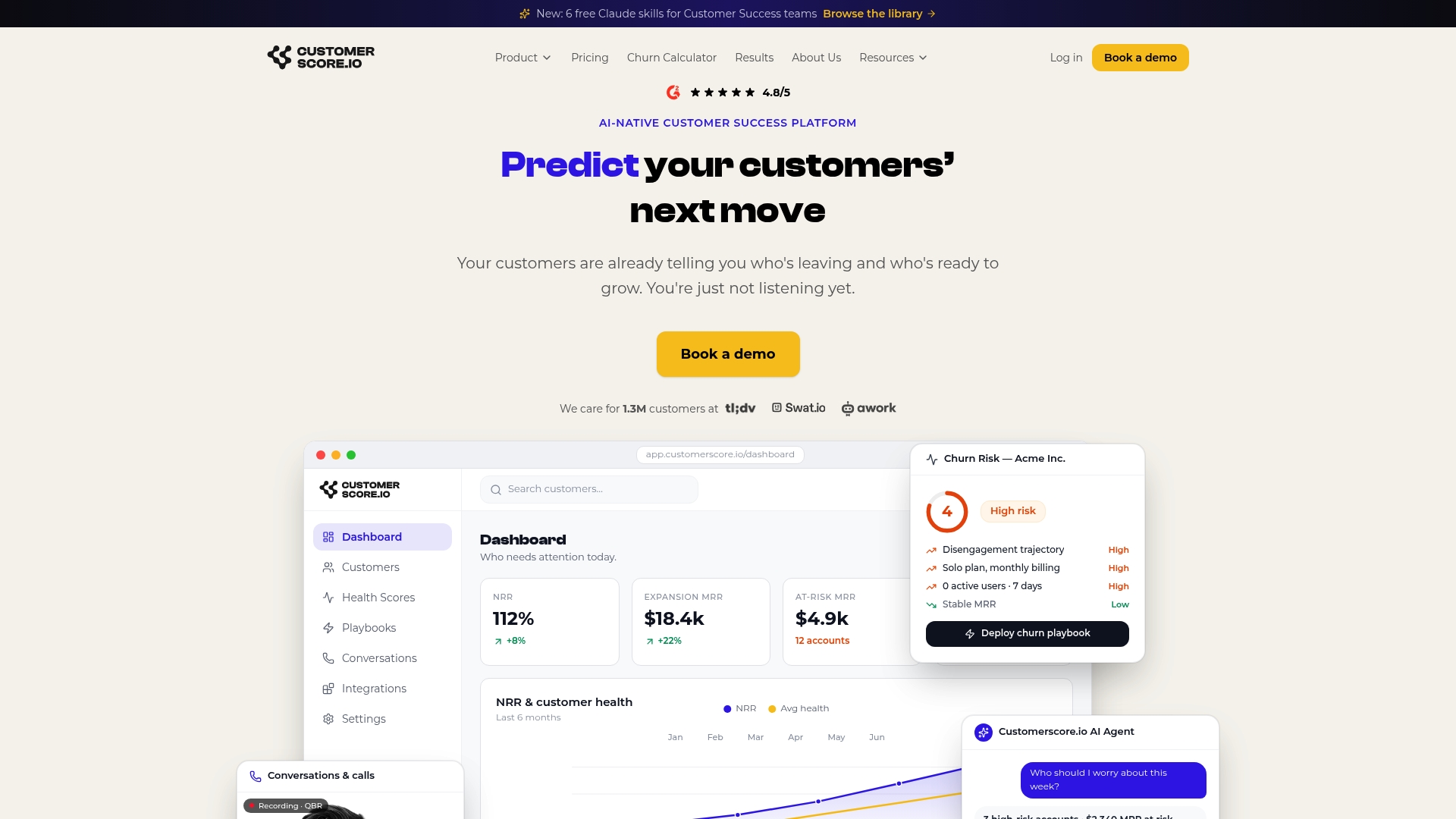
Instead of stitching together spreadsheets across Stripe, HubSpot, Salesforce, and your product database, Customerscore connects to those sources directly and surfaces real-time alerts when an account's health shifts. Teams evaluating alternatives can compare Customerscore.io with a Planhat alternative breakdown, or explore the health score platform directly to see how scoring works.
If you're ready to see how your product signals would map into a working health score, book a demo and bring your current integration list. This is Customerscore's own platform, built specifically for B2B SaaS customer success teams.
Frequently Asked Questions
What is the first step in building a SaaS integration strategy? Audit every open integration request across sales, support, and customer success, then tag each by the annual contract value attached before deciding what to build.
How much should companies budget for integration maintenance? Plan for roughly 10 to 25 percent of the original build cost annually to cover API changes, field mapping fixes, and credential rotation.
Should you build integrations in-house or use an iPaaS platform? Build in-house when an integration is core to your product and expected across many accounts; use an iPaaS or connector when the workflow is standard and a specialist has already solved the maintenance burden.
What's the difference between productized and bespoke integrations? Productized integrations are built once and shipped to all customers through a self-serve setup, while bespoke integrations are custom-built for a single high-value account and often need to be platformized later to control maintenance cost.
How do you measure whether an integration is working? Compare activation speed, retention, and deal velocity between accounts using the integration and accounts that aren't, then track error rate and mean time to repair for operational health.
Sources
- The Integration Strategy Guide for B2B SaaS | Prismatic
- SaaS integration strategy: how to develop yours from scratch | Merge
- HIPAA | U.S. Department of Health & Human Services
Recommended
Related articles
Cut CSM Intervention 18%: Predictive Playbooks for CS & RevOps
Cut CSM Intervention 18%: Predictive Playbooks for CS & RevOps ! Predictive playbook geometric title card Predictive playbooks link a churn prediction to a specific, repeatable action so customer
BlogPinpoint B2B SaaS Adoption Gaps and the Fix That Lifts Renewal
Pinpoint B2B SaaS Adoption Gaps and the Fix That Lifts Renewal ! Analysts reviewing SaaS adoption gaps Adoption gap analysis identifies the funnel stage where eligible users or accounts fail to reach
BlogAnalysts: 6–12 Month Cohort Forecasts for Net Dollar Retention
Analysts: 6–12 Month Cohort Forecasts for Net Dollar Retention ! Analyst reviewing cohort retention forecast The most reliable way to forecast net dollar retention is cohort-based modeling that
BlogStop Surprise Churn: 5 Phase Data Mapping for RevOps and CS
Stop Surprise Churn: 5 Phase Data Mapping for RevOps and CS ! Analyst mapping customer data fields Data mapping for CS means connecting product usage, billing, CRM, and support data to the fields your