
SaaS Renewal Automation: The Complete 2026 Playbook


SaaS renewal automation is the practice of automating the end-to-end contract renewal lifecycle so your team hits more renewals, reduces revenue leakage, and frees reps to handle the deals that actually need a human. Done right, it combines three core components: renewal visibility (a single source of truth for contract dates, health scores, and usage data), automated outreach and quote generation (workflow-driven sequences that trigger at the right time), and human-in-the-loop handling for complex or high-value accounts where negotiation matters.
The single most important setup decision: prioritize your integrations first. Connect billing (Stripe or Chargebee), CRM (Salesforce or HubSpot), and usage telemetry (Segment or Mixpanel) before you build a single workflow. Without clean, unified data, automation fires at the wrong accounts with the wrong message.
Three things to get right from day one:
- Renewal visibility: canonicalize contract dates and billing identities across systems before any workflow runs.
- Automated outreach window: start sequences well in advance before renewal for annual contracts; a shorter advance window for monthly.
- Exception routing: define clear rules for which accounts skip automation and go straight to a CS rep.
Key Takeaways
Renewal automation delivers measurable ARR improvement when it combines clean integration data, staged outreach workflows, and human-in-the-loop escalation for high-value accounts.
| Point | Details |
|---|---|
| Integration comes first | Connect billing, CRM, and usage telemetry before building any workflow; stale data breaks automation. |
| Start outreach at 60–90 days | Annual contracts need a 60–90 day outreach window; monthly contracts need 14–21 days. |
| Segment by ARR and risk | Low-ARR accounts can run fully automated; accounts above your ARR threshold always need a human touchpoint. |
| Track revenue at risk weekly | Revenue at risk is the leading indicator; renewal rate is the lagging one. Measure both, act on the former. |
| Customerscore for AI-aware renewal orchestration | Customerscore connects to Stripe, Salesforce, Segment, and more to surface explainable churn signals and run renewal playbooks. |
Table of Contents
- What is SaaS renewal automation, and how does it differ from auto-renewal?
- Why renewal automation pays off for B2B SaaS teams
- What does the renewal lifecycle look like, and what should you automate at each stage?
- What features and integrations does a renewal automation system need?
- Best practices for implementing renewal automation without breaking things
- Which KPIs should you track, and how do you calculate ROI?
- What are the most common renewal automation pitfalls?
- What does a realistic renewal automation rollout look like?
- Runnable renewal automation playbooks your team can use today
- What should you do right now to get started?
- What renewal automation actually teaches you about your organization
- Customerscore makes renewal automation measurable from day one
- Sources
What is SaaS renewal automation, and how does it differ from auto-renewal?
Software as a service is built on recurring billing, which means renewals are not a one-time event but a continuous operational process. Most teams conflate two very different things when they talk about "auto-renew."
Auto-renewal is a single technical action: the billing system charges the card on file when a subscription period ends. No outreach, no personalization, no negotiation. It either works or it fails.
Renewal automation is an entire process. It includes contract tracking, health-score-based segmentation, timed outreach sequences, automated quote generation, approval routing for discounts, dunning and payment retry logic, and post-renewal expansion triggers. The distinction matters: renewal automation can recommend an upgrade at renewal, flag a churn risk 90 days out, and route a complex deal to the right rep before the customer even thinks about leaving.
Subscription management platforms centralize billing, product, and contract data to make this possible. Without that unification, renewal automation is just a series of disconnected reminders.
When to use which approach:
| Scenario | Right approach | Why |
|---|---|---|
| Low-touch, self-serve monthly plans | Auto-renewal + dunning | Low complexity; human involvement adds cost, not value |
| SMB annual contracts, moderate ARR | Renewal automation (light) | Personalized outreach improves conversion; quotes can be templated |
| Mid-market annual, usage-based pricing | Renewal automation (full) | Usage data drives upgrade offers; approval routing needed for discounts |
| Enterprise multi-year, custom terms | Renewal automation + human-in-the-loop | Negotiation, legal review, and exec alignment require people |
The integration stack that makes renewal automation work includes: billing and payments (Stripe, Chargebee), CRM (Salesforce, HubSpot), usage and telemetry (Segment, Mixpanel, PostHog), customer support (Intercom), and an AI-native Customer Success platform like Customerscore.io that ties health scoring and churn prediction into the renewal workflow.
Why renewal automation pays off for B2B SaaS teams
The business case is straightforward: missed renewals are pure revenue loss, and manual renewal processes don't scale past a few hundred accounts. But the operational and customer experience benefits are just as real.
Revenue benefits:
- Fewer missed renewals because automated reminders and quote delivery happen on schedule, not when a rep remembers.
- Predictable ARR because renewal dates, contract values, and risk scores are visible weeks in advance.
- Expansion revenue captured at renewal through automated upgrade offers triggered by usage signals.
Operational benefits:
- CS and RevOps teams spend less time on routine renewal tasks and more time on accounts that need intervention.
- Quote-to-sign cycles shorten when templates and approval routing replace manual back-and-forth.
- Billing errors drop when renewal quotes pull directly from the contract and usage data rather than from a spreadsheet.
Customer experience benefits:
Timely, relevant outreach feels like service, not a sales push. Gartner research confirms that B2B buyers increasingly prefer self-service and digital purchase paths, which means a well-designed self-checkout renewal link can outperform a rep-led renewal call for lower-complexity accounts.
Poor onboarding and low product usage are among the most common causes of missed renewals. Automation that monitors usage and triggers mid-cycle check-ins catches at-risk accounts before the renewal conversation becomes a cancellation conversation.
Market context: Gartner forecasts worldwide IT spending to grow 9.8% in 2026, exceeding $6 trillion for the first time. SaaS buyers have more options and more budget scrutiny than ever, which makes a proactive, personalized renewal experience a competitive differentiator, not a nice-to-have.
What does the renewal lifecycle look like, and what should you automate at each stage?
Most renewal failures happen because teams treat renewal as a single event rather than a six-stage process. Here is the full lifecycle with the automation actions that belong at each stage.
-
Discovery and contract tracking. Automate: pull renewal dates, contract values, and billing identities from Chargebee or Stripe into a central registry. Alert CS when a contract enters the 90-day renewal window. Link to your renewal date definitions so edge cases (co-term, multi-year, usage-based) are handled consistently.
-
Risk scoring and health assessment. Automate: calculate a health score from usage telemetry (Segment, PostHog), support ticket volume (Intercom), billing history (Stripe), and NPS signals. Flag accounts below a threshold for human review. This is where AI signals earn their keep.
-
Outreach and quoting. Automate: trigger a personalized email sequence starting 60–90 days before renewal for annual contracts. Generate a templated renewal quote from the CRM (Salesforce or HubSpot) and attach a self-service checkout link for low-complexity accounts. Some vendors start engagement as early as 180 days before renewal to plant seeds for expansion.
-
Negotiation and approvals. Keep humans here for mid-market and enterprise. Automate: route discount requests above a threshold to the appropriate approver, log all negotiation activity in the CRM, and send automated status updates to the account owner.
-
Payment collection and dunning. Automate: retry failed payments on a defined schedule (typically day 1, day 3, day 7 after failure). WooCommerce's documented retry behavior is a useful reference for designing retry logic: automatic renewals attempt payment and send failure notifications, while manual renewals require explicit customer action. Send dunning emails with updated payment links. Escalate to a rep after three failed attempts.
-
Post-renewal expansion. Automate: trigger an onboarding check-in for accounts that upgraded at renewal. Send usage-based upsell nudges 30 days after renewal for accounts approaching plan limits. Route expansion opportunities to the CS owner.
Timing and segmentation rules:
- Annual contracts: start outreach at 90 days, send quote at 60 days, follow up at 30 and 7 days.
- Monthly contracts: start at 21 days, send quote at 14 days, final reminder at 3 days.
- High-ARR accounts (top 20% by revenue): always include a human touchpoint at the 60-day mark regardless of health score.
- At-risk accounts (health score below threshold): escalate to CS at 90 days, skip the standard automated sequence.
What features and integrations does a renewal automation system need?
Feature checklist:
- Contract registry with renewal date tracking and alert configuration
- Automated renewal reminders (email, Slack, in-app)
- Quote generation and CPQ integration with approval routing
- Dunning and payment retry logic with configurable schedules
- Self-service checkout links for low-complexity renewals
- Health scoring and churn prediction signals
- Reporting dashboards for renewal rate, revenue at risk, and dunning recovery
- Audit trails for compliance and exception handling
Integration checklist:
- Billing and payments: Stripe, Chargebee (contract data, payment status, dunning triggers)
- CRM: Salesforce, HubSpot (account data, opportunity tracking, quote delivery)
- Usage and telemetry: Segment, Mixpanel, PostHog (product engagement signals for health scoring)
- Support and communication: Intercom (ticket volume, CSAT, in-app messaging)
- Analytics pipeline: data warehouse or BI tool for closed-loop renewal reporting
Non-functional requirements that teams underestimate:
Webhook and event delivery SLAs matter. If your billing system fires a renewal event and your CRM picks it up four hours later, your outreach timing is already broken. Design for near-real-time event delivery and build idempotency into your workflow triggers so duplicate events don't send duplicate emails.
Explainable AI signals are worth calling out specifically. A health score that says "this account is at risk" is useful. Customerscore.io is built around this distinction: its churn prediction and customer health scoring surface the specific signals driving risk, so CS reps know exactly what to address in the renewal conversation.
Pro Tip: Before evaluating any platform, map your current data flows: where does contract data live, where does usage data live, and how often do they sync? A platform with strong integrations but poor data freshness will give you stale health scores at the worst possible moment.
Explore customer retention tools to see how feature sets compare across the retention and renewal stack.
Best practices for implementing renewal automation without breaking things
The teams that roll out renewal automation successfully share one habit: they fix their data before they build their workflows.
Start with data hygiene. Canonicalize renewal dates, contract terms, and billing identities across every system. A customer with three different email addresses in Stripe, Salesforce, and Intercom will get three sets of renewal emails or none at all. This is the unglamorous work that determines whether automation helps or embarrasses you.
Segment before you automate. Not every account should go through the same workflow. Segment by ARR, product complexity, renewal risk, and contract type. Low-touch monthly accounts can run fully automated. Mid-market annual accounts need a templated sequence plus a human check-in. Enterprise accounts need a renewal brief and a dedicated owner.
Keep humans in the loop for high-value accounts. Automation handles repetitive tasks; people handle negotiation and relationship work. Define a clear ARR threshold above which a CS rep is always involved, regardless of health score. This is not a failure of automation. It is the correct design.

Test and iterate on messaging. A/B test your subject lines, send times, and offer types. Measure impact on renewal rate and quote acceptance rate, not just open rates.
Do-not-do list:
- Don't fully automate complex negotiations. Approval routing is automation; replacing a rep with a bot for a $200K renewal is not.
- Don't run workflows on stale data. If your usage sync is weekly, don't trigger daily health-score alerts.
- Don't hide approval steps. Every discount, exception, and override should be logged and visible to the team.
- Don't skip change management. CS and RevOps teams need to trust the automation before they'll act on its signals.
Pro Tip: Run a closed pilot with 50 accounts before full rollout. Pick a mix of healthy, at-risk, and recently churned accounts. Measure what the automation would have done and compare it to what actually happened. This builds team confidence and surfaces edge cases before they hit your full book.
For a broader view of churn prevention strategies that complement renewal automation, the tactical overlap is significant.
Which KPIs should you track, and how do you calculate ROI?
Core renewal KPIs:
- Renewal rate: percentage of eligible ARR renewed in a period. Track by segment (SMB, mid-market, enterprise) to spot where automation is and isn't working.
- Gross revenue retention (GRR): ARR retained excluding expansion. The floor metric for renewal health.
- Net revenue retention (NRR): ARR retained including expansion and contraction. The ceiling metric. Track your renewal rate alongside NRR to separate renewal performance from expansion performance.
- Revenue at risk: total ARR in accounts with health scores below your at-risk threshold in the next 90 days.
- Time-to-renew: average days from first outreach to signed renewal. Shorter is better; a long time-to-renew often signals friction in the quote or approval process.
- Quote acceptance rate: percentage of renewal quotes accepted without negotiation. Low acceptance rates point to pricing or timing problems.
- Dunning recovery rate: percentage of failed payments recovered through retry logic. A well-tuned dunning sequence typically recovers a meaningful share of failed charges.
Operational KPIs:
- Time saved per renewal (hours per account, pre vs. post automation)
- Automation coverage: percentage of renewals running on automated workflows
- Exception-handling load: number of accounts escalated to human review per week
Simple ROI worked example:
Each percentage point of renewal rate improvement is worth $100,000 in retained ARR. If the platform costs $60,000 annually, the payback period is roughly six weeks. Use the SaaS churn calculator to run this math against your own numbers.
Dashboard and reporting cadence:
- Weekly: revenue at risk, exception queue size, dunning recovery rate
- Monthly: renewal rate by segment, NRR, time-to-renew, quote acceptance rate
- Quarterly: automation coverage, ROI vs. baseline, playbook performance review
What are the most common renewal automation pitfalls?
Data silos are the most frequent cause of failed rollouts. When billing data lives in Chargebee, contract data lives in Salesforce, and usage data lives in Segment with no reliable sync between them, your health scores are wrong and your outreach fires at the wrong time.
Poor dunning design is the second most common failure. Most teams set a single retry attempt and call it done. A well-designed dunning sequence retries on a schedule, sends customer-facing emails with updated payment links, and escalates to a rep after a defined number of failures. The WooCommerce renewal process documentation is a useful reference for understanding how retry logic and customer notifications should interact.
Over-automation erodes customer trust faster than almost anything else. An enterprise account that receives six automated emails before a human ever calls them is not experiencing renewal automation. It is experiencing neglect with extra steps.
Red flags to watch during rollout:
- Rising failed payment rates after a dunning change
- Unhandled exception queues growing week over week
- NPS drop in accounts that went through the automated sequence
- CS reps bypassing the workflow because they don't trust the health scores
Risk mitigation:
- Keep a conservative automation-to-human ratio for accounts above your ARR threshold (a common starting point is full automation only for accounts below $10K ARR).
- Run closed pilots before full rollout and validate payment retry settings in a staging environment.
- Maintain a clear audit trail for every automated action, approval, and exception.
- Confirm with your privacy and compliance teams that automated messaging using personal data for renewals meets your obligations under applicable US privacy regulations.
The failure mode nobody talks about: the exception queue. Every renewal automation system generates exceptions: accounts that don't fit the standard flow. If you don't build a clear process for handling those exceptions, they pile up, get ignored, and become churned accounts. Design the exception path before you design the automation path.
What does a realistic renewal automation rollout look like?
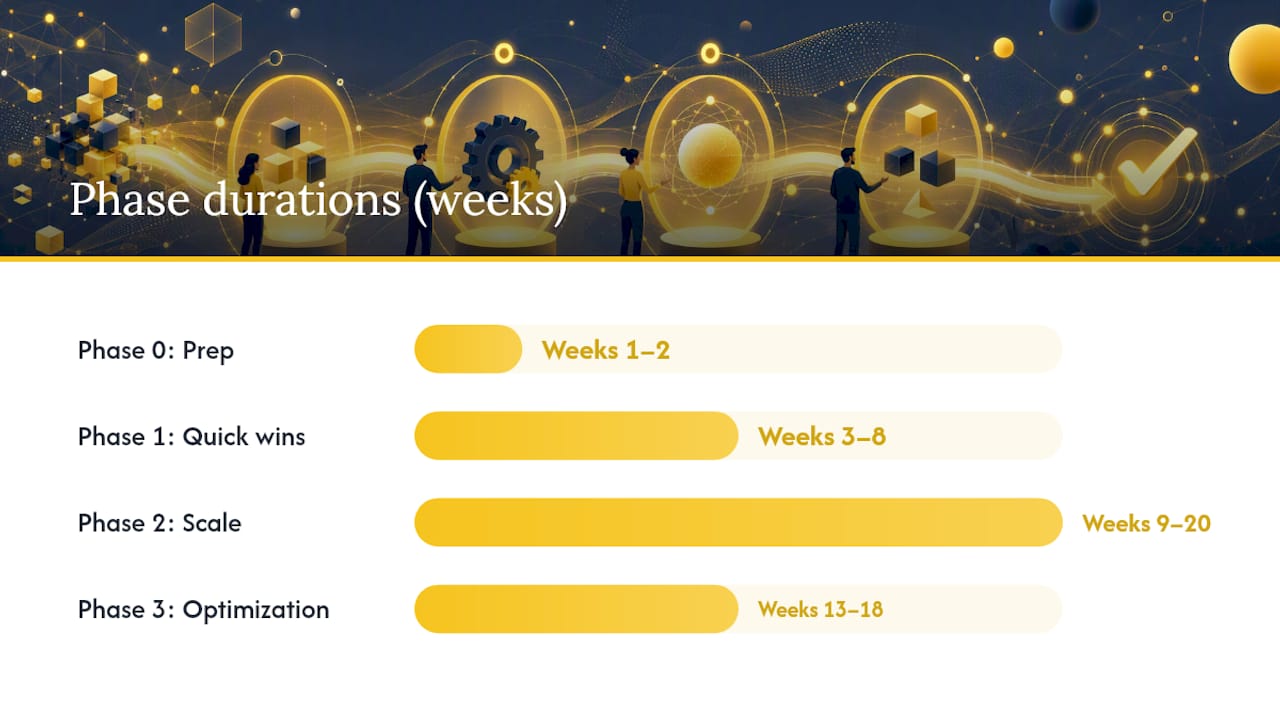
Most teams can move from zero to a functioning renewal automation system in 12–20 weeks if they phase the work correctly.
| Phase | Timeline | Key activities |
|---|---|---|
| Phase 0: Prep | Weeks 1–2 | Canonicalize contract and billing data; identify top 200 accounts by ARR; map system integrations; assign cross-functional owners (CS lead, RevOps engineer, billing owner, product analyst) |
| Phase 1: Quick wins | Weeks 3–8 | Automate renewal reminders, dunning retries, and templated quotes for low-complexity accounts; instrument baseline KPIs |
| Phase 2: Scale | Weeks 9–20 | Add CPQ and approval routing; deploy self-checkout links; integrate health-score-based segmentation; add mid-cycle upsell nudges |
| Phase 3: Optimization | Weeks 13–18 | Deploy AI churn risk signals; build closed-loop analytics; implement full exception routing for enterprise renewals; run quarterly playbook reviews |
Cross-functional roles required:
- CS lead: owns playbook design and exception escalation paths
- RevOps engineer: owns integration architecture and workflow configuration
- Billing owner: owns dunning logic, payment retry settings, and compliance review
- Product analyst: owns usage telemetry, health score inputs, and reporting
Quick wins that build team confidence:
- Automated 90-day renewal alerts sent to CS reps (takes one to two days to configure)
- Templated renewal quote for your 50 lowest-ARR accounts (one week of work)
- Dunning retry sequence for failed payments (two to three days to configure and test)
For a step-by-step workflow template, the AI and n8n renewal outreach guide walks through a complete automation build you can adapt immediately.
Runnable renewal automation playbooks your team can use today
Playbook A: Low-touch annual renewals
Target: Accounts below $5K ARR, self-serve, single product.
- Day 90 before renewal: System alert to CS dashboard; no outreach yet.
- Day 60: Automated email with renewal summary, current plan details, and a self-service renewal link. Subject line: "Your [Product] subscription renews in 60 days."
- Day 30: Follow-up email with any usage highlights and a one-click renewal confirmation.
- Day 7: Final reminder with a direct payment link and a support contact.
- Day 0: Auto-renewal fires. Failed payment triggers dunning sequence (retry day 1, day 3, day 7).
Metrics to watch: renewal rate for this segment, dunning recovery rate, self-service checkout conversion.
Pro Tip: Add a usage summary to the day-30 email. Showing the account how much they've used the product in the past year is the single most effective way to remind them of value without a sales pitch.
Playbook B: Mid-market expansion-first renewals
Target: Accounts $5K–$50K ARR, annual contract, approaching plan limits.
- Day 90: Health score check. If usage is above 80% of plan limit, trigger an upgrade offer email alongside the renewal notice.
- Day 60: CS rep receives a renewal brief with usage data, health score, and a suggested upgrade tier. Rep personalizes and sends the renewal quote.
- Day 45: If no response, automated follow-up with a self-service upgrade link.
- Day 30: Discount request above 10% routes to CS manager for approval via Slack notification.
- Day 7: Final outreach from CS rep. If no response, escalate to account owner.
Decision rule: if the account's health score drops below threshold at any point in this sequence, skip to the enterprise exception flow immediately.
Playbook C: Enterprise exception flow
Target: Accounts above $50K ARR or with custom contract terms.
- Day 120: Automated detection of at-risk signals (usage drop, support ticket spike, payment anomaly). If triggered, create a renewal task in Salesforce and notify the account owner.
- Day 90: Account owner reviews a required negotiation brief (auto-generated from CRM data: contract value, usage trend, open tickets, last NPS score).
- Day 60: Executive sponsor outreach initiated by CS lead. No automated emails to the customer at this stage.
- Day 45: Legal and finance review for any contract term changes.
- Day 30: Final negotiation window. All approvals logged in the CRM audit trail.
When to switch from automated to human: any account above $50K ARR, any account with a health score below your at-risk threshold, any account that has opened a cancellation inquiry, and any account with a contract term change request.
For self-service SaaS churn reduction tactics that complement Playbook A, the overlap with low-touch renewal design is direct.
What should you do right now to get started?
Three steps you can take this week:
- Step 1: Run a 30-day renewals audit. Pull every renewal due in the next 90 days. For each account, record the ARR, current health score, last login date, and whether a renewal workflow is in place. This audit will immediately surface your highest-risk accounts and your biggest data gaps.
- Step 2: Pilot an automated reminder and quote workflow for 50 accounts. Pick your lowest-ARR annual accounts. Configure a 60-day and 30-day reminder sequence with a self-service renewal link. Measure renewal rate and time-to-renew against your baseline.
- Step 3: Instrument your dashboards. Before you scale, make sure you can measure renewal rate by segment, revenue at risk, and dunning recovery rate. Without these metrics, you can't tell whether automation is working.
Vendor selection checklist for decision-makers:
- Does the platform integrate natively with your billing system (Stripe or Chargebee) and CRM (Salesforce or HubSpot)?
- Does it surface explainable health scores, not just a single risk number?
- Does it support human-in-the-loop escalation for high-ARR accounts?
- Does it include runnable playbooks or workflow templates, or do you build everything from scratch?
- What is the data freshness SLA for usage telemetry and billing events?
The build vs. buy question: most teams underestimate the ongoing maintenance cost of a custom-built renewal automation system. Integrations break, billing APIs change, and health score models need retraining. A purpose-built platform with native integrations and maintained connectors typically reaches ROI faster than a homegrown stack, especially for teams without a dedicated RevOps engineer.
What renewal automation actually teaches you about your organization
The data quality problem is almost always worse than teams expect. When you try to canonicalize renewal dates across Stripe, Salesforce, and your product database, you will find accounts with three different renewal dates, contracts that were extended informally without a system update, and billing identities that don't match CRM records. This is not a technology problem. It is a process problem that automation exposes.
The second surprise is timing. Most teams start outreach too late. A 30-day reminder for an annual contract gives the customer just enough time to evaluate alternatives. A 90-day window gives you time to demonstrate value, address concerns, and position an upgrade before the customer is already in a competitive evaluation.
The third lesson is organizational. Renewals sit at the intersection of CS, Sales, Finance, and Product. Automation forces a conversation about who owns what. The teams that succeed treat renewals as a joint revenue process with shared metrics, not as a CS administrative task. A weekly renewal huddle with CS, RevOps, and Finance reviewing the 90-day pipeline is one of the highest-leverage habits you can build. Pair it with a renewal triage matrix that classifies every at-risk account by value, usage trend, and competitive exposure, and your team will stop being surprised by churn.
The behavioral change that matters most: stop measuring renewal rate as a lagging indicator and start measuring revenue at risk as a leading one. By the time a renewal fails, it's too late. Revenue at risk, tracked weekly, gives you time to act.
Customerscore makes renewal automation measurable from day one
Renewal automation works best when churn prediction and health scoring are built into the workflow, not bolted on afterward. Customerscore connects to your billing stack (Stripe, Chargebee), CRM (Salesforce, HubSpot), and usage telemetry (Segment, Mixpanel, PostHog) to give CS and RevOps teams a single view of renewal risk, with explainable health scores that tell you exactly why an account is flagged, not just that it is.
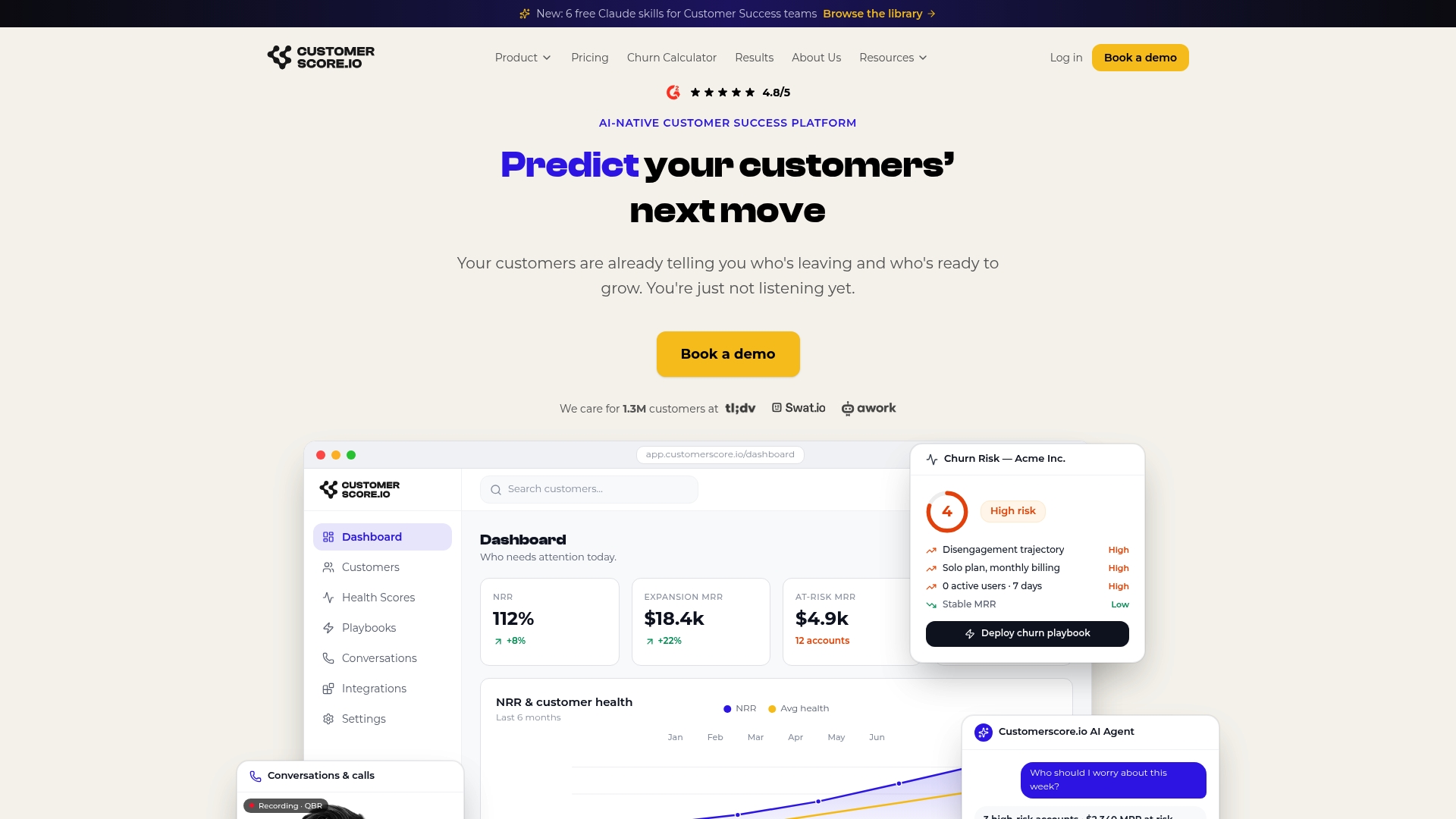
The platform includes runnable renewal playbooks, automated outreach sequences, approval routing, and AI churn prediction that surfaces at-risk accounts weeks before the renewal window opens. Teams using Customerscore can move from a renewals audit to a live pilot workflow in 1 to 3 weeks, not months, because the integrations and playbook templates are pre-built. Book a renewal automation demo to see how the platform maps to your current renewal stack and where the fastest ROI opportunities are.
Sources
- What Is Subscription Management? A Complete Guide | Salesforce
- Renewal process | WooCommerce Docs
- Software as a service | Wikipedia
- Gartner sales survey: B2B buyers prefer ordering and paying through digital commerce
- Auto-Renewal vs. Renewal Automation: Key Differences
Recommended
Related articles
Cut CSM Intervention 18%: Predictive Playbooks for CS & RevOps
Cut CSM Intervention 18%: Predictive Playbooks for CS & RevOps ! Predictive playbook geometric title card Predictive playbooks link a churn prediction to a specific, repeatable action so customer
BlogPinpoint B2B SaaS Adoption Gaps and the Fix That Lifts Renewal
Pinpoint B2B SaaS Adoption Gaps and the Fix That Lifts Renewal ! Analysts reviewing SaaS adoption gaps Adoption gap analysis identifies the funnel stage where eligible users or accounts fail to reach
BlogAnalysts: 6–12 Month Cohort Forecasts for Net Dollar Retention
Analysts: 6–12 Month Cohort Forecasts for Net Dollar Retention ! Analyst reviewing cohort retention forecast The most reliable way to forecast net dollar retention is cohort-based modeling that
BlogStop Surprise Churn: 5 Phase Data Mapping for RevOps and CS
Stop Surprise Churn: 5 Phase Data Mapping for RevOps and CS ! Analyst mapping customer data fields Data mapping for CS means connecting product usage, billing, CRM, and support data to the fields your