
Event Tracking Plan for SaaS: A Phase-One Blueprint


A SaaS event tracking plan is your single source of truth: a structured document that maps business questions to specific events, schema rules, and named owners before a single line of instrumentation code gets written.
Start here, right now:
- Pick a focused set of phase-one events tied to your core funnel such as signup, activation, feature adoption, and subscription.
- Assign one owner per event — product, engineering, or analytics, not "the team."
- Set a
last_verifieddate on every row today. - Schedule a 90-day audit. Any event unverified after 90 days is presumed broken until someone validates it.
- Enforce
snake_casewith anobject_actionpattern from day one (signup_completed, notSignupCompleteoruserSignedUp).
The plan comes before the tool. GA4 has event-count limits and no native schema validation. Segment Protocols can enforce JSON Schema rules and version events, but only against a spec you've already written. Customerscore can map churn signals to specific events and properties, but only if those events are consistently named and structured. The plan is what makes all of it work.
According to The SAAS Podium, a small first version focused on the core funnel keeps scope sane and makes vendor evaluation objective.
Key Takeaways
A SaaS event tracking plan built on the 14-column schema, with named owners and a 90-day audit cadence, is the operational contract that keeps your analytics reliable and your downstream tools accurate.
| Point | Details |
|---|---|
| Start with 5–8 events | Early-stage B2B SaaS teams should track 5–8 core funnel events before expanding scope. |
| Use the 14-column schema | Every event needs plan_version, owner, pii_flag, downstream_systems, and last_verified filled in. |
| One owner, one use case | Assign one named owner and one downstream use case per event to prevent documentation drift. |
| Audit every 90 days | Events unverified after 90 days are presumed broken until validated in production. |
| Plan before tool selection | Write the tracking plan first; use it as the scorecard when evaluating GA4, Segment, or any CDP. |
Table of Contents
- What the 14-column schema looks like and why each field matters
- How to decide what to track: map events to KPIs first
- Naming conventions and trigger rules that prevent dashboard drift
- Ownership, audits, and versioning that keep the plan alive
- A phase-one sample plan you can paste into a sheet
- How to turn the tracking plan into a tool scorecard
- Rollout steps and QA checklist for your pilot
- How Customerscore operationalizes your tracking plan
- What most teams get wrong, and how to fix it
- Sources
What the 14-column schema looks like and why each field matters
The House of MarTech tracking plan template recommends a minimum 14-column schema. Here's what each column captures:
- plan_version — the schema version (e.g.,
1.0.2); increment on every structural change. - domain — the product area or surface (
onboarding,billing,settings). - event_name — the hardcoded
snake_casename (workspace_created); never dynamically generated. - trigger — the exact condition that fires the event ("user clicks 'Create Workspace' and the API returns 200").
- event_description — one sentence explaining what the event represents and why it's tracked.
- property_name — the specific property attached to this event (
plan_id,workspace_size). - data_type —
string,integer,boolean,timestamp, etc. - required —
MUST,SHOULD, orNICE; gates downstream validation. - allowed_values — enumerated options for categorical fields (
free,pro,enterprise). - example_value — a real, representative value (
plan_id: "pro_monthly"). - pii_flag —
trueorfalse; routes the event through masking or exclusion pipelines. - downstream_systems — which tools consume this event (GA4, Segment, Customerscore, warehouse).
- owner — a named person, not a team.
- last_verified — the date someone confirmed the event fires correctly in production.
The pii_flag and downstream_systems columns do the heaviest governance work. A true PII flag should trigger automatic masking before the event reaches your analytics warehouse. The downstream_systems column forces the team to justify every event by naming who consumes it.
Pro Tip: Add an event_version field to every payload (e.g., event_version: "2"). When you change a property's data type or rename a field, bump the version. Segment Protocols supports this via context.protocols.event_version, and it prevents downstream breakage during schema migrations.
How to decide what to track: map events to KPIs first
The most common mistake is starting with "what can we track?" Lefito's GA4 tracking plan guide is direct about this: every event must answer a business question. Start with the question, not the tooling.
A practical mapping looks like this:
- Retention question: "Are users reaching the activation milestone?" → KPI: activation rate → Event:
onboarding_step_completedwith propertystep_name. - Expansion question: "Which features drive upgrades?" → KPI: feature-to-upgrade conversion → Event:
feature_usedwith propertiesfeature_nameandplan_tier. - Revenue question: "Where do trials drop off?" → KPI: trial-to-paid conversion → Event:
subscription_startedwithplan_idandtrial_days. - Churn signal: "Are accounts going dark before renewal?" → KPI: product engagement score → Events:
session_started,feature_usedfrequency.
For early-stage B2B SaaS, a focused core set of events is the right scope. The Lefito Measurement Plan Wizard suggests 15–30 custom events for typical sites, but that ceiling assumes a mature product with validated instrumentation. Start smaller.
Use a 2×2 to prioritize: impact (does this event directly answer a retention or revenue question?) on one axis, implementation effort on the other. Ship high-impact, low-effort events first. An event that takes two hours to instrument and feeds your churn model beats a complex multi-step funnel event that takes two weeks and feeds a dashboard nobody checks.
One rule that prevents scope creep: every event must have exactly one downstream use case. If you can't name what dashboard, alert, audience, or experiment this event feeds, cut it from phase one.
Naming conventions and trigger rules that prevent dashboard drift
Use snake_case with an object_action pattern, always. signup_completed, workspace_created, subscription_upgraded. The object comes first because it groups related events when you sort alphabetically in any analytics tool.
Three distinctions that matter:
- Event — a discrete action (
feature_used). - Event property — context about that action (
feature_name: "csv_export"). - User property — a persistent account or profile trait (
plan_tier: "pro",account_age_days: 45).
Use properties instead of creating separate events. feature_used with a feature_name property is one event. Fifteen separate csv_export_used, api_key_created, dashboard_viewed events for the same KPI is fifteen rows of maintenance debt.
Trigger precision is where most plans fail. "When the user signs up" is not a trigger. "When the /api/v1/users POST returns HTTP 200 and the user_id is present in the response" is a trigger. Vague triggers cause double counts when the same action fires from two surfaces (web and mobile, or client and server).
Never generate event names dynamically. page_viewed_${route} creates hundreds of unique event names in your warehouse and makes every downstream query a regex nightmare.
Ownership, audits, and versioning that keep the plan alive
A tracking plan without governance is a document that's wrong within 60 days of shipping.
The shared ownership model that works:
- Product defines the business question and the "why" for each event.
- Engineering confirms the trigger, the payload structure, and the "how."
- Analytics enforces schema compliance and owns the
last_verifiedaudit. - One named owner per event accepts accountability for downstream use cases.
The 90-day audit rule from House of MarTech is the right cadence. Any event whose last_verified date is older than 90 days is presumed broken until someone validates it in production. This is a forcing function, not a suggestion. Tie it to your quarterly business reviews so the audit happens on a schedule that already exists.
Schema change process:
- Propose the change in the source-of-truth document (Google Sheet, Notion, or Git repo).
- Update the schema and bump
plan_version. - Run CI validation against the new spec.
- Stage the rollout and verify in a non-production environment.
- Update
event_versionin the payload andlast_verifiedin the plan.
Pro Tip: Treat the tracking plan like code. Every schema change should go through a pull request, get reviewed by the analytics owner, and include a rollback plan. If an event isn't in the spec, it shouldn't reach the warehouse.
A phase-one sample plan you can paste into a sheet
Pug's event registry offers 127 typed events with PII flags exportable as JSON or CSV. The rows below follow the 14-column schema and cover the core SaaS funnel.
Export this as CSV and import it directly into Segment Protocols, Notion, or a Git-tracked spreadsheet. For SaaS onboarding best practices, the onboarding_step_completed event with a step_name property gives you the funnel drop-off data you need without creating a separate event per step.
How to turn the tracking plan into a tool scorecard
The plan defines your requirements. Evaluate tools against those requirements, not against feature marketing.
| Capability | Why it matters | Acceptance criteria |
|---|---|---|
| Schema validation | Blocks malformed events before they reach the warehouse | JSON Schema validation per event, not just field presence |
| Client + server events | Covers web, mobile, and backend triggers | Both SDKs and server-side libraries supported |
| User property support | Enables account-level segmentation | Named user traits stored and queryable |
| Change history / audit trail | Tracks who changed what and when | Version history with timestamps and author |
| QA / monitoring | Catches volume drops and validation failures | Threshold alerts and event debugger |
| Warehouse export | Feeds downstream BI and ML models | Native connectors to Snowflake, BigQuery, Redshift |
| Webhook / streaming | Enables real-time alerts and playbooks | Webhook delivery with retry logic |
GA4 is free and handles web events well, but it has event-count limits and no native schema enforcement. Segment Protocols adds JSON Schema validation and event versioning on top of a CDP layer, which makes it a strong fit when you need to enforce the plan programmatically. For teams using analytics to drive growth, the warehouse export capability is often the deciding factor.
Rollout steps and QA checklist for your pilot
- Approve phase-one events in the source-of-truth document with all 14 columns filled.
- Create implementation tickets with the expected payload, trigger condition, and example value for each event.
- Instrument in staging and run the QA checklist below.
- Pilot the production funnel on one user segment or one product surface.
- Monitor for 2 weeks before expanding instrumentation.
- Iterate — update
last_verifiedand close the ticket loop.
QA checklist before any event goes to production:
- Schema match: does the payload match the spec exactly?
- Property types: are integers arriving as integers, not strings?
- Allowed values: are categorical fields within the enumerated set?
- Null handling: do optional properties send
nullor are they omitted? - PII filtering: are flagged fields masked before leaving the client?
- Identity stitching: does
user_idresolve correctly across anonymous and identified sessions? - End-to-end funnel: does the full signup → activation → feature use sequence appear in the warehouse?
A sudden drop in subscription_started events is either a tracking bug or a product crisis. Either way, you want to know within hours, not at the next sprint review.
How Customerscore operationalizes your tracking plan
Once your phase-one events are instrumented and validated, Customerscore can ingest product usage, billing, and onboarding events to produce churn prediction scores and customer health indicators at the account level.
The tracking plan is what makes this mapping reliable:
feature_usedfrequency feeds the product engagement component of the health score.subscription_cancelledor a drop insession_startedevents triggers a churn-risk alert and a playbook.onboarding_step_completedmaps to activation milestones that Customerscore uses to flag at-risk new accounts.- The
downstream_systemscolumn in your plan explicitly names Customerscore as a consumer, so engineering knows to route those events through the integration.
A practical pilot: connect your 5–8 phase-one events to Customerscore, run a 30–90 day health scoring period, and compare predicted churn risk against actual cancellations. The plan's named properties and allowed values are what let Customerscore's models distinguish a plan_tier: "pro" account going dark from a plan_tier: "free" account that never activated.
Pro Tip: Map each event's downstream use case to a specific Customerscore playbook before you instrument. "This event triggers a CS alert when frequency drops below threshold" is a better implementation brief than "track feature usage."
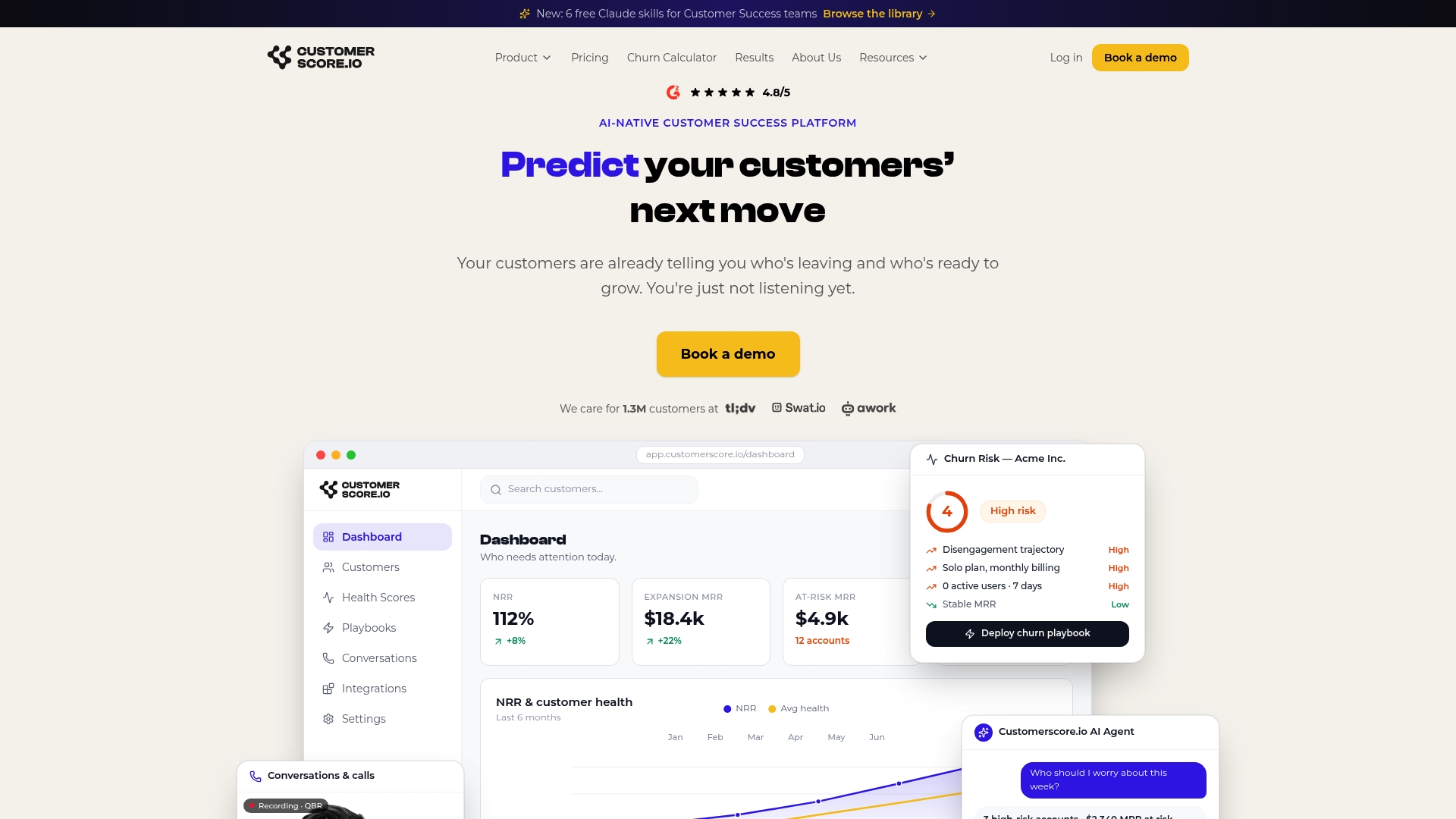
Book a demo to see how Customerscore maps your tracking plan events to health scores and churn predictions in a live pilot.
What most teams get wrong, and how to fix it
The five mistakes that kill tracking plans, and the fixes that actually work:
Tracking everything. The fix is the business question test: if you can't name the KPI this event answers, it doesn't ship. Lefito's approach makes this concrete — start with the decision, not the data.
Unclear ownership. "The analytics team owns it" means nobody owns it. One named person per event, full stop. When that person leaves, the plan gets updated before the offboarding is complete.
Vague triggers. "When the user does X" fires from three surfaces and double-counts in every funnel report. Write triggers as API responses or DOM events with specific conditions.
Dynamic event names. viewed_${page_name} is not an event name. It's a warehouse pollution strategy. Hardcode every name in the spec and enforce it in CI.
Ignoring QA after releases. A schema change in a new release silently breaks a downstream model. Automate schema validation in CI so a deploy that violates the spec fails before it reaches production.
Sources
- Data Tracking Plan Template: The schema, the worked examples, the governance discipline | House of MarTech
- How to Build a Tracking Plan for GA4 — Step-by-Step | Lefito
- Build a SaaS Event Tracking Plan Before You Choose a Tool - The SAAS Podium
- Pick your product type and get a ready-to-use analytics tracking plan — 127 well-known events with typed properties and PII flags (Pug)
- Protocols Tracking Plan | Segment (Twilio)
Recommended
Related articles
Benchmarked Save Playbooks: Two Churn Survey Questions for SaaS Teams
Benchmarked Save Playbooks: Two Churn Survey Questions for SaaS Teams ! Customer success manager reviewing churn survey The most effective churn survey for SaaS is a two-question in-flow cancel
Blog90–120 Day Renewal System for CSMs: SaaS Renewal Playbook
90–120 Day Renewal System for CSMs: SaaS Renewal Playbook ! Team planning a structured SaaS renewal Run renewals as a 90 to 120 day managed pipeline, not a calendar reminder.
BlogCut Response Time 60% with This Slack for Customer Success Playbook
Cut Response Time 60% with This Slack for Customer Success Playbook ! Customer success team routing a Slack conversation Slack works best for customer success when it functions as the conversation
BlogProduct Led Customer Success in 90 to 180 Days Without a Data Team
Product Led Customer Success in 90 to 180 Days Without a Data Team ! Customer success operator reviewing product signals Product-led customer success uses product usage data and in-product