
SaaS Onboarding Workflows: A Stage-Owned Playbook


Design onboarding workflows by working backward from a single activation milestone, assigning one owner and one KPI per stage, and instrumenting triggers that route users to the right path automatically. That single discipline separates teams with much higher activation rates from those stuck in endless firefighting.
TL;DR
- Pick one activation milestone that predicts long-term retention, then design every stage to reach it faster.
- Assign a single owner per stage. Shared ownership means no ownership.
- Set one primary KPI per stage. More than one and nobody knows what success looks like.
- Cut every step that does not directly unblock activation.
- Segment into 2–4 paths based on role, intent, or ARR. Not more.
- Automate repeatable, low-risk steps. Add a human for high-ARR or high-complexity accounts.
- Instrument feedback loops: a weekly review cadence compounds improvements fast.
Start this week: pick your activation metric, measure its current baseline by cohort, and identify the one stage with the worst conversion. Run one targeted experiment on that stage before the next sprint ends. That single habit, repeated weekly, is what reduces churn in self-service SaaS faster than any product redesign.
Table of Contents
- What is a SaaS onboarding workflow, exactly?
- How do you find and define your activation milestone?
- What are the recommended onboarding stages, and who owns each one?
- How do you design a workflow that gets users to activation faster?
- When should you create separate onboarding paths?
- Automation vs. human touch: how do you decide which accounts get which?
- What metrics should you track, and how do you run experiments?
- What are the most common friction points, and how do you fix them fast?
- Two ready-to-use onboarding workflow templates
- How Customerscore supports and automates onboarding workflows
- Key Takeaways
- The thing most PMs get wrong about onboarding
- Customerscore turns onboarding data into action automatically
- Useful sources and further reading
What is a SaaS onboarding workflow, exactly?
Most teams conflate two things that need to be designed separately: the customer-facing experience and the operational workflow behind it.
The customer-facing experience is what users see: the welcome email, the in-app checklist, the tooltip sequence, the first-session guided tour. The operational workflow is what your systems and teams do behind the scenes: capturing signup intent, routing the account to the right path, assigning tasks to a CSM, triggering automated emails, capturing evidence of completion, and escalating when a user stalls.
A SaaS onboarding workflow, properly defined, is a governed sequence of customer-facing actions and internal operations that moves a new account from signup to the activation milestone and then to ongoing success. Both layers have to be designed in parallel. You can have a beautiful in-app tour and still produce wildly inconsistent customer experiences if the backend routing rules are undocumented or owned by no one.
Here is what a complete workflow actually contains:
- Signup data capture: the fields and integrations that populate your CRM and product analytics from the first moment.
- Routing rules: conditional logic that assigns accounts to the right path (self-serve, low-touch, high-touch) based on ARR, role, or intent signals.
- Automated communications: triggered emails, in-app messages, and Slack notifications keyed to behavioral events.
- Task assignment: who gets notified when a user stalls, misses a milestone, or triggers an escalation rule.
- Evidence capture: the logged events that confirm a user reached activation (not just "logged in," but completed the specific behavior that predicts retention).
- Escalation rules: the conditions under which a human takes over from an automated sequence.
A workflow without documented routing rules and escalation conditions is just a list of good intentions. The backend is where consistent customer experiences are actually built or broken.
Workflow software converts these ad hoc steps into governed processes with owners, approvals, reminders, integrations, and proof of completion. Without that structure, every CSM improvises, and your activation rate reflects it.
How do you find and define your activation milestone?
The activation milestone is the single behavioral event that most reliably predicts whether a new user will still be a paying customer 90 days from now. Every other onboarding decision flows from it.
Start with cohort analysis. Pull two cohorts: users who completed a candidate behavior in their first session or first week, and users who did not. Compare 90-day retention. If the activated cohort retains at a meaningfully higher rate, you have a signal worth building around. If the gap is small, the behavior is exploratory, not predictive, and you need a different candidate.
Good activation definitions are narrow and behavior-based. "First published report," "first completed workflow with at least one collaborator," "first integration connected," "first data import above a threshold" — these are the kinds of events that force a user to produce something real in your product. Vague metrics like "visited three pages" or "logged in twice" rarely survive cohort validation.
Pro Tip: Prefer an activation event you can scaffold or force in the first session. If a user can reach activation without help, your automated path can get most users there. If activation requires a human setup call, you have a scaling problem worth solving before you instrument anything else.
Once you have a candidate, validate it:
- Run a 30-day cohort test comparing churn rates by activation status.
- Confirm the signal holds across your main customer segments (SMB vs. enterprise, different use cases).
- Check that the event is instrumentable in your product analytics tool (Mixpanel, PostHog, or Segment are common choices).
- Set a numeric threshold: not just "connected an integration" but "connected an integration AND ran one automated action."
Product-led flows should aim for activation in a single session when feasible. For enterprise accounts, activation may span days or weeks, but the milestone definition should still be a single, unambiguous event.
What are the recommended onboarding stages, and who owns each one?
A seven-stage operational model gives most B2B SaaS teams enough granularity to assign clear ownership without creating bureaucratic overhead. The stages run from pre-onboarding intent capture through handoff to ongoing customer success.
| Stage | Owner | Trigger | Primary KPI | Escalation Rule |
|---|---|---|---|---|
| Pre-onboarding / intent capture | Growth / Marketing | Ad click, trial signup form | Intent-qualified lead rate | No CRM record created within 1 hour → alert |
| Signup / data capture | Product | Form submission | Signup completion rate | Required field missing → re-prompt sequence |
| Welcome & verification | Product / Automation | Account created | Email verification rate | Unverified after 24 hours → resend + CSM flag |
| First session / "Aha" moment | Product | First login | % reaching forced first action | No first action in 48 hours → triggered nudge |
| Activation sprint | CS / Product | First action completed | Activation rate by cohort | Stalled 3+ days → CSM task created |
| Conversion to paid | Revenue / CS | Trial expiry approaching | Trial-to-paid conversion rate | No upgrade signal 5 days pre-expiry → outreach |
| Handoff to CS | CS Lead | Paid conversion confirmed | Handoff record completeness | Incomplete record → block handoff until resolved |
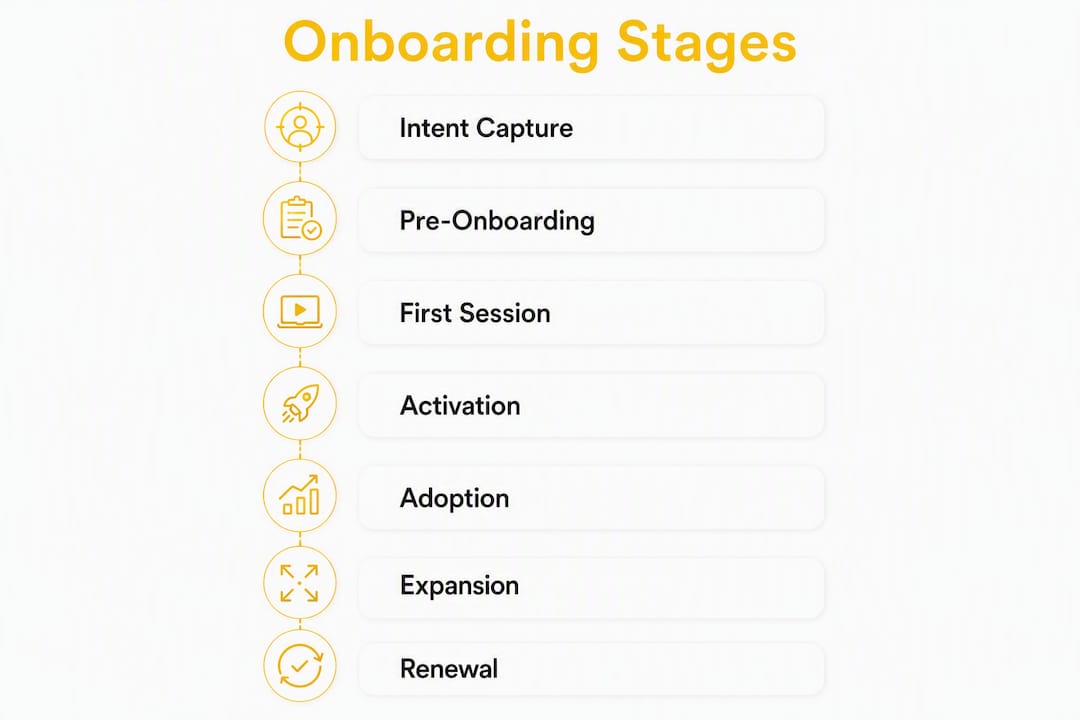
The operational rule is simple: one owner per stage, no exceptions. Shared ownership produces contradictions, slow decisions, and gaps in coverage. When two teams both "own" a stage, neither one ships the SOP, and the customer experiences the gap.
Each stage owner must deliver four things:
- A documented SOP for their stage (what happens, in what order, under what conditions).
- A defined trigger that starts the stage and one that ends it.
- An automation playbook covering the repeatable tasks in their stage.
- A test plan: how they will know if their stage is underperforming and what they will do about it.
Timeline expectations vary by product type. Self-serve products should move users through welcome, first session, and activation sprint in hours to a few days. Enterprise accounts typically need 2–6 weeks for configuration, data migration, and training before reaching the activation milestone. Treating enterprise onboarding as a single-session event is the most common and most costly mistake teams make.
Pro Tip: Document the handoff record fields before you build anything else. Activation status, time-to-value, features used, open tickets, and sales-assist flags should all be captured in CRM before the handoff stage closes. A CSM who inherits an account without this context starts from zero every time.
How do you design a workflow that gets users to activation faster?
The core rule: only require the fields, steps, and tasks that directly unblock activation. Everything else is friction.
Most onboarding flows accumulate steps the way codebases accumulate dead functions. Someone added a field for a sales report. Someone else added a setup step for a feature that 20% of users need. Nobody removed anything. The result is a flow that drops completion rates with every added step.

Four design principles cut through this:
Progressive profiling. Collect only what you need at signup to route the user correctly. Gather the rest contextually, at the moment it becomes relevant. Asking for company size on the signup form is fine. Asking for billing address before the user has seen any value is not.
Asynchronous email verification. Gatilab's research recommends verifying email in the background rather than gating the first session behind a verification click. Users who hit a verification wall before experiencing value churn at higher rates. Verify asynchronously, flag unverified accounts for a follow-up sequence, and let users start immediately.
Template-led setup. Goal-based welcome routing and pre-built templates eliminate blank-page friction. Instead of asking a new user to configure from scratch, route them to a template that matches their stated goal and let them edit from there. The first artifact they produce should feel like progress, not homework.
Forced first action. Design the first session so the user cannot exit without completing one meaningful action that produces a visible artifact: a published report, a configured workflow, an imported dataset. This is the single most reliable way to move users toward activation in session one.
Pro Tip: Measure step-level completion rates, not just overall funnel conversion. The step where absolute drop-off is highest is your highest-priority fix, even if the relative drop-off percentage looks similar to other steps. A step that loses 200 users matters more than one that loses 20, regardless of the percentage.
Common friction sources and their fixes:
- Bloated signup form: reduce to email, password, and one routing field (role or use case). Collect the rest progressively.
- Mandatory integration before first value: move integration setup to after the user has seen one result. Make it optional at signup, required before activation.
- Unclear next action after signup: replace the generic dashboard with a single, prominent call-to-action tied to the forced first action.
- Long configuration wizard: replace with a template import that pre-fills 80% of settings. Let users customize after they have seen the default working.
- Verification wall: implement asynchronous verification and allow immediate access.
When should you create separate onboarding paths?
Segment only when different user groups have genuinely distinct activation paths or setup dependencies. Segmentation for its own sake creates maintenance overhead without improving outcomes.
The practical test: if two segments can reach the same activation milestone through the same steps, they do not need separate flows. If one segment requires an integration, a data migration, or a stakeholder alignment step that the other does not, they do. Personalizing by role or intent measurably improves short-term retention, but only when the personalization reflects a real difference in the path to value.
Four segmentation axes worth considering:
- Role (admin vs. end user). Admins configure; end users consume. Their first sessions look nothing alike. An admin who lands on an end-user tour wastes time and loses confidence in the product.
- Intent (evaluation vs. production). A user in trial mode exploring features needs different guidance than a paid user who has committed and needs to go live. Routing these identically wastes the production user's time.
- ARR / account size. A $500/year self-serve account and a $50,000/year enterprise account need different levels of human involvement, not just different email copy.
- Integrations required. An account that needs a Salesforce or HubSpot integration has a longer, more complex setup path. Route them to a dedicated flow with integration-specific guidance from the start.
A simple routing decision:
- Collect role and intent at signup (one or two fields).
- Use ARR or plan tier from billing data to assign a delivery model (automated, low-touch, high-touch).
- Use integration flags from the signup form or early product events to trigger integration-specific guidance.
- Cap the number of distinct paths at four. More than that and the maintenance cost outweighs the personalization benefit.
Pro Tip: Use progressive profiling to refine routing after signup rather than asking every question upfront. A user who connects Salesforce in session two can be automatically moved to the integration-specific path without any manual intervention. Let behavior update the segment.
Personalization tactics that work within these paths: tailored checklists that show only the steps relevant to the user's role, role-based tooltips that use the user's own terminology, in-product examples pre-populated with data that matches their stated use case, and template libraries filtered by industry or job function.
Automation vs. human touch: how do you decide which accounts get which?
Automate every repeatable, low-risk step. Reserve human time for accounts where misalignment in the first two weeks costs you a renewal.
The decision is not philosophical. It is a function of four variables: account ARR, technical complexity, stakeholder count, and integration requirements. A self-serve account with one user, no integrations, and a $99/month plan should never require a CSM call to activate. An enterprise account with five stakeholders, a Salesforce integration, and a $60,000 ARR should never be left to an automated sequence alone.
Three delivery models:
- Automated path. Triggered email sequences, in-app guidance, and self-serve documentation handle everything. A human only intervenes if a behavioral trigger fires (stalled activation, negative NPS, support ticket spike).
- Low-touch support path. Automated sequences plus one or two check-in touchpoints (a short video call at day 7, a 30-day review). The CSM monitors a health score dashboard and intervenes when a risk flag appears.
- High-touch / enterprise path. Dedicated kickoff call, implementation support, stakeholder alignment sessions, and a named CSM. Automation handles documentation and evidence capture; humans handle judgment calls.
Automation removes manual follow-up and creates consistent handoffs between teams. The risk is applying it to accounts that need judgment. The fix is to instrument the signals that tell you when to escalate.
Tasks that automate well: data routing from signup form to CRM, triggered email sequences based on behavioral events, evidence capture (logging the activation event), reminder nudges for stalled steps, and handoff record population.
High-touch interventions that need a human: kickoff calls where stakeholder alignment is required, implementation sessions where configuration decisions have downstream consequences, escalation calls when a user expresses doubt or frustration, and renewal conversations where expansion is on the table.
Pro Tip: Build escalation triggers directly into your workflow engine. A user who has not completed the forced first action in 48 hours, a health score that drops below a threshold, or a support ticket tagged "setup issue" should automatically create a task for a CSM in the same system that runs the automated sequence. The human and the automation operate in one workflow, not two separate tools.

The lifecycle automation patterns that work for renewals apply equally to onboarding: instrument the signal, define the threshold, trigger the action. The difference is that onboarding signals fire in days, not months.
What metrics should you track, and how do you run experiments?
Track five metrics by cohort: activation rate, time-to-activation, step-level completion rate, return rate after the first session, and expansion signals at 60–90 days. Instrument them from day one.
Metric definitions:
- Activation rate: percentage of new accounts that reach the defined activation milestone within the target window (e.g., within 7 days of signup for self-serve, within 30 days for enterprise).
- Time-to-activation: median days from signup to activation event, measured by cohort. Track the median, not the mean. Outliers skew the mean badly.
- Step-level completion rate: percentage of users who complete each step in the onboarding flow. Measured per step, not just at the end of the funnel.
- Return rate after first session: percentage of users who log in again within 48 hours of their first session. Low return rate is an early warning that the first session did not produce enough value to pull users back.
- Expansion signals: feature adoption breadth, seat additions, and integration connections at 60–90 days. These are the downstream indicators that activation quality predicts.
Instrument these by capturing named events in your product analytics tool (Mixpanel, PostHog, or Segment) and syncing them to your CRM so cohort analysis is possible across both product and revenue data.
Running experiments:
A weekly onboarding review cadence compounds improvements faster than quarterly planning cycles. The format is simple:
- Pull the stage conversion funnel for the past 7 days.
- Identify the stage with the worst absolute drop-off.
- Form one hypothesis: "If we change X, activation rate at this stage will increase by Y% because Z."
- Design the smallest experiment that tests the hypothesis: a copy change, a step removal, a template addition, a trigger timing adjustment.
- Deploy within five days using a feature flag or A/B test.
- Read results at the next weekly review.
For enterprise accounts, run experiments on new cohorts only. Never change the onboarding flow mid-engagement for an active enterprise account. The guardrail is simple: flag enterprise accounts as "locked" in your experiment configuration until they reach handoff.
Your reporting dashboard needs one view: the stage conversion funnel with absolute numbers at each stage and a highlighted indicator on the lowest-converting stage. That single view drives the weekly review meeting and prevents teams from optimizing stages that are already performing well.
Onboarding is a high-impact area for long-term retention. The teams that improve it fastest are the ones running weekly experiments, not the ones redesigning the entire flow every six months.
What are the most common friction points, and how do you fix them fast?
Most onboarding failures trace back to a small set of fixable problems. The good news: targeted, small changes move activation faster than full redesigns.
Common friction points and concrete fixes:
- Bloated signup form. Fix: reduce to three fields maximum at signup (email, password, one routing field). Every additional required field at signup reduces completion. Move everything else to progressive profiling.
- Verification wall. Fix: implement asynchronous email verification. Let users access the product immediately. Send the verification email in the background and flag unverified accounts for a 24-hour follow-up sequence.
- Unclear first action. Fix: replace the generic post-signup dashboard with a single, prominent call-to-action. The user should see one thing to do, not a menu of options.
- Missing integration guidance. Fix: detect integration requirements from the signup form or first-session behavior and route users to integration-specific setup content immediately. Do not wait for them to discover it.
- Poor handoff documentation. Fix: require a completed handoff record (activation status, features used, open tickets, sales-assist flags) before the handoff stage can close in your workflow engine. Incomplete records block the handoff.
- No artifact in session one. Fix: design the first session to end with a visible output the user created. A saved report, a configured workflow, an imported dataset. Something they can return to.
Pro Tip: Before you fix anything, run a session recording review on users who dropped off at the highest-friction step. Tools like FullStory or LogRocket show you exactly where users hesitate, rage-click, or abandon. The fix is usually obvious once you watch five recordings.
The fastest onboarding improvements come from removing steps, not adding guidance. Every tooltip you add is an admission that a step is confusing. The better fix is to eliminate the step.
Two ready-to-use onboarding workflow templates
Product-led self-serve template
Built for fast activation. Target: activation within one session or 48 hours.
- Signup (0–2 minutes). Email, password, one routing field. No verification gate. CRM record created automatically.
- Welcome & routing (immediate). Triggered welcome email with one CTA. In-app routing to role-specific or use-case-specific template.
- Forced first action (session 1, minutes 3–15). User completes one action that produces a visible artifact. Progress bar shows one step, not ten.
- In-app modular guidance (session 1, ongoing). Contextual tooltips surface only when relevant. No mandatory tour.
- Day-1 follow-up (24 hours post-signup). Triggered email: "Here's what you built. Here's the next step." Links to the artifact the user created.
- Habit nudges (days 3, 7, 14). Behavioral triggers: if the user has not returned, send a nudge tied to a specific next action. If they have returned, send a feature-depth prompt.
Activation acceptance criteria: user has completed the forced first action AND returned within 48 hours.
Enterprise 30–90 day template
Built for multi-stakeholder accounts. Target: activation milestone reached by day 30, full adoption by day 90.
| Milestone | Owner | Target Day | KPI |
|---|---|---|---|
| Pre-onboarding intake | CS / Sales | Day 0 (pre-close) | Intake form completed, stakeholders identified |
| Kickoff & alignment call | CSM | Day 1–3 | Kickoff notes recorded, success criteria agreed |
| Configuration & data migration | CS / Solutions Engineer | Day 5–15 | Configuration complete, test data validated |
| Training & adoption sprint | CSM | Day 15–20 | % of named users completing training module |
| Go-live & activation | CSM | Day 20–30 | Activation milestone event logged in product analytics |
| Handoff to ongoing CS | CS Lead | Day 30 | Handoff record complete in CRM |
| Expansion review | CS Lead | Day 90 | Feature adoption breadth, expansion signals reviewed |
Kickoff call script elements: confirm success criteria, agree on the activation milestone definition with the customer, identify the primary contact and escalation path, set the go-live date, and document any integration dependencies.
Handoff record fields (required before handoff closes): activation status (yes/no + date), time-to-value (days from signup to activation), features actively used, integrations connected, open support tickets, sales-assist flags, and the agreed next milestone.
Timeline expectations: self-serve flows should reach activation in hours to 2 days. Enterprise flows typically run 3–6 weeks to activation and 60–90 days to full adoption. Treating these as the same timeline is a planning error that produces missed milestones and frustrated customers.
How Customerscore supports and automates onboarding workflows
Customerscore instruments the operational layer of onboarding by combining product usage data, billing signals, and CRM fields into a single health score that drives routing, alerts, and playbooks automatically.
Here is what that looks like in practice:
- Customer Rooms for onboarding spaces. Each enterprise account gets a dedicated onboarding space where the CSM, the customer's stakeholders, and the automated workflow all operate from the same record. Milestones, documents, and status updates live in one place.
- Churn prediction during onboarding. Customerscore's AI churn prediction flags accounts at risk of churning before they even reach activation. An account that stalls at configuration and shows low engagement scores gets flagged early enough to intervene.
Integration example: a new enterprise account signs up, connects Salesforce (detected via product event), and completes the kickoff call (logged in CRM). Customerscore combines the Salesforce integration signal, the CRM kickoff note, and the billing tier to assign a high-touch playbook automatically. If the activation event is not logged by day 15, a CSM task fires with the account's health score, the missing milestone, and a suggested intervention.
| Signal Source | Data Used | Workflow Action Triggered |
|---|---|---|
| Product analytics (PostHog/Mixpanel) | Activation event logged / not logged | Update health score; trigger nudge or CSM task |
| Billing (Stripe/Chargebee) | Plan tier, trial expiry date | Assign delivery model; trigger conversion sequence |
| CRM (HubSpot/Salesforce) | Kickoff completed, stakeholders identified | Advance stage; populate handoff record fields |
| Support (Intercom) | Open ticket tagged "setup issue" | Escalation alert to CSM; flag in health score |
| Slack | CSM alert on stalled activation | Human intervention task created in workflow |
Customerscore surfaces the activation gap before the CSM thinks to check. That shift from reactive to proactive is where onboarding programs stop leaking accounts.
Pro Tip: Use Customerscore's customer health score as the single source of truth for onboarding status in your weekly review meeting. One dashboard, one number per account, one reason when the number is low. That replaces three spreadsheets and a Slack thread.
Key Takeaways
Effective SaaS onboarding workflows require one activation milestone, one owner per stage, and a weekly experiment cadence to compound improvements over time.
| Point | Details |
|---|---|
| Activation milestone first | Define one behavioral event that predicts 90-day retention before designing any stage or automation. |
| Single owner per stage | Assign one person to own each stage's SOP, trigger, KPI, and test plan — shared ownership produces gaps. |
| Reduce steps ruthlessly | Cut every step that does not directly unblock activation; fewer steps produce higher completion rates. |
| Automate low-risk, humanize high-ARR | Automate repeatable paths; trigger human intervention for high-value or stalled accounts using behavioral signals. |
| Customerscore for instrumentation | Customerscore combines billing, usage, and CRM data to score onboarding health, trigger playbooks, and surface activation gaps automatically. |
The thing most PMs get wrong about onboarding
Onboarding is treated as a product sprint. Build the tour, ship the checklist, move on. The problem is that onboarding is an operational program, and operational programs do not improve from a single sprint. They improve from a weekly review cadence, clear ownership, and compounding small experiments.
The activation-first framing matters here. When you design backward from the activation milestone, every stage has a purpose: move the user one step closer to that event. When you design forward from "what should we show new users," you end up with feature tours that explain everything and activate nobody.
The other thing teams consistently underestimate is the backend. The customer-facing flow gets designed, reviewed, and iterated. The routing rules, escalation conditions, and handoff record fields get documented once and forgotten. Six months later, the CSM team is working from incomplete records, the automated sequences are firing on the wrong accounts, and nobody can explain why activation rates dropped. The backend workflow is not glamorous work. It is also the work that determines whether your onboarding is consistent at scale.
One habit worth building immediately: a 30-minute weekly onboarding review. Pull the stage conversion funnel, identify the worst-converting stage, form one hypothesis, and assign one owner to run one experiment before the next meeting. That rhythm, sustained for a quarter, produces more improvement than any redesign project.
Customerscore turns onboarding data into action automatically
Most onboarding programs stall because the signals are there but nobody is watching. A user stalls at configuration. A health score drops. A trial expires without activation. By the time a CSM notices, the account is already cold.
Customerscore connects your billing, product usage, and CRM data into one platform that scores every account during onboarding, fires playbooks when milestones are missed, and routes high-risk accounts to a human before the window closes. You get explainable health scores (not just red/yellow/green), rule-based triggers you configure without engineering, and Customer Rooms that give every enterprise account a shared onboarding space.
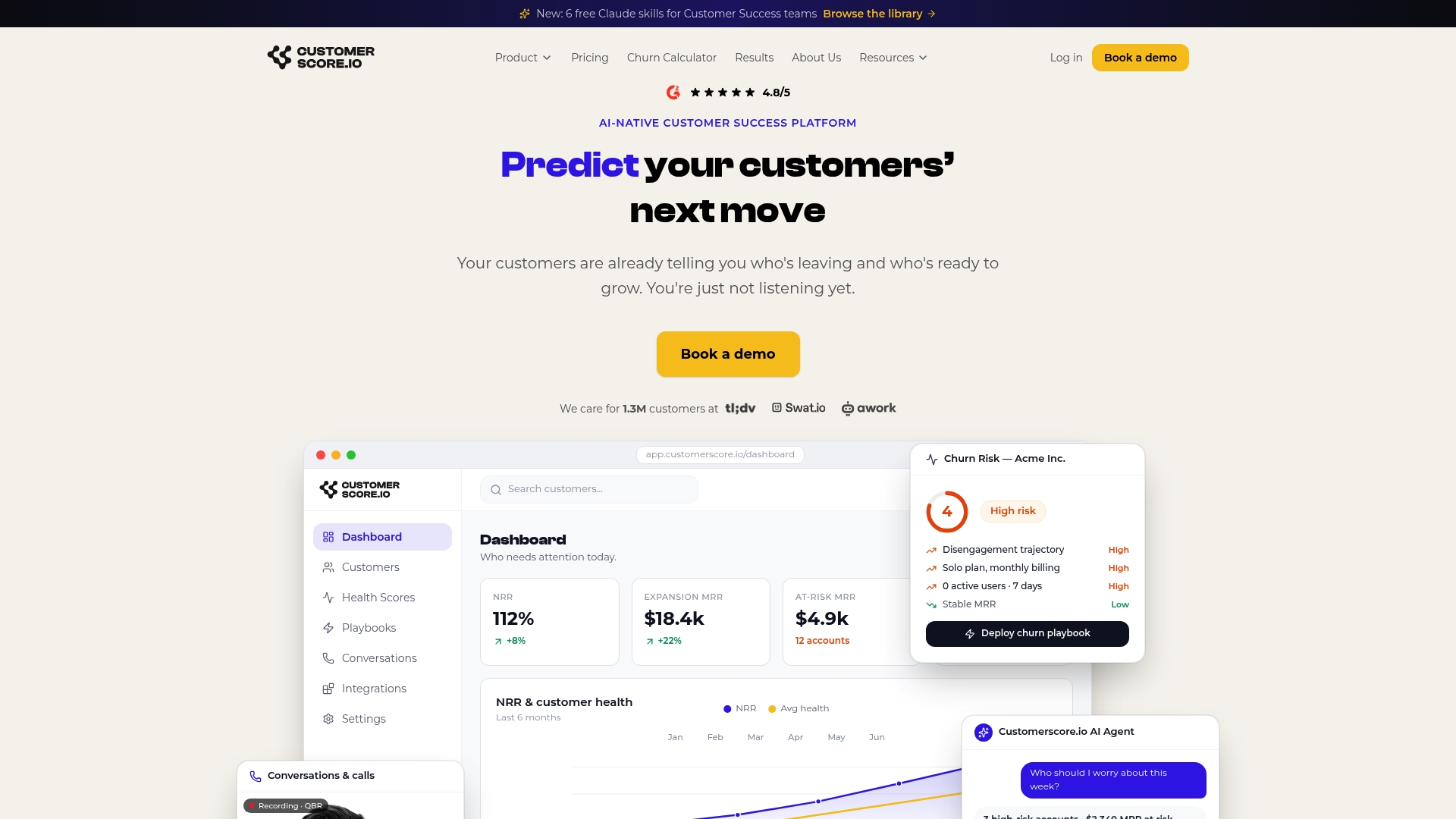
The result: your CSMs spend time on accounts that need them, not on monitoring spreadsheets. Your automated paths run without manual follow-up. And your activation rate becomes a metric you can actually improve week over week.
Book a demo and see how Customerscore instruments your onboarding workflow from signup to handoff.
Useful sources and further reading
Templates and how-to guides
Workflow automation and operational tools
- SaaS Customer Onboarding Workflow Software — overview of workflow engines that govern onboarding operations.
- Best Client Onboarding Software — Customerscore's analysis of onboarding tooling options.
Measurement, retention, and churn
- SaaS Retention Statistics — empirical retention data supporting activation-first prioritization.
- Churn Prevention: 8 SaaS Strategies — broader retention strategies that complement onboarding work.
Customerscore product pages
- AI Churn Prediction Software
- Customer Health Score Software
- Customer Rooms: Client Onboarding Spaces
Recommended
Related articles
Benchmarked Save Playbooks: Two Churn Survey Questions for SaaS Teams
Benchmarked Save Playbooks: Two Churn Survey Questions for SaaS Teams ! Customer success manager reviewing churn survey The most effective churn survey for SaaS is a two-question in-flow cancel
Blog90–120 Day Renewal System for CSMs: SaaS Renewal Playbook
90–120 Day Renewal System for CSMs: SaaS Renewal Playbook ! Team planning a structured SaaS renewal Run renewals as a 90 to 120 day managed pipeline, not a calendar reminder.
BlogCut Response Time 60% with This Slack for Customer Success Playbook
Cut Response Time 60% with This Slack for Customer Success Playbook ! Customer success team routing a Slack conversation Slack works best for customer success when it functions as the conversation
BlogProduct Led Customer Success in 90 to 180 Days Without a Data Team
Product Led Customer Success in 90 to 180 Days Without a Data Team ! Customer success operator reviewing product signals Product-led customer success uses product usage data and in-product