
Unify Customer Data, No Engineering Needed for CS Teams


Unifying customer data means merging billing, product, CRM, and support records into one canonical profile per customer, reconciled through shared identifiers. The single best first step is not buying a tool. It's picking one narrow, high-value use case (churn risk on a specific segment, say) and locking down a canonical identifier strategy before any pipeline gets built. Automation from LLMs speeds up the mapping work considerably, but governance and identity resolution still decide whether the result is trustworthy.
TL;DR:
- Focusing on a single high-value use case and establishing a canonical identifier strategy early prevents unification projects from stalling.
- AI and LLMs significantly accelerate schema and entity matching but still require human validation to ensure accuracy, especially with time-sensitive attributes.
- Clear ownership, change control, and regular quality checks are essential governance practices that maintain trust in unified data at scale.
- The technical challenge of unification is minimal compared to defining the purpose, data rules, and success metrics aligned with specific team objectives.
- Using pre-built platforms like Customerscore.io simplifies integration, reconciliation, and ongoing monitoring, enabling quick deployment once scope and strategy are set.
Table of Contents
- What Does It Mean to Unify Customer Data?
- How Do You Build Your First Unified Customer View?
- Where Do AI and LLMs Actually Help With Data Unification?
- What Governance Keeps Unified Data Trustworthy at Scale?
- Why Most Unification Projects Solve the Wrong Problem First
- Skip the Build: How Customerscore.io Unifies Data for You
- Sources
What Does It Mean to Unify Customer Data?
A unified customer profile is one record per customer that reconciles every source your teams touch: Stripe invoices, Salesforce or HubSpot activity, Mixpanel or PostHog usage events, Intercom tickets. Microsoft's Dynamics 365 Customer Insights documentation frames this as data unification proper: combining disparate sources into a single profile through identity resolution and data fusion, not just piping everything into one warehouse and hoping the joins work.
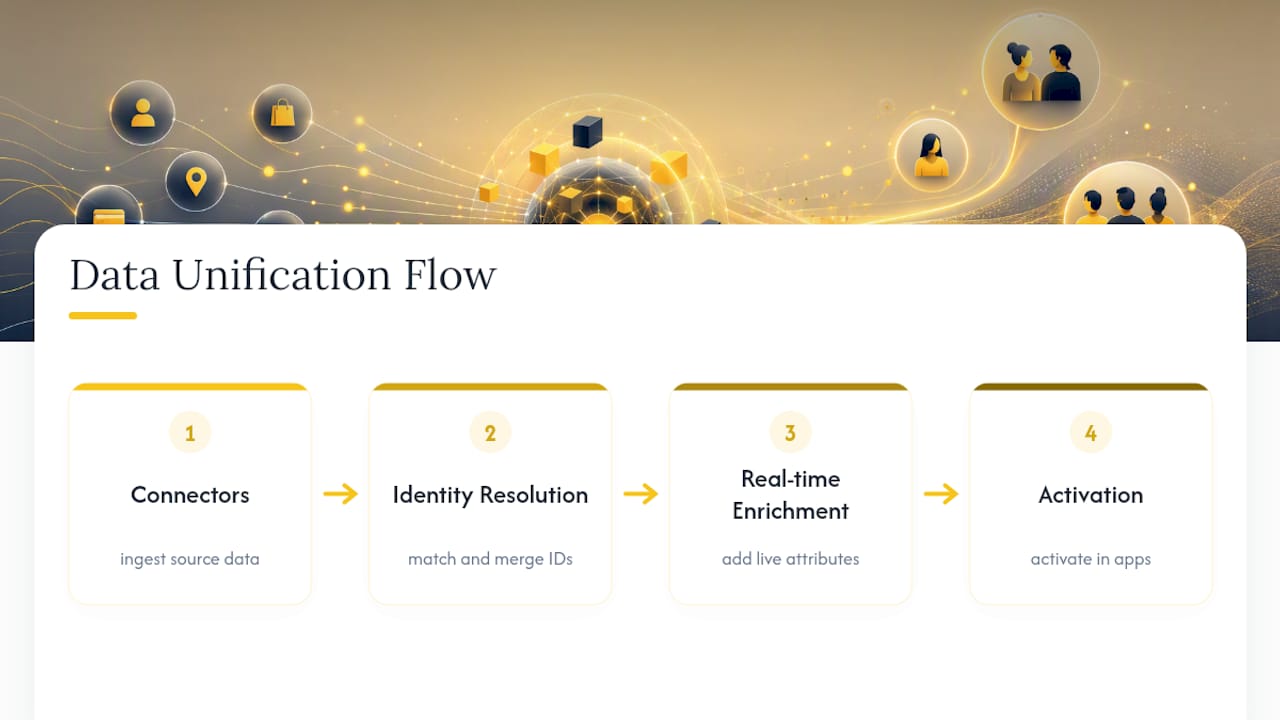
That distinction matters for scoping. A data warehouse gives you raw tables sitting next to each other. A unified profile requires deciding which account ID wins when three systems disagree, how to merge two contact records that share an email but not a name, and which value survives when Stripe and Salesforce report different renewal dates. Vendors like AWS Amazon Connect describe this as connectors plus identity resolution plus real-time enrichment plus activation, and that four-part frame holds up well regardless of which stack you run.
Core components you must plan for
Five building blocks make up any real unification effort, and skipping planning on any one of them is where projects stall:
- Integration and connectors. Batch syncs (nightly CSV exports, scheduled API pulls) work fine for analytics; churn alerts and CS playbooks need real-time or near real-time streams. Hybrid platforms like IBM's watsonx.data integration exist because most companies need both batch and streaming, plus support for unstructured text.
- Identity resolution. Canonical identifiers (account ID, email, external CRM ID) and composite keys let you link a support ticket to a billing record to a product session, even across devices and logins.
- Data quality and normalization. Deduplication, consistent date formats, and value mapping (does "Enterprise" in one system mean "Tier 3" in another?) turn messy inputs into comparable fields.
- Enrichment and computed traits. Derived metrics like lifetime value, usage trend slopes, or AI-generated risk flags add signal the raw sources never had on their own.
- Activation. Profiles only pay off once they reach CS tools, personalization engines, and analytics dashboards through APIs or automated alerts.
Support tickets, call notes, and meeting summaries carry real signal too. Analysis of unstructured CRM data shows that thematic review of notes text surfaces churn indicators that numeric fields miss entirely, so don't treat unstructured sources as a nice-to-have.
How Do You Build Your First Unified Customer View?
Treat the first pass as a scoped project with a deadline, not an open-ended data initiative. Here's the sequence that actually ships:
- Pick one constrained use case with a measurable target. "Cut churn 5% in the 50 to 200 seat segment" or "reduce ticket resolution time by two days" gives the project a finish line.
- Inventory sources and owners. List every system, who owns each field, and how often it refreshes. A field nobody owns is a field nobody will fix when it breaks.
- Choose canonical identifiers. Decide upfront whether email, account ID, or a composite key is the source of truth for matching, and write down the tiebreaker rules.
- Run schema matching and value normalization. Use LLM-generated mapping proposals as a first pass, then have a human review every mapping before it goes live.
- Build ingestion and entity-matching pipelines. Apply conflict-resolution heuristics (most recent wins, most authoritative source wins) so merges are predictable, not arbitrary.
- Validate before rollout. Run point-in-time snapshots and regression tests, then launch to one team before opening it company-wide.
- Operationalize monitoring. Schedule recurring data-quality checks and alerting so drift gets caught in days, not months.
Pro Tip: Run your entity-matching logic against last quarter's data before touching live pipelines. If the matches don't make sense on data you already understand, they won't make sense on new data either.
Most unification efforts fail not because the technology is hard but because step one gets skipped. Teams try to unify everything at once, and six months in there's a warehouse full of joined tables and no clear owner, no success metric, nor anyone using it.
Where Do AI and LLMs Actually Help With Data Unification?
Schema matching and entity matching used to eat weeks of engineering time: mapping "cust_id" to "account_number" to "external_ref" across a dozen systems by hand. LLMs and embedding models now generate credible first-pass mappings by reading field names, sample values, and column descriptions, then flag the ambiguous cases for a human to confirm.
A 2026 arXiv study on end-to-end LLM data integration found that automated pipelines produced schema and entity matching results comparable to human-configured pipelines, while cutting configuration time dropped dramatically from many person-hours down to just a few hours of unattended compute, at a low cost per case study.
That's not a marginal gain. It's the difference between a project that needs a sprint and one that needs an afternoon. Tamr's research on data unification points to the same shift: automation is making pipeline configuration accessible to non-technical teams, not just data engineers.
The catch: LLMs struggle with time-sensitive attributes (a plan tier that changed last week won't match the model's training data) and still need human-labeled validation sets to catch subtle matching errors. The workflow that works in practice is automated mapping proposal, human validation, then incremental deployment. Skip the human step and you'll ship confident-looking mappings that are quietly wrong.

What Governance Keeps Unified Data Trustworthy at Scale?
Unification degrades the moment ownership gets fuzzy. A field with no named owner is a field that silently breaks when someone renames a column in Salesforce.
- Assign a named owner for every source and every mapped field, with a defined change-control process before anyone edits a mapping.
- Use declarative, config-based mapping overrides (not hardcoded pipeline logic) so a CS ops person can adjust a customer-specific mapping without filing an engineering ticket.
- Run scheduled quality checks, keep point-in-time snapshots, and log every mapping change for audit purposes.
- Hold a weekly cross-functional data quality review with a defined SLA for fixes, backed by a monitoring dashboard everyone can see.
Practitioner guidance from the Customer Success Collective is blunt about this: architecture and identifier choices, not the analytics layer on top, determine whether unified data is usable six months later. Declarative, tenant-level config overrides also cut down the volume of one-off engineering tickets that pile up as customer count grows.
Pro Tip: Log every automated mapping decision, even the ones that look obviously correct. When a metric looks wrong in six months, that log is the only way to find out whether the data changed or the mapping did.

Why Most Unification Projects Solve the Wrong Problem First
The conventional advice on data unification treats it like a plumbing exercise: connect the pipes, normalize the fields, ship a warehouse. That misses what actually breaks these projects. The technical merge is rarely the hard part anymore, not with LLM-assisted schema matching doing in two hours what used to take 19 person-hours of manual mapping.
The hard part is deciding what the unified profile is for, before you build it. A CS team that unifies data to catch churn risk needs different identity rules and refresh cadences than a marketing team unifying data for personalization. Teams that skip that decision end up with a warehouse that's technically unified and practically useless, because nobody agreed on what a "healthy customer" record was supposed to look like before the pipelines went live.
Customerscore.io's own approach reflects that lesson: multi-source integration across billing, product usage, CRM, and support feeds directly into explainable health scores, where every score component traces back to a named data source rather than a black-box calculation. Config overrides let CS teams adjust mappings per customer without opening an engineering ticket, and AI agents built on MCP surface alerts the moment a unified signal crosses a threshold. That operational discipline, more than any single integration, is what separates unified data that gets used from unified data that gets ignored.
Patrik
Skip the Build: How Customerscore.io Unifies Data for You
Instead of assembling connectors, identity resolution logic, and normalization rules from scratch, Customerscore.io ships that layer already built for B2B SaaS customer success teams. It connects directly to HubSpot, Salesforce, Stripe, Mixpanel, PostHog, Segment, Chargebee, and Intercom, then reconciles those sources into one profile per account automatically.
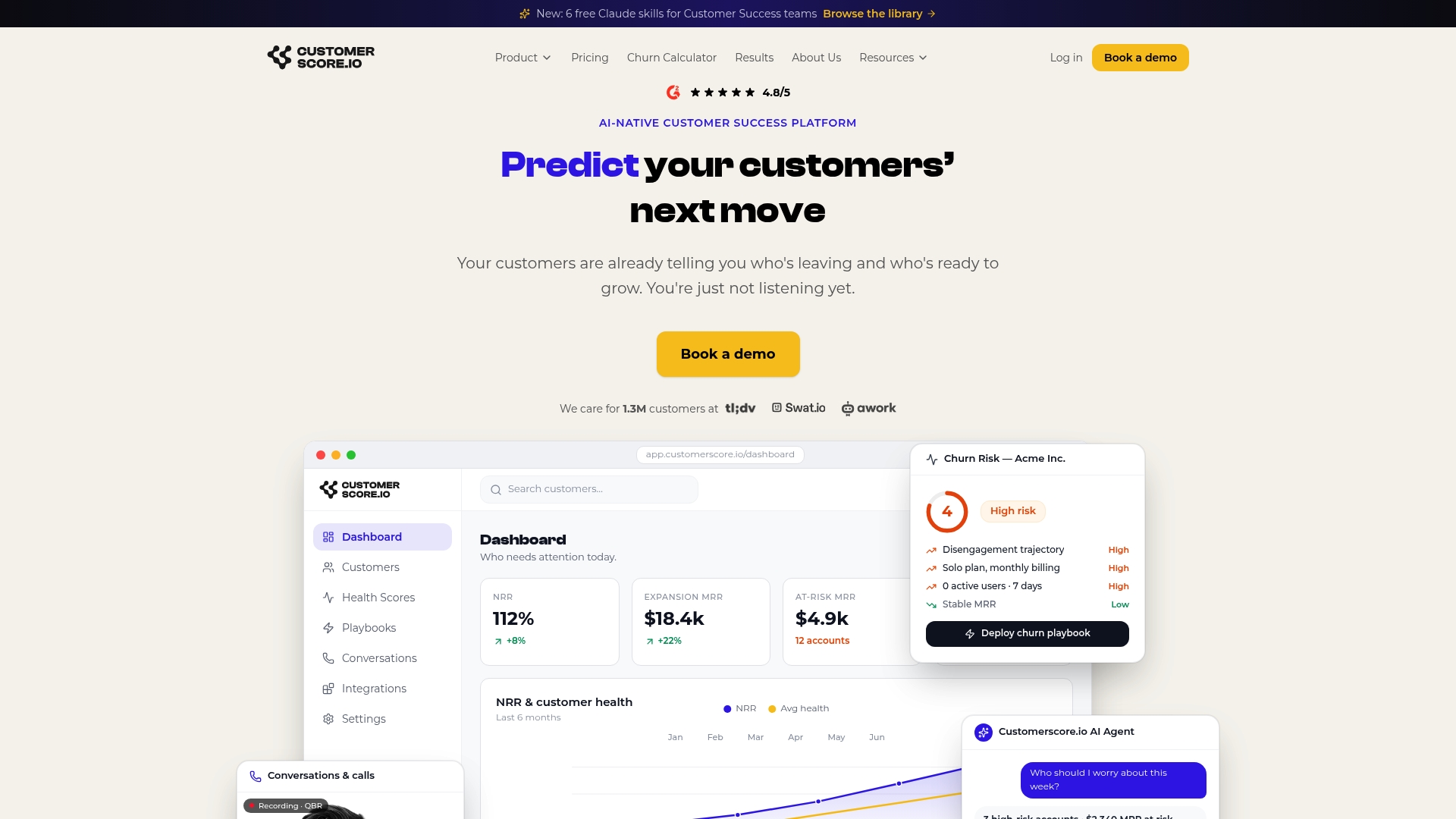
From there, the platform runs AI-driven churn prediction and computes an explainable health score so every risk flag traces back to the exact data point that triggered it, not a black box. Config overrides let CS ops adjust field mappings per customer without waiting on engineering, and the built in AI agent watches unified profiles continuously to fire alerts and trigger playbooks the moment a signal crosses a threshold. Teams migrating off other churn tools can see the swap laid out on the Churnkey alternative page.
If you've scoped your first use case and identifier strategy using the steps above, the fastest way to see whether this fits your stack is to book a demo and walk through your actual data sources with the team.
Sources
- Automatic end-to-end data integration with LLMs | arXiv (2026-03-11)
- What is data unification? | Tamr blog
- Data unification overview - Dynamics 365 Customer Insights
- The solution to messy data architecture in customer success | Customer Success Collective (2026-04-07)
Recommended
Related articles
Five Fields to Fix Playbook Trigger Design for B2B SaaS CS & RevOps
Five Fields to Fix Playbook Trigger Design for B2B SaaS CS & RevOps ! Isometric trigger routing system illustration The most reliable approach to playbook trigger design is to sort every alert into
BlogStop SaaS Downgrades: Save 31% of At Risk Accounts for CS & RevOps
Stop SaaS Downgrades: Save 31% of At Risk Accounts for CS & RevOps ! Isometric account protection title card The fastest way to prevent SaaS downgrades is to stop treating every at-risk account the
Blog24–48 Hour Handoffs: B2B SaaS Support to CS Checklist, Six Fields
24–48 Hour Handoffs: B2B SaaS Support to CS Checklist, Six Fields ! Isometric handoff cards crossing between platforms A reliable support to CS handoff transfers ownership and context so the new owner
Blog90–120 Day Explainable AI Playbook to Reduce Renewal Risk for SaaS CS
90–120 Day Explainable AI Playbook to Reduce Renewal Risk for SaaS CS ! Isometric illustration of explainable renewal risk decisions To reduce renewal risk, you prioritize accounts daily using