
How to Win Back Churned Users and Recover Lost Revenue


Prioritize churned customers who canceled recently, carried above-average revenue, and left for a fixable reason like price or a missing feature. The fastest move is operational, not creative: capture the cancel reason verbatim at the moment of cancellation, send a plain-text exit note from a real person within 48 hours, then queue that account for a reason-matched follow-up.
TL;DR:
- Most successful winback programs segment churned accounts by specific reasons, such as price sensitivity, feature gaps, or situational factors, rather than using generic messaging.
- Timing is crucial, with the highest recovery chances within the first two weeks after cancellation, especially if outreach occurs within hours to a few days.
- Offers should directly address the reason for churn, avoiding discounts for active-until-cancel accounts and prioritizing feature releases or plan adjustments for feature-gap or price-sensitive churners.
- A targeted, reason-matched approach can achieve a 5% to 15% winback rate, significantly higher than generic campaigns under 2%, with high-value accounts receiving personalized outreach from account managers.
- Key metrics to monitor include winback rate, re-churn rate, and cost per recovered account, with a focus on early testing in recent churned accounts to validate ROI before scaling.
Table of Contents
- What Is a Churned User Winback Program?
- Why Winback Matters for Subscription and B2B SaaS Businesses
- Which Churned Users Should You Prioritize?
- When Should You Send Winback Outreach?
- Which Offers and Messages Actually Convert Churned Users?
- How Should You Orchestrate Channels for Reactivation?
- How Do You Measure Whether a Winback Program Is Working?
- How Do You Pilot a Winback Program in Weeks, Not Months?
- Customerscore's Approach to Winback and Reactivation
- What Should Teams Actually Change This Month?
- Get Your Winback Program Running in Weeks
- Sources
What Is a Churned User Winback Program?
A churned user winback program is a structured sequence for re-engaging customers who canceled, using their stated cancellation reason to decide the timing, channel, and offer. It differs from generic re-engagement marketing in one important way: it segments by why someone left, not just by how long ago they left. A software company running this well treats every cancellation as a data point first and a lost sale second. The cancel reason becomes the input; the offer becomes the output.
Some teams call this "reactivation," others "customer win-back," and both terms describe the same mechanic: getting a lapsed subscriber to restart billing. The distinction matters less than the discipline behind it, which is where most programs fall apart.
Why Winback Matters for Subscription and B2B SaaS Businesses
Reactivating a churned account costs 60% to 70% less than acquiring a completely new customer, and the sales cycle is almost always shorter because the buyer already knows your product. That gap alone should move winback higher on any CS or growth roadmap than it usually sits.
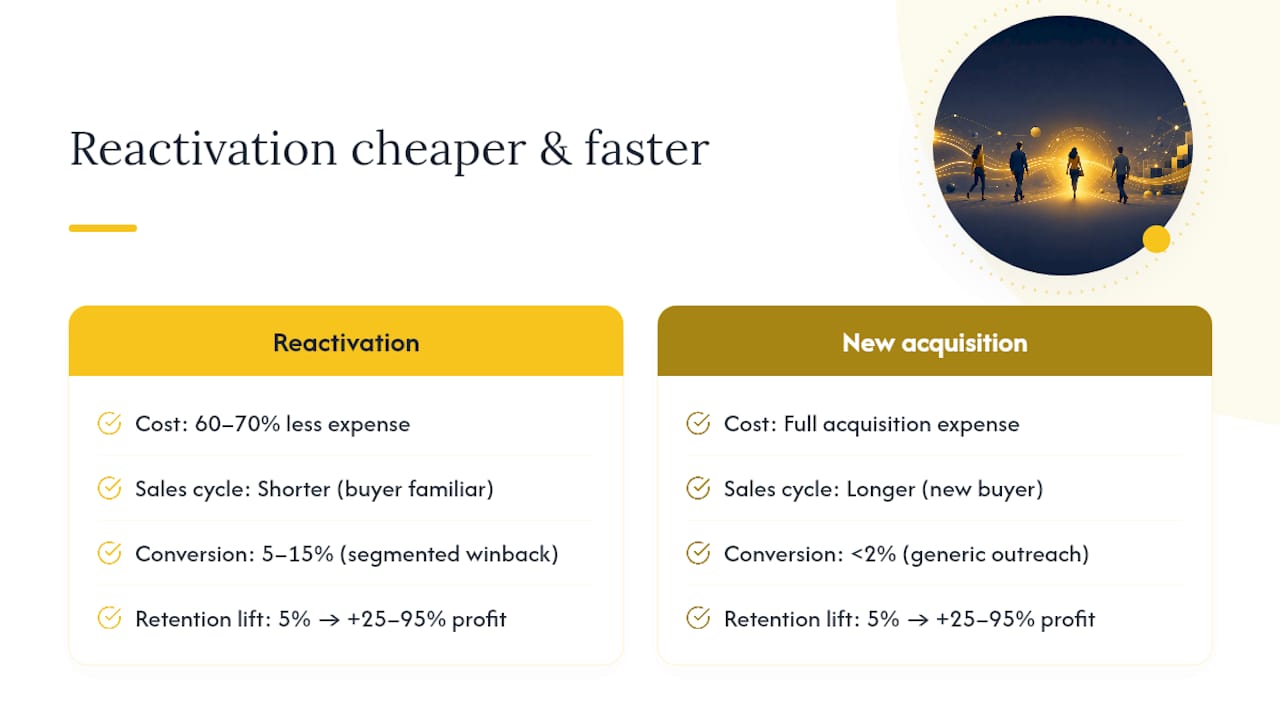
The economics compound further up the stack. Bain's research, widely cited in retention literature, found that a 5% improvement in retention can lift profits by 25% to 95%, a range wide enough to cover almost any SaaS business model. A well-run winback motion contributes directly to that retention number, since a reactivated account counts the same as one that never left.
There's a second payoff most teams miss: winback programs are a diagnostic tool. Every cancellation conversation that captures a real reason, not a dropdown selection, tells you something about a product gap, a pricing mismatch, or an onboarding failure that's costing you elsewhere too. Friction removal in the product itself, rather than clever subject lines, tends to deliver the larger retention gains, so treat winback data as an input to your roadmap, not just a re-engagement channel.

A typical winback program converts 5% to 15% of eligible churned accounts, according to benchmark data from ChurnNote, compared to under 2% for generic, unsegmented blasts. That gap between segmented and generic outreach is the entire argument for building a real program instead of a one-off email.
Which Churned Users Should You Prioritize?
Not every canceled account deserves the same attention, and treating them equally is the single most common way winback budgets get wasted. Build your segmentation around six recognizable patterns:
- Active-until-cancel: The customer used the product right up to cancellation, often signaling billing friction, a failed card, or an organizational change rather than dissatisfaction.
- Price-sensitive: They said the cost didn't match the value at their usage level. These accounts respond to a right-sized plan more than a discount.
- Feature-gap: They left because something specific was missing. Track the feature request and revisit them the moment you ship it.
- Situational: Budget freezes, layoffs, mergers. Nothing you did wrong, and nothing you can fix with an offer today.
- Competitor switchers: They moved to a rival product, usually for a specific capability or price point you can benchmark against.
- Irrecoverable: The business closed or the use case genuinely disappeared. Don't spend a sequence on these.
To sort accounts into these buckets, you need four data fields at minimum: the cancel reason (captured verbatim, not multiple choice), last meaningful product usage date, tenure, and ARR tier. A conversational exit interview captures far richer detail than a dropdown survey, because customers explain nuance in their own words that a five-option list can't hold.
Once you have those fields, build a simple prioritization matrix: recoverability on one axis, account value on the other. High-recoverability, high-value accounts (price-sensitive or feature-gap churners with strong ARR) get a human-touched sequence with an account manager's name on it. High-recoverability, low-value accounts get automated, reason-matched email. Low-recoverability accounts, regardless of value, get a single low-cost check-in and nothing more. Spending sales time on an irrecoverable account is the fastest way to burn a winback budget with nothing to show for it.
When Should You Send Winback Outreach?
Timing decides more of your winback rate than the offer does, particularly in the first two weeks after cancellation.
- Day 0, within hours if possible: Send the exit email. This is not a survey. It's a short, personal note acknowledging the cancellation and asking what happened, sent from a real person's inbox, not a marketing address.
- Day 0 to 7: This window matters most for regret-based churn, customers who canceled impulsively after a bad support experience or a frustrating pricing conversation. A short, empathetic follow-up here often recovers the account before they've fully mentally moved on.
- Day 14: A plain check-in for accounts that didn't respond to Day 0, framed around their stated reason rather than a generic "we miss you."
- Day 30: A product update message, but only if something genuinely changed related to their feedback. Sending this without a real update erodes trust fast.
- Day 60: The escalation point for high-value accounts. This is where a time-limited offer or a right-sized plan enters the sequence, not before.
- Month six-plus: Revisit feature-gap churners specifically once you've shipped the thing they asked for. This window exists because product timelines rarely match a 60-day sequence.
Two rules protect the program from becoming noise. First, one trigger per segment. If an account matches multiple segments, pick the highest-priority reason and send one relevant message, not three overlapping ones. Second, build suppression logic immediately: any reply, positive or negative, stops the automated sequence and routes to a human. Automating past a reply is how you turn a warm lead into an annoyed unsubscribe.
Which Offers and Messages Actually Convert Churned Users?
The offer only works if it matches why someone left, and mismatched offers are where most winback budgets quietly evaporate.
- Active-until-cancel accounts: Skip the discount entirely. A short note asking if billing failed or if the account was canceled by mistake usually resolves this without spending a dollar.
- Price-sensitive churners: Lead with a right-sized plan, a lower tier that matches their actual usage, before you lead with a percentage off. A discount on a plan they never fully used just delays the same cancellation.
- Feature-gap churners: A feature announcement email, timed to when you actually ship the thing, converts better than any discount because it addresses the real objection.
- Situational churners: White-glove onboarding on return, waived setup fees, or a "come back when you're ready" note with no expiration date. These accounts need patience, not urgency.
- Competitor switchers: A direct comparison of what changed since they left, paired with a time-limited re-entry discount if your pricing is genuinely the sticking point.
Copy matters as much as offer logic. Plain-text exit emails sent from a founder or account manager's real address, referencing the customer's tenure and their specific cancel reason, generate meaningfully higher reply rates than branded HTML templates. Subject lines that lead with a benefit ("Your usage report is ready" or "We fixed the export issue you flagged") outperform generic "we miss you" lines because they signal the message is about the customer, not a template.
Discounts deserve their own rule set because they're the easiest lever to abuse. Use them only after non-cash offers have failed to convert a valuable segment, cap the discount window (30 to 60 days, never indefinite), and consider pre-applying the coupon in the reactivation link so the customer doesn't have to hunt for a code. Non-cash value, early access to a new feature, a free onboarding session, priority support for 90 days, often converts at rates comparable to a small discount while leaving your price integrity intact.
Pro Tip: Never offer the same discount twice to the same account. If a customer churns, wins back with a 20% discount, then churns again, that pattern signals a product or fit problem a coupon can't fix, and repeating the offer just teaches customers to churn strategically for savings.
How Should You Orchestrate Channels for Reactivation?
The channel sequence should escalate in cost and personalization as account value rises, and start cheap for everyone. Email carries the first two touches for every segment, since it's low-cost and easy to automate against the cancel-reason data you've already captured. If there's no reply by Day 14 and the account sits in a mid-value tier, add in-app or SMS nudges for anyone who still holds a login, since a message inside the product they already know how to use often lands better than another email. High-value accounts, ARR tiers you'd assign a named account manager, should escalate to a phone call or a personal LinkedIn message by Day 30, not Day 60.
Making reactivation frictionless is a technical problem as much as a marketing one. Before launching any sequence, confirm these are wired correctly:
- A cancellation webhook (Stripe's
customer.subscription.deletedevent is the common trigger) that fires the moment a cancellation processes. - Stored payment method retained for at least 90 days post-cancellation, so reactivation doesn't require re-entering a card.
- Any offer pre-applied to a unique reactivation link, so the customer clicks once and the discount or plan change is already active.
- Account data, settings, integrations, and historical usage preserved rather than purged, so returning feels like resuming, not re-onboarding from zero.
| Component | Owner | Target SLA |
|---|---|---|
| Cancel reason capture | Product/CS ops | Real-time, at cancellation |
| Exit email send | Automated, CS-reviewed template | Within 48 hours |
| High-value manual outreach | Assigned account manager | Within 48 hours |
| Reactivation link and offer | RevOps/engineering | Pre-applied, zero manual steps |
How Do You Measure Whether a Winback Program Is Working?
Track five numbers, and don't declare success on vanity metrics like open rates alone. Winback rate is reactivated accounts divided by total eligible churned accounts in the period. Re-churn rate is the share of reactivated accounts that cancel again within 90 days, your clearest signal of whether you fixed the real problem or just delayed it. Recovered MRR is the monthly recurring revenue those reactivations represent. Cost per recovery divides total program spend, including any discounts given, by the number of accounts recovered. LTV of reactivated customers compares their projected lifetime value against first-time customers in the same tier, since reactivated accounts sometimes churn faster the second time.
A 5% to 15% winback rate is the realistic band for a reason-matched program; anything meaningfully below 5% usually points to weak segmentation or offers that don't match the stated cancel reason. Re-churn rates above a quarter within 90 days may indicate that discounts are delaying rather than resolving the underlying issue.
| Metric | Formula | Healthy Benchmark |
|---|---|---|
| Winback rate | Reactivated ÷ eligible churned accounts | 5% to 15% |
| Re-churn rate (90 day) | Re-canceled reactivations ÷ total reactivations | Below 25% |
| Cost per recovery | Total program spend ÷ accounts recovered | Below 1 month of account's MRR |
| Payback window | Discount cost ÷ recovered MRR per month | Under 3 months |
Feed every result back into product and onboarding. If feature-gap churn recurs around the same missing capability, it should be treated as a roadmap signal as well as a winback opportunity. A churn analysis that treats cancellation data as a pattern to solve, not just a list of leads to email, tends to reduce next quarter's churn volume, not just recover this quarter's.
How Do You Pilot a Winback Program in Weeks, Not Months?
You don't need a fully built platform to test whether this works. Four steps, run over roughly four weeks, will tell you whether reason-matched winback pays for itself before you scale it.
- Wire the minimum data model. A cancel webhook, a required (not optional) reason field at cancellation, a stored payment token, and the account's ARR tier. Without these four fields, segmentation is guesswork.
- Detect the cancellation and send the exit email same-day. Personal, plain-text, referencing tenure and the stated reason. No survey link, no branded template.
- Trigger a targeted follow-up only when a relevant change occurs. That means a shipped feature they requested, a pricing tier that now fits their usage, or a support issue that's been resolved. Never send a generic "come back" message with nothing new to report.
- Measure and set guardrails before scaling. Cap discounts by ARR tier, require expected recovered LTV to exceed the incentive cost by at least 1.2 to 1.5 times before it's approved, and set a hard stop if projected margin turns negative.
Run this on your most recent 90 days of churned accounts first, since recency correlates directly with recoverability. A pilot that only touches high-value, recently churned, reason-matched accounts will show you a realistic winback rate in a fraction of the time a broad rollout would take, and it protects your margin while you learn what actually converts.
Customerscore's Approach to Winback and Reactivation
Building the infrastructure behind this playbook, cancel-reason capture, segmentation, automated triggers, is exactly the operational layer Customerscore is built around for B2B SaaS teams. The platform combines a few pieces that map directly onto the steps above:
- AI-powered churn prediction that flags at-risk accounts before cancellation, so some winback work starts before the cancel button gets clicked.
- Explainable health scoring that segments churned accounts by usage history and value, the same recoverability × account-value matrix a winback program depends on.
- Multi-source integrations with billing, product usage, and CRM tools including Stripe, HubSpot, Salesforce, and Chargebee, which is where the cancel webhook and reason data actually live.
- Automation playbooks and real-time alerts that route high-value reactivation candidates to an account manager instead of letting them sit in an automated-only sequence.
None of this replaces the judgment calls in this playbook, but it removes the manual spreadsheet work that usually kills a winback program before it produces its first recovered account.
What Should Teams Actually Change This Month?
Adopt one habit before adding any new tooling or creative: run a two-week friction audit paired with a single-segment winback pilot. Pick your highest-value recent churners, one segment only, and see what actually converts before building five parallel sequences.
Most programs fail for boring reasons, not clever ones. Blanket coupons sent to everyone regardless of cancel reason. A dropdown survey standing in for a real conversation about what went wrong. No one checking the re-churn rate three months later, so a program that looks successful on paper is quietly refilling the same leaky bucket. Fix the measurement and the segmentation before you touch the email copy. The creative is rarely the problem.
Patrik
Get Your Winback Program Running in Weeks
The steps in this playbook, cancel-reason capture, segmentation, timed follow-ups, financial guardrails, are exactly what Customerscore's AI churn prediction platform is built to automate for B2B SaaS teams. Instead of stitching together a webhook, a spreadsheet, and a mail tool, you get churn signals, explainable health scores, and reactivation triggers wired together from day one, with integrations into the billing and CRM tools you already run.
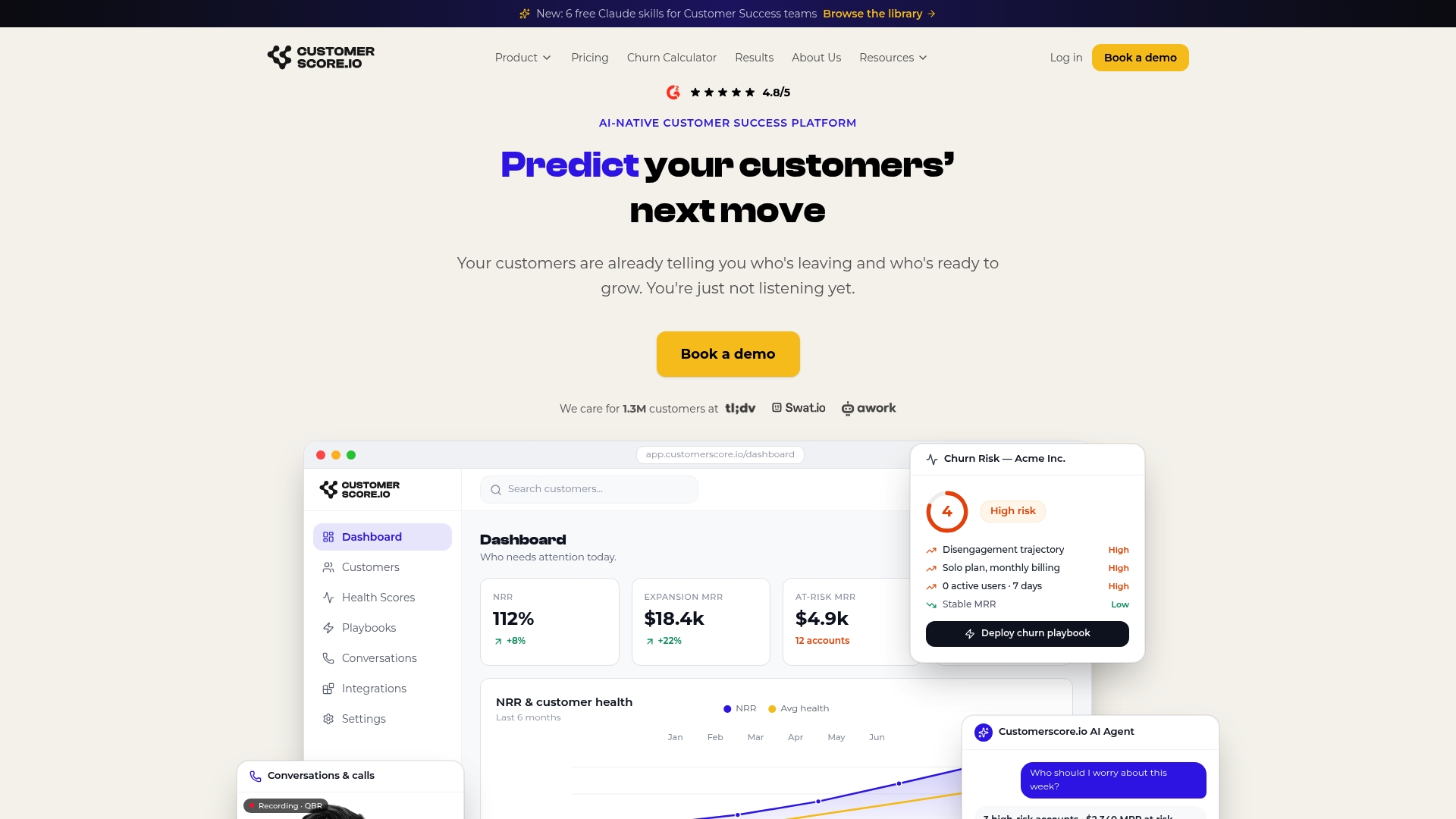
Most teams go live in 1 to 3 weeks, not months, because the segmentation and automation logic already exists in the platform rather than needing to be built from scratch. Churnkey solves a different part of the problem, the cancel screen and failed payments; here is how the approaches differ. The fastest way to see whether this fits your book of business is to book a demo and walk through how the platform would handle your win-back motion with the team.
Sources
For deeper economics on customer value and retention, HBR's research on profit impact from retention gains, cited above via Perspective AI's playbook, is worth a full read. Practical tactical guides worth bookmarking include ChurnNote's cancellation playbook and Gruv. For the product side of retention, Customerscore's 44,000-user retention study and churn prevention strategies go deeper on the mechanics behind these numbers.
- Win-back campaigns (Rework resource library)
- How to Win Back Cancelled SaaS Customers (ChurnNote)
- How to Win Back Churned Customers in 2026: The Conversational Exit-and-Return Playbook | Perspective AI
- User retention strategies (Ad-Apt)
Recommended
Related articles
Five Fields to Fix Playbook Trigger Design for B2B SaaS CS & RevOps
Five Fields to Fix Playbook Trigger Design for B2B SaaS CS & RevOps ! Isometric trigger routing system illustration The most reliable approach to playbook trigger design is to sort every alert into
BlogStop SaaS Downgrades: Save 31% of At Risk Accounts for CS & RevOps
Stop SaaS Downgrades: Save 31% of At Risk Accounts for CS & RevOps ! Isometric account protection title card The fastest way to prevent SaaS downgrades is to stop treating every at-risk account the
Blog24–48 Hour Handoffs: B2B SaaS Support to CS Checklist, Six Fields
24–48 Hour Handoffs: B2B SaaS Support to CS Checklist, Six Fields ! Isometric handoff cards crossing between platforms A reliable support to CS handoff transfers ownership and context so the new owner
Blog90–120 Day Explainable AI Playbook to Reduce Renewal Risk for SaaS CS
90–120 Day Explainable AI Playbook to Reduce Renewal Risk for SaaS CS ! Isometric illustration of explainable renewal risk decisions To reduce renewal risk, you prioritize accounts daily using