
CSM Email Templates for B2B SaaS: Copy-Ready Guide


This guide gives you copy-ready CSM email templates for every stage of the customer lifecycle, from sales handoff through renewal, plus the personalization rules that keep them from sounding canned. You'll find templates for onboarding, check-ins, at-risk outreach, renewals, and NPS follow-ups, each with a subject line, body copy, and a specific ask.
Here's what's inside and how to use it fast:
- Fourteen template types grouped by lifecycle stage, from AE handoff to win-back campaigns.
- A personalization framework you can apply to any template in under 20 seconds.
- Cadence and automation guidance so you know which touchpoints to trigger automatically and which need a human hand.
Grab the template closest to your current situation, swap in the bracketed fields, and rewrite the first sentence to reference something specific about that account, like a feature they just activated or a comment from your last call. Templates work as frameworks, not verbatim scripts, and that first sentence is where the framework becomes a real conversation. Add your calendar link, hit send, and move to the next account.
Key Takeaways
The most effective CSM email templates pair a clear, single ask with fast personalization and are triggered by real account signals rather than a fixed calendar.
| Point | Details |
|---|---|
| Every template needs one ask | Cut multi-request emails down to a single clear next step per message. |
| Customize the opening lines | Reference a recent activity or conversation in the first sentence, not just the merge fields. |
| Match cadence to risk | Healthy accounts hear from you monthly; at-risk accounts need weekly follow-up until resolved. |
| Automate the routine, not the risky | Milestone celebrations and NPS invites can run automatically; at-risk and renewal emails need a human. |
| Trigger templates from health signals | Platforms like Customerscore use health scoring and churn prediction to flag exactly when an at-risk or expansion template should fire. |
Table of Contents
- CSM Email Templates: The Rules Behind Every Good One
- Sales-to-CSM Handoff Templates That Prevent Early Churn
- Onboarding Email Sequence: Kickoff Through 30 Days
- Onboarding Graduation and CSM Ownership Handoff
- Check-In Templates for Every Level of Urgency
- Turning Customer Wins Into Testimonials and Referrals
- At-Risk Customer Outreach and a Triage Playbook
- Renewal, Expansion, and Win-Back Templates
- Subject Lines and Personalization Tokens That Get Opens
- How to Use a Template Without Sounding Like a Robot
- Automation Triggers, Cadence, and Measuring What Works
- A Copy-Ready Template Library by Stage
- Adapting Templates Across Segments and Industries
- Common Mistakes That Undermine CSM Email Templates
- Legal and Compliance Considerations for Customer Emails
- Put Your Templates on Autopilot Where It Counts
- Frequently Asked Questions
- Sources
CSM Email Templates: The Rules Behind Every Good One
Every effective template, regardless of stage, shares five structural elements. Skip one and the email reads as noise instead of a message worth opening.
- One clear purpose. The reader should know why they're getting this email within the first line.
- An explicit ask or outcome. "Let me know if you have questions" is not an ask. "Can we grab 15 minutes Thursday?" is.
- One or two next steps, never five. Overloaded emails get skimmed and ignored.
- A visible CTA. A calendar link or a specific button, not a vague "reach out anytime."
- A real signature. Name, role, and a way to reply that isn't a no-reply address.
Calendly's research on customer journey emails makes the same point: the strongest templates treat the ask as mandatory, not optional. An email without one is a status update, not a communication tool.
Knowing when to grab a template versus write from scratch matters more than the templates themselves. Use a template as-is for routine, low-stakes touchpoints: scheduled check-ins, feature announcements, standard renewal reminders. Write from scratch, or heavily rework a template, when the account shows a sharp health score drop, when you're handling escalation, or when a champion just left the company. Those moments need judgment a template can't provide.
Micro-personalization doesn't require a rewrite. Reference the last feature they adopted, mention a specific number from their usage dashboard, or quote something they said on your last call. Each of those takes ten to twenty seconds and changes how the email reads entirely.
Pro Tip: Keep a running note of one memorable detail per account, something they said, a goal they mentioned, a person on their team, and drop it into the first line of your next email. It takes ten seconds and it's the difference between "Hi there" and a message that actually lands.
Automate the mechanical parts: scheduling reminders, standard NPS invites, milestone congratulations. Keep manual control over anything tied to risk, revenue, or a relationship that's shifting.
Sales-to-CSM Handoff Templates That Prevent Early Churn
A sloppy handoff is one of the most preventable causes of early churn. The customer just signed a contract with an AE who understood their goals in detail, and if that context doesn't transfer, the CSM starts from zero and the customer notices.
Subject line: "Meet [Customer Name]'s new point of contact at [Your Company]"
Concise version (AE sends, CSM cc'd):
Hi [Customer Name], I want to introduce you to [CSM Name], who will be your main point of contact going forward. [CSM Name] has already reviewed your goals around [specific goal] and will reach out this week to set up a kickoff call.
Fuller handoff version (CSM sends after internal briefing):
Hi [Customer Name], I'm [CSM Name], your Customer Success Manager. [AE Name] shared that your priority is [specific goal from sales notes], and I'd like to set up 30 minutes this week to map out how we get you there. Does [proposed day/time] work?
Before either email goes out, confirm the handoff packet is complete:
- Signed contract terms and any custom commitments made during the sales cycle.
- Primary and secondary contacts, including who has budget authority.
- The specific business outcome the customer expects in the first 90 days.
- Any activation tasks the AE promised (data migration, integration setup, training).
Send the introduction within 24 hours of contract signature. The CSM's own outreach should follow within 48 hours, not tacked onto the same email. Separating them signals that the CSM is a distinct point of contact, not an afterthought.
Onboarding Email Sequence: Kickoff Through 30 Days
Onboarding lives or dies on momentum. A practical library of customer success templates typically covers this stage with three to four touchpoints, and that's roughly the right number: enough to maintain contact without overwhelming a new customer who's already learning your product.
- Kickoff email (sent within 48 hours of handoff):
Subject: "Your onboarding plan starts here"
Hi [Customer Name], excited to get started. I've attached our kickoff agenda covering [specific milestone 1] and [specific milestone 2]. By the end of this call, you'll walk away with a clear 30-day plan. Can we lock in [proposed time]?
- Day-7 check-in:
Subject: "Quick check on week one"
Hi [Customer Name], one week in, how's [specific feature] working for your team? A few quick questions: Has [role/team] logged in yet? Any blockers on [specific setup task]? Happy to jump on a 15-minute call if useful, here's my [calendar link].
- 30-day progress email:
Subject: "30 days in, here's where you stand"
Hi [Customer Name], you've hit [specific milestone, e.g., "12 team members activated"] since we kicked off. That puts you ahead of where most accounts are at this stage. Next up: [specific next milestone]. Let's find 20 minutes to plan it out.
Map the kickoff and day-7 emails to your onboarding trigger (contract signature or first login) and assign clear ownership. The CSM should own the kickoff and 30-day emails; a dedicated onboarding specialist, if your team has one, can own the day-7 touchpoint.
Onboarding Graduation and CSM Ownership Handoff
The graduation email marks the shift from "getting set up" to "driving value," and skipping it leaves customers unsure what happens next.
Before sending it, confirm three things: the customer has hit their primary activation milestone, the key stakeholders are actively using the product, and any outstanding setup tasks are closed. Sending graduation too early undercuts its credibility.
Subject: "You're officially onboarded, here's what's next"
Hi [Customer Name], congratulations, you've hit [specific milestone] and your team is actively using [specific feature]. From here, I'll check in [cadence, e.g., "every three weeks"] to make sure you're getting full value. I'd also like to schedule your first quarterly business review for [proposed month]. Sound good?
Offer one of three next steps depending on account size: a standing check-in cadence for smaller accounts, a QBR schedule for mid-market, or an expansion conversation if usage data already shows they've outgrown their current plan.
Check-In Templates for Every Level of Urgency
Not every check-in needs three paragraphs. Match the length to the situation.
One-liner (light-touch, healthy account):
Hi [Customer Name], noticed your team hit [specific usage milestone] this month, nice work. Anything you need from us?
Short version (routine cadence check-in):
Hi [Customer Name], checking in on how things are going with [feature/goal]. Quick question: is [specific outcome] on track for this quarter? Let me know if a call would help.
Three-paragraph version (higher-stakes account or after a health score dip):
Hi [Customer Name], it's been a few weeks since we last connected, and I wanted to check in properly. Your usage on [feature] has [increased/plateaued/dropped] since [timeframe], and I want to make sure that's expected on your end. If there's a blocker we can help remove, or a goal that's shifted, I'd rather hear it now than at renewal. Can we find 20 minutes this week?
For the QBR itself, use this invitation:
Subject: "Let's schedule your Q[X] business review"
Hi [Customer Name], time for our quarterly review. I'll bring usage trends, progress against your original goals, and a couple of ideas for [specific area]. Can you do [proposed date]?
A useful QBR agenda covers four items in order: progress against original goals, usage and adoption data, roadblocks or open requests, and a look at what's next (renewal, expansion, or new use cases).
Three signals should automatically prompt a check-in outside your normal cadence: a health score decline, a usage plateau lasting more than two weeks, or a milestone worth acknowledging.
Turning Customer Wins Into Testimonials and Referrals
A win that goes unacknowledged is a missed opportunity, both for the relationship and for your pipeline of case studies.
Celebration template:
Subject: "You just hit a big one"
Hi [Customer Name], wanted to flag this because it's worth celebrating: your team just [specific achievement, e.g., "cut ticket resolution time by 30%"]. That's a direct result of [specific feature/workflow]. Nice work.
Testimonial request (send after a celebration or a strong NPS score):
Subject: "Would you be open to sharing your story?"
Hi [Customer Name], given the results you've seen with [specific outcome], would you be open to a quick 15-minute call so we can turn it into a case study? I'll handle the writing, you just need to approve the final draft.
Referral variant (for promoters):
Subject: "Know anyone else who'd benefit from this?"
Hi [Customer Name], glad to hear things are going well. If you know another team facing [specific problem you solved], I'd love an introduction, happy to make it worth their while and yours.
NPS follow-ups for promoters should lean into exactly this kind of ask; segmented NPS follow-up practice treats a high score as an advocacy opportunity, not just a data point to log.
At-Risk Customer Outreach and a Triage Playbook
At-risk outreach is where a generic template does the most damage. Match the tone to the actual signal, not a one-size-fits-all "checking in" email.
Soft check-in (early warning signal, no clear crisis yet):
Subject: "Haven't heard from you in a bit"
Hi [Customer Name], noticed things have gone quiet on [feature/team]. Everything okay on your end? Happy to help troubleshoot if something's blocking you.
Urgency plus resource offer (usage drop confirmed, moderate risk):
Subject: "Let's get [specific goal] back on track"
Hi [Customer Name], your usage on [feature] has dropped since [timeframe], and I want to make sure that's not costing you results. I've put together [resource/guide] that's helped similar teams. Can we get 20 minutes to walk through it?
Direct call request (high risk, renewal or champion change involved):
Subject: "Need to connect this week"
Hi [Customer Name], I want to talk through where things stand with [account/goal] before [renewal date/deadline]. Can you make time this week? This one's worth a live conversation.
Before escalating internally, run through a quick triage checklist:
- Confirm the signal is real (check usage data, not just gut feel).
- Identify whether the cause is product friction, a change in champion, or a shifted business priority.
- Try one quick fix (unblock a stuck integration, offer a refresher training) before looping in a manager.
- Document what's been tried so escalation isn't starting from scratch.
If the account doesn't respond within 3 business days of the soft check-in, escalate to the urgency template. If there's no response within another 5 days, bring in your manager or a customer success leader for the direct call request, and loop in the account executive if the relationship involves a champion change.
Renewal, Expansion, and Win-Back Templates
Renewal communication works best on a timeline, not a single email sent two weeks before the contract lapses.
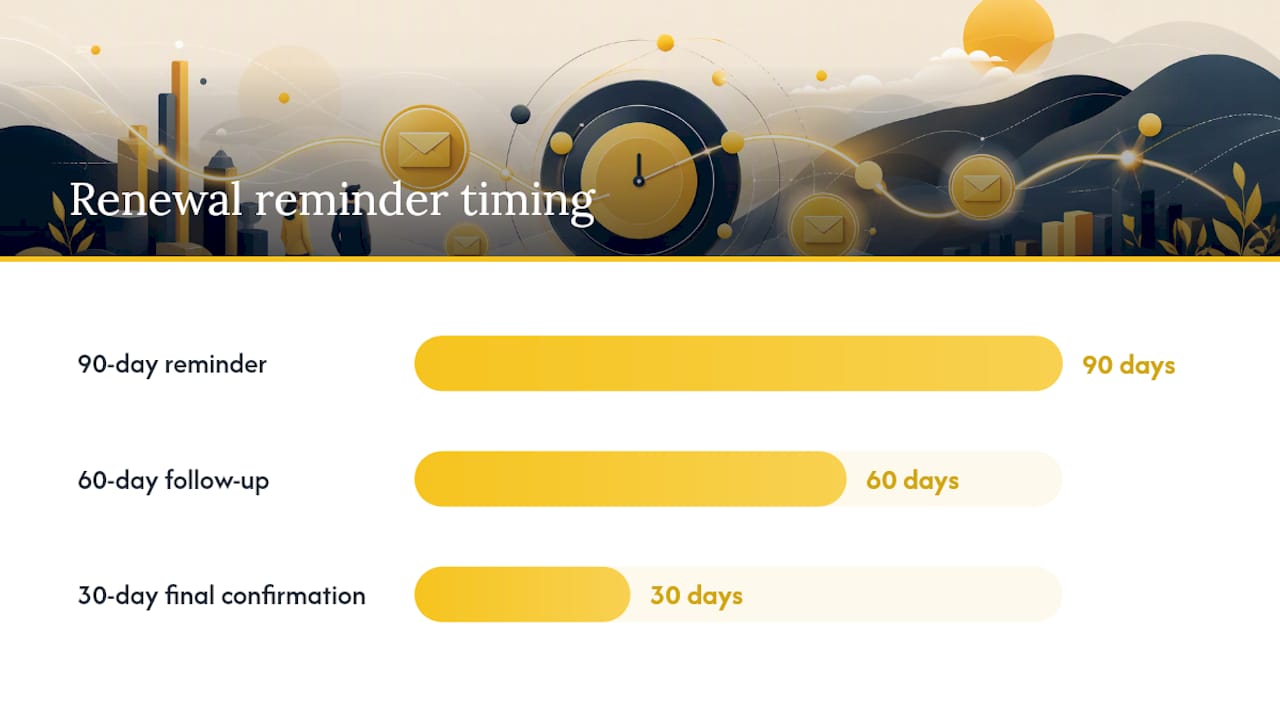
90-day reminder:
Subject: "Your renewal is coming up, let's plan ahead"
Hi [Customer Name], your contract renews on [date]. Before we get there, I'd like to review how things have gone and make sure your plan still fits your needs. Can we find time in the next two weeks?
60-day follow-up (if no response, or to confirm plan changes):
Subject: "Following up on your renewal"
Hi [Customer Name], wanted to check back in ahead of your [date] renewal. Any changes on your end we should account for, team size, new use cases, budget shifts?
30-day final confirmation:
Subject: "Confirming your renewal details"
Hi [Customer Name], your renewal is 30 days out. Here's what I have on file: [plan/terms]. Let me know if anything needs to change before we finalize.
Expansion outreach (usage signals suggest growth potential):
Subject: "Looks like you're ready for [next tier/feature]"
Hi [Customer Name], your team's usage of [feature] has grown [specific pattern, e.g., "past your current seat limit"], which usually means it's time to talk about [upgrade path]. Want to walk through what that looks like?
Win-back (lapsed or churned accounts):
Subject: "Things have changed since you left"
Hi [Customer Name], it's been a while. We've shipped [specific improvement] since your account lapsed, and I think it addresses [reason they left, if known]. Worth a second look?
| Timeline | Email Type | Primary Goal |
|---|---|---|
| 90 days before renewal | Initial reminder | Confirm plan fit, surface changes early |
| 60 days before renewal | Follow-up | Address open questions, capture scope changes |
| 30 days before renewal | Final confirmation | Lock terms, remove last-minute surprises |
| Post-churn (any time) | Win-back | Re-open the conversation with a concrete update |
Subject Lines and Personalization Tokens That Get Opens
Subject lines fail for one of two reasons: they're too generic to earn a click, or they're stuffed with personalization that reads as automated rather than thoughtful.
Match the formula to the intent:
- Action-oriented: "Quick action needed on [specific task]"
- Curiosity-driven: "Something worth flagging on your account"
- Urgency-based: "[Deadline] is approaching, here's what to know"
- Social proof: "How teams like yours handled [challenge]"
Useful tokens include company name, the recipient's role, and a recent milestone pulled from usage data, but only when the detail is specific enough to prove you actually looked. "Hi [First Name]" isn't personalization. "Noticed your team just crossed 500 active seats" is.
Two A/B tests worth running:
- Question subject line versus statement subject line. Watch open rate.
- Generic CTA ("Let's connect") versus specific CTA ("15 minutes Thursday?"). Watch reply rate, not just opens.
Segmentation tied to real signals, like health scores and usage milestones, consistently outperforms generic broadcast sends because the message actually matches where the customer is.
How to Use a Template Without Sounding Like a Robot
The gap between a template that lands and one that gets deleted usually comes down to three things: does it reference something real, does it name a specific outcome, and is the ask small enough to say yes to on the first read.
Before you hit send, run this framework:
- Acknowledge something recent. A feature they adopted, a comment from your last call, a support ticket that just closed.
- Name a specific outcome, not a vague benefit. "Cut approval time by two days" beats "improve efficiency."
- Keep the ask small. One question, one meeting request, one decision. Not three.
Then run a quick QA pass:
- Does the tone match the relationship (formal for a new account, casual for a five-year customer)?
- Is there exactly one explicit ask?
- Is the calendar link or CTA visible, not buried in a signature block?
- Have you swapped in at least one or two customized words beyond the merge fields?
Pro Tip: Read the first sentence out loud. If it could apply to literally any customer in your book, rewrite it before you send.
A ten-second edit, swapping "Hi there" for "Hi [Name], saw you just rolled out SSO," changes the entire tone of an email without touching the rest of the template.
Automation Triggers, Cadence, and Measuring What Works
Not every template deserves a human touch, and not every template should run on autopilot. The split usually comes down to stakes: high-volume, low-risk touchpoints automate well; anything tied to revenue or relationship risk needs a person behind it.
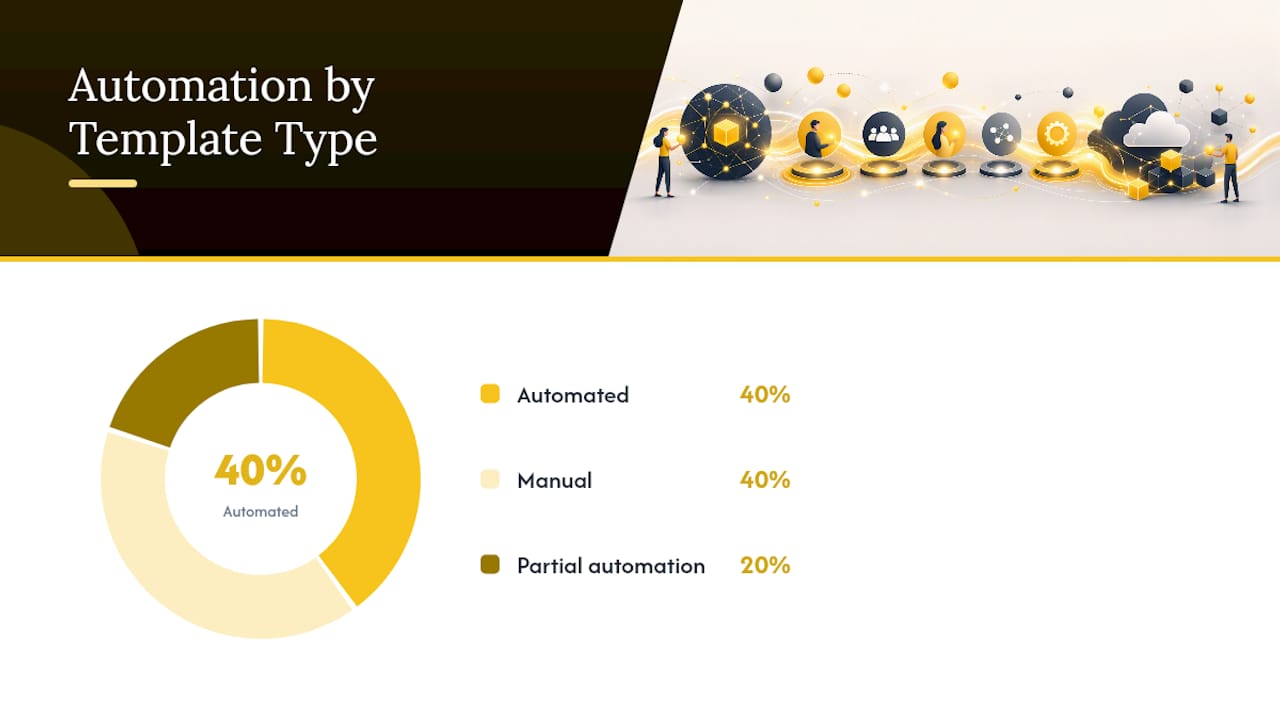
| Template Type | Automate? | Typical Trigger |
|---|---|---|
| Milestone celebration | Yes | Usage threshold hit |
| NPS invite | Yes | Fixed interval (e.g., quarterly) |
| Onboarding kickoff | No | Contract signature |
| At-risk outreach | No | Health score drop |
| Renewal reminder (90-day) | Partial | Contract date |
This split matches what broader template guidance recommends: automate the celebratory and routine, keep manual control over anything where a wrong tone could cost you the account.
Common triggers worth setting up: contract signature (kicks off onboarding), a health score drop of a defined threshold (kicks off at-risk outreach), and a usage milestone (kicks off expansion outreach). Cadence should follow the account's risk level: healthy accounts might hear from you monthly, at-risk accounts weekly until the signal clears.
Track three metrics per template type: open rate (subject line performance), reply rate (message relevance), and meeting-booked rate (the real measure of whether the ask worked). A template with a strong open rate but a weak reply rate usually means the ask is unclear or too large. Test one variable at a time, subject line or CTA, never both simultaneously.
A Copy-Ready Template Library by Stage
Here's the full set in one place, organized by lifecycle stage, each with a usage note so you know exactly when to reach for it.
- AE handoff: Subject "Meet your new point of contact." Sent within 24 hours of signature. Personalize the goal reference; automate nothing here.
- Onboarding kickoff: Subject "Your onboarding plan starts here." Sent on trigger (signature or first login). CTA: book kickoff call.
- Day-7 check-in: Subject "Quick check on week one." Semi-automated with manual review of responses.
- Graduation: Subject "You're officially onboarded." Manual, sent only after milestone confirmation.
- Routine check-in: Subject varies by length (one-liner, short, three-paragraph). Automate the one-liner; keep longer versions manual.
- QBR invitation: Subject "Let's schedule your Q[X] business review." Manual, quarterly cadence.
- Win celebration: Subject "You just hit a big one." Can automate the trigger, personalize the send.
- Testimonial request: Subject "Would you be open to sharing your story?" Manual, sent after a strong NPS or milestone.
- At-risk (soft): Subject "Haven't heard from you in a bit." Manual, triggered by usage plateau.
- At-risk (urgent): Subject "Let's get [goal] back on track." Manual, triggered by health score drop.
- Renewal reminders (90/60/30): Subject varies by timeline. 90-day can be templated; 30-day should be personalized.
- Expansion outreach: Subject "Looks like you're ready for [next tier]." Triggered by usage signal, always personalized.
- Win-back: Subject "Things have changed since you left." Fully manual, low volume.
- NPS follow-up: Segment by score. Promoters get an advocacy ask, passives get a "what would make this a 10" question, detractors get a direct apology and fix offer, matching NPS sequencing best practice.
Adapting Templates Across Segments and Industries
A template built for a 50-person startup account will misfire on an enterprise account, and vice versa. Segment before you send, not after you notice the reply rate dropping.
For enterprise accounts, lengthen the formality slightly and route the ask through the right stakeholder, often a champion rather than the end user. Reference contract-specific terms (custom SLAs, dedicated support tiers) that a template built for self-serve customers won't include. QBRs matter more here; check-ins can stay quarterly rather than monthly.
For SMB and self-serve accounts, keep everything shorter. A three-paragraph check-in that works for enterprise will get ignored by a five-person team moving fast. Lean on the one-liner and short check-in templates, and automate more aggressively since the relationship rarely needs the same depth.
Industry context matters almost as much as company size. A healthcare SaaS customer cares about compliance milestones and audit readiness; a marketing SaaS customer cares about campaign performance and time-to-launch. Swap your milestone language accordingly, don't reference "active seats" for a customer who measures success in campaigns shipped.
Language and tone should shift too. A technical, engineering-led customer base responds well to direct, data-forward emails. A marketing or ops-led customer base often responds better to slightly warmer, outcome-focused language. Keep one core template library, but maintain two or three tone variants for your highest-volume segments rather than starting from scratch every time.
Common Mistakes That Undermine CSM Email Templates
The single biggest mistake is sending a template unedited, merge fields visible or first name auto-populated but nothing else changed. Customers notice, and it signals they're one of a thousand names on a list rather than an account someone's paying attention to.
A close second: burying the ask. An email with three paragraphs of context and no clear question at the end forces the reader to guess what you want. State the ask in the first two sentences or the last line, never in the middle where it gets skimmed past.
Overusing check-in templates on healthy accounts creates noise. If an account is thriving and hears from you every week with a generic "just checking in," you're training them to ignore your emails, which hurts you the moment you actually need a response for something urgent.
Using the same tone across every segment is another frequent miss. A stiff, formal template on a five-person startup account, or an overly casual one on an enterprise account, both read as tone-deaf and undercut the message before it's even read.
Finally, skipping the QA pass on cadence and follow-up timing costs replies. Sending three at-risk emails within 48 hours reads as panic; waiting three weeks between renewal touchpoints lets momentum die. Match your follow-up timing to the stakes, tighter for at-risk, more measured for routine renewal cadence.
Legal and Compliance Considerations for Customer Emails
CSM emails to existing customers generally fall under legitimate business communication rather than marketing, but the line isn't always clean, especially once a template starts including upsell language, case study requests, or referral asks.
Under the EU's General Data Protection Regulation, communications tied to fulfilling a contract (onboarding instructions, renewal notices, support follow-ups) typically rely on a different legal basis than promotional content, which usually requires clearer consent or a legitimate-interest justification. If your template library includes anything that reads as marketing (feature announcements pitched as upsells, referral requests, testimonial asks), review it against your company's data protection counsel or compliance team rather than assuming CS communication is automatically exempt.
Any email sent through marketing automation tools, even to existing customers, should include an unsubscribe or preference-management option where your jurisdiction requires it. The safest approach is to route strictly transactional CS emails (onboarding steps, renewal confirmations, contract-related notices) through your CRM or CS platform, and route anything closer to marketing (case study requests, expansion pitches) through a system with proper consent tracking.
Rules vary meaningfully by region and by the nature of your customer base, particularly for regulated industries like healthcare or finance. Treat this section as a starting point, not a substitute for a compliance review specific to your company's markets and customer contracts.
A Practical Note on Templates and Relationship Work
Templates handle the volume so you can spend your limited attention on the accounts that actually need it. The mistake isn't using templates, it's treating them as finished products instead of first drafts. The best CSMs I've seen review reply rates monthly, retire what's not working, and keep testing subject lines the way a marketer would, because a template that stops getting responses isn't saving you time anymore. It's just noise with better formatting.
Put Your Templates on Autopilot Where It Counts
Templates only work when they fire at the right moment, and guessing at timing is where most CS teams lose ground. Customerscore's explainable health scoring tells you exactly when an account needs the at-risk template versus the expansion template, instead of leaving that call to a gut feeling or a stale spreadsheet.
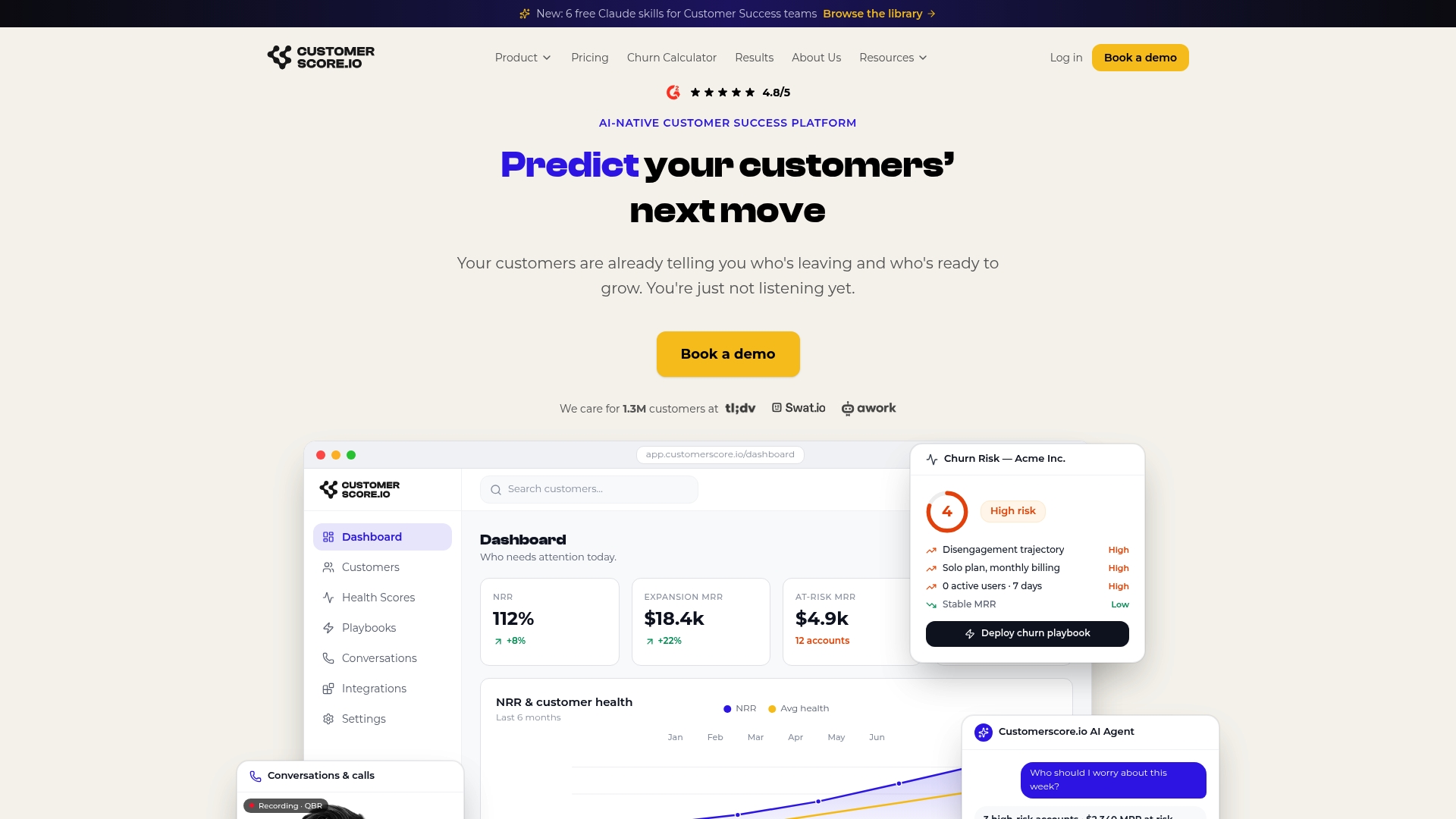
Two things change once your templates are triggered by real signals instead of a calendar reminder: fewer manual triage steps, since the churn prediction engine flags risk before a renewal conversation turns into a save attempt, and faster spotting of expansion opportunities, since usage milestones surface automatically instead of waiting for a QBR to notice them. Customerscore integrates with the tools already feeding your CS workflow, HubSpot, Salesforce, Stripe, and Intercom among them, so health scores update from data you're already collecting. If you're ready to see which of your accounts should be getting an at-risk email today instead of next quarter, book a demo and walk through it with our team.
Frequently Asked Questions
How many CSM email templates does a team actually need?
Most teams do fine with a core set covering the major lifecycle stages: handoff, onboarding (2 to 3 touchpoints), check-ins, at-risk, renewal, and NPS follow-up. That lands around 10 to 14 templates, enough to cover the customer journey without maintaining a bloated library nobody keeps updated.
Should every email use a template, or is that too impersonal?
Use a template as your starting structure, always. Whether it reads as impersonal comes down to whether you customize the opening and the ask, not whether you started from a blank page. A hand-written email with no clear ask is worse than a well-personalized template.
What's the difference between an NPS follow-up and a regular check-in?
An NPS follow-up responds to a specific score a customer just gave you and segments by that score, promoters get an advocacy ask, detractors get an apology and fix offer. A regular check-in isn't tied to a survey response; it's a scheduled or trigger-based touchpoint to confirm things are on track.
How do I know if a template is underperforming?
Watch reply rate and meeting-booked rate over open rate alone. A template that gets opened but never gets a reply usually has an unclear or oversized ask. Test one change (subject line or CTA) at a time so you know what actually moved the number.
Do I need legal review for CSM email templates?
Purely transactional templates (onboarding steps, renewal confirmations) generally carry lower compliance risk than anything resembling marketing (case study requests, expansion pitches). If your templates touch customer data across regions with different privacy rules, a quick compliance review is worth the time before you scale the library across your team.
Sources
- Email Templates for Every Stage of Your Customer Journey | Calendly
- 12 Customer Success Email Templates for Every Stage - Scale Growth Digital
- Customer-led growth is getting more attention among B2B firms (Forrester blog)
Recommended
Related articles
Cut CSM Intervention 18%: Predictive Playbooks for CS & RevOps
Cut CSM Intervention 18%: Predictive Playbooks for CS & RevOps ! Predictive playbook geometric title card Predictive playbooks link a churn prediction to a specific, repeatable action so customer
BlogPinpoint B2B SaaS Adoption Gaps and the Fix That Lifts Renewal
Pinpoint B2B SaaS Adoption Gaps and the Fix That Lifts Renewal ! Analysts reviewing SaaS adoption gaps Adoption gap analysis identifies the funnel stage where eligible users or accounts fail to reach
BlogAnalysts: 6–12 Month Cohort Forecasts for Net Dollar Retention
Analysts: 6–12 Month Cohort Forecasts for Net Dollar Retention ! Analyst reviewing cohort retention forecast The most reliable way to forecast net dollar retention is cohort-based modeling that
BlogStop Surprise Churn: 5 Phase Data Mapping for RevOps and CS
Stop Surprise Churn: 5 Phase Data Mapping for RevOps and CS ! Analyst mapping customer data fields Data mapping for CS means connecting product usage, billing, CRM, and support data to the fields your