
The Onboarding Email Sequence That Actually Drives Activation


The best onboarding email sequence for B2B SaaS is a behavior-triggered flow of multiple emails spread across a few weeks where each message has one job, one CTA, and gets canceled the moment the user hits that goal in-product. Anything longer or less targeted just adds noise.
Here's the canonical shape and where each email lands:
- Day 0: Welcome plus one setup action (account confirmed, first login)
- Day 1–2: Guided setup nudge tied to the specific step the user hasn't finished
- Day 3–5: Feature education aimed at the First Value Moment (FVM)
- Day 6–7: Social proof or milestone celebration if FVM is hit; recovery nudge if not
- Day 8–21: Trial-ending reminder, upgrade CTA, and a post-trial re-engagement email, branching based on activation status
Before you write a single subject line, do two things: define your First Value Moment precisely (the specific in-product action that predicts retention), and wire product-event tracking into your automation platform so emails can trigger and cancel based on real behavior, not guesswork.
Key Takeaways
A behavior-triggered, product-event-driven 7-email sequence that exits users at their First Value Moment outperforms fixed-schedule email blasts on every meaningful retention metric.
| Point | Details |
|---|---|
| Define FVM first | Pin down the exact in-product action that predicts retention before writing any copy. |
| Use behavior triggers | Trigger and cancel emails based on product events, not a fixed daily calendar. |
| One job per email | Every message should drive exactly one CTA tied to one downstream product event. |
| Measure activation, not opens | Track time-to-FVM and click-to-activation rate as your primary success metrics. |
| Feed events into retention tools | Platforms like Customerscore turn the same onboarding events into health scores that flag churn risk early. |
Table of Contents
- What Makes an Onboarding Email Sequence Worth Building
- Which KPIs Should Your Onboarding Sequence Move?
- The Day-by-Day Onboarding Email Sequence Blueprint
- How to Write Onboarding Emails People Actually Read
- How to Segment and Trigger Onboarding Emails
- How Often Should You Send Onboarding Emails?
- How to A/B Test and Improve Your Onboarding Flow
- What Good Onboarding Emails Look Like in Practice
- What a Real Onboarding Iteration Looks Like at Customerscore
- How to Handle Subscriber Preferences and Opt-Outs
- How to Re-Engage Users Mid-Onboarding
- What the Onboarding Debate Gets Wrong
- See How Customerscore Turns Onboarding Signals Into Retention
- Recommended Reading on Onboarding Email Sequences
- Sources
What Makes an Onboarding Email Sequence Worth Building
An onboarding sequence isn't marketing collateral. It's a retention lever, and the data backs that up directly. Teams that get new users to their First Value Moment quickly see materially better Day-30 and Day-90 retention, because habit formation happens (or doesn't) in that first window after signup.
The mistake most teams make is measuring the wrong thing. Open rates and click-through rates tell you whether your subject line worked. They tell you nothing about whether the user actually did the thing that predicts they'll stick around. A well-built onboarding sequence is judged by product events, not email metrics: did the account get confirmed, did data get imported, did a first project get created. Each email should exist to cause one specific action, and once that action happens, the email's job is done.
Here's a pattern worth internalizing: users who hit their FVM inside the first week convert to paid at meaningfully higher rates than users who take three weeks to get there, even when both groups eventually complete setup. Speed to value matters more than eventual completion.
- Track FVM completion as your north star metric, not signups or trial starts.
- Treat every onboarding email as an experiment in causing a product event, not a communication.
- Use retention data from Customerscore's 44,000-user SaaS retention study as a benchmark for how early activation correlates with long-term revenue.
Which KPIs Should Your Onboarding Sequence Move?
Your KPI list should mirror the product's actual activation path, not a generic email marketing dashboard. If you're only tracking opens and unsubscribes, you're measuring the wrong layer of the funnel.
Prioritize these metrics, roughly in order of how directly they reflect business outcomes:
- Time-to-FVM: median days from signup to the defined value moment
- Click-to-activation rate: percentage of email clicks that result in the target product event within 24 hours
- Activation rate within X days: percentage of signups reaching FVM within your target window (7 or 14 days is typical)
- Trial-to-paid conversion: the ultimate proof the sequence is working
- Unsubscribe rate: a leading indicator of message fatigue or poor targeting
- Deliverability metrics: bounce rate, spam complaint rate, inbox placement
Instrumentation matters as much as the metrics themselves. You need clean, event-level tracking for things like: account confirmed, first data source connected, first project or workspace created, teammate invited, and billing enabled. Each of these should fire as a distinct event in your product analytics tool and sync to your email automation platform.
Attribution gets messy fast if you don't set a rule up front: every email in the sequence should map to exactly one downstream product event it's trying to cause. If Email 3 is supposed to drive "first project created," don't also credit it for "teammate invited." Split attribution muddies your A/B tests later and makes it impossible to know which email is actually pulling weight.
The Day-by-Day Onboarding Email Sequence Blueprint
This is the skeleton. Empirical analysis across 200+ SaaS onboarding flows shows the winning envelope is 5 to 8 emails, behavior-triggered rather than pure time-based, with one CTA per email. The table below is the 7-email version that fits most self-serve B2B SaaS products.
| Step | Objective | Primary CTA | Sample subject lines |
|---|---|---|---|
| Day 0 | Confirm account, prompt first login | Log in and finish setup | "You're in. Here's your first step" |
| Day 1–2 | Push the single unfinished setup task | Complete your setup | "One thing left before you're live" |
| Day 3–5 | Drive toward First Value Moment | Try [core feature] now | "Most teams do this by day 3. Have you?" |
| Day 6–7 | Celebrate milestone or recover stalled users | See your results / Get help | "You just hit a big milestone" |
| Day 10 | Deepen usage, introduce a second feature | Explore [feature 2] | "The feature most people miss" |
| Day 14 | Trial-ending warning, urgency without pressure | Choose your plan | "Your trial ends in 7 days" |
| Day 21 | Post-trial nudge or upgrade reinforcement | Upgrade now / Book a call | "Still deciding? Let's talk" |
Two variants per step
Every step benefits from a persona or engagement-based branch rather than a single generic version.
Day 0, persona-based: A product manager gets copy that references integration setup and team invites. A non-technical marketer gets copy focused on the dashboard and a single quick win. Same objective, different vocabulary and different first action.
Day 3–5, engagement-based: Users who clicked the Day 1 email but didn't finish setup get a short, direct nudge: "You started this. Here's the last step." Users who haven't opened anything get a different subject line entirely, testing curiosity over directness, since the first version clearly isn't landing.
Template snippets you can copy
Day 0, Welcome and setup: Subject: "Welcome. Let's get your first project live." Preview: "One step stands between you and your first result." Body (plain-text, ~110 words): "Hey [First Name], welcome to [Product]. Most teams get their first result within 10 minutes by doing one thing: connecting your [data source / workspace]. That's it for today. Once that's done, we'll show you exactly what to do next. [Deep link: onboarding setup screen]"
Day 3–5, FVM push: Subject: "Here's what teams like yours do by day 3" Preview: "The one feature that predicts whether you'll stick around" Body (~130 words): "Quick note, [First Name]. Teams that try [core feature] in their first week are far more likely to get real value from [Product]. It takes about 5 minutes. [Deep link: feature template]. Reply if you get stuck. We read every reply."
Day 14, trial-ending: Subject: "Your trial ends in 7 days" Preview: "Here's what happens to your data and your setup" Body (~90 words): "Your trial wraps up on [date]. If you've been using [Product] for [specific action they took], upgrading keeps everything exactly as is. [Deep link: pricing / upgrade page]. Questions about plans? [Deep link: calendar booking]."
Trigger and exit rules
Every email needs a goal condition and an exit condition, treating the sequence as a state machine rather than a fixed calendar. If a user hits FVM before Day 5, cancel the remaining setup-nudge emails and route them into a "graduate" track focused on deeper feature adoption. If a user goes silent for 48 hours after signup, branch into a recovery message with a lower-effort ask. PostHog's own onboarding rebuild documents exactly this kind of iteration: they delayed their welcome send, added personalization, and rewired their success metric from email clicks to actual conversion events, and activation improved as a result.
How to Write Onboarding Emails People Actually Read
One rule governs everything else: one claim per email. If your Day 3 message tries to explain three features, celebrate a milestone, and push an upsell, it will do none of those well. Pick the single action you want and write toward it.
Bad opening: "We're excited to introduce you to all the powerful features that make [Product] the best solution for teams like yours." Good opening: "You're one step from your first result. Here's exactly what to do."
Subject lines should map to intent:
- Activate: "One thing left before you're live," "Finish this and you're set," "Your first result is 5 minutes away"
- Educate: "The feature most people miss," "Here's what teams like yours do by day 3," "3 minutes that change how you use [Product]"
- Re-engage: "Still there?", "We saved your progress," "Quick question about your setup"
Preview text should extend the subject line, never repeat it. Structure the body as one sentence stating why you're writing, one or two concrete steps, and a single deep link at the end pointing directly to the screen or action you want completed, not the homepage.
Pro Tip: Send mid-sequence check-ins from a named human, not "The [Product] Team." PostHog's data shows plain-text, personally-signed emails consistently get better reply rates in B2B flows than polished HTML blasts.
Avoid feature dumps, avoid stacking two CTAs in one email, and avoid writing to "all users" when a two-line personalization based on role or plan would double relevance.
How to Segment and Trigger Onboarding Emails
Generic sequences underperform because they treat a solo founder and an enterprise IT admin the same way. Segment on signals you can actually collect at signup or in the first session: role (from a signup field or CRM enrichment), company size, plan tier, and product intent (which feature they clicked first, which template they picked).
Behavior triggers do the heavy lifting once segmentation sets the starting branch:
- FVM hit early: exit setup track, enter feature-deepening track
- No login for 48 hours: enter a recovery track with a lower-friction ask
- Setup complete but no second session: trigger a "here's what to try next" email
- Trial ending with high usage: trigger an upgrade-focused, low-pressure email
- Trial ending with low usage: trigger a "book a call" email instead of a hard sell
The flow, in plain terms: signup routes into segment-specific Day 0 content, then behavior takes over. Activated users graduate into a feature-adoption track. Non-activated users enter a recovery track with simplified asks and, eventually, a human touchpoint. Platforms like Customer.io and HubSpot both support this with event-based workflow branches, letting you set a goal event that removes a contact from one branch and drops them into another automatically.
Pro Tip: Top-performing teams use hybrid triggering: behavior is the primary logic, but a time-based fallback (say, 72 hours of silence) catches users who never generate a trackable signal at all.
For more on mapping product events to these branches, Customerscore's guide to SaaS onboarding best practices walks through segmentation rules in more depth.
How Often Should You Send Onboarding Emails?
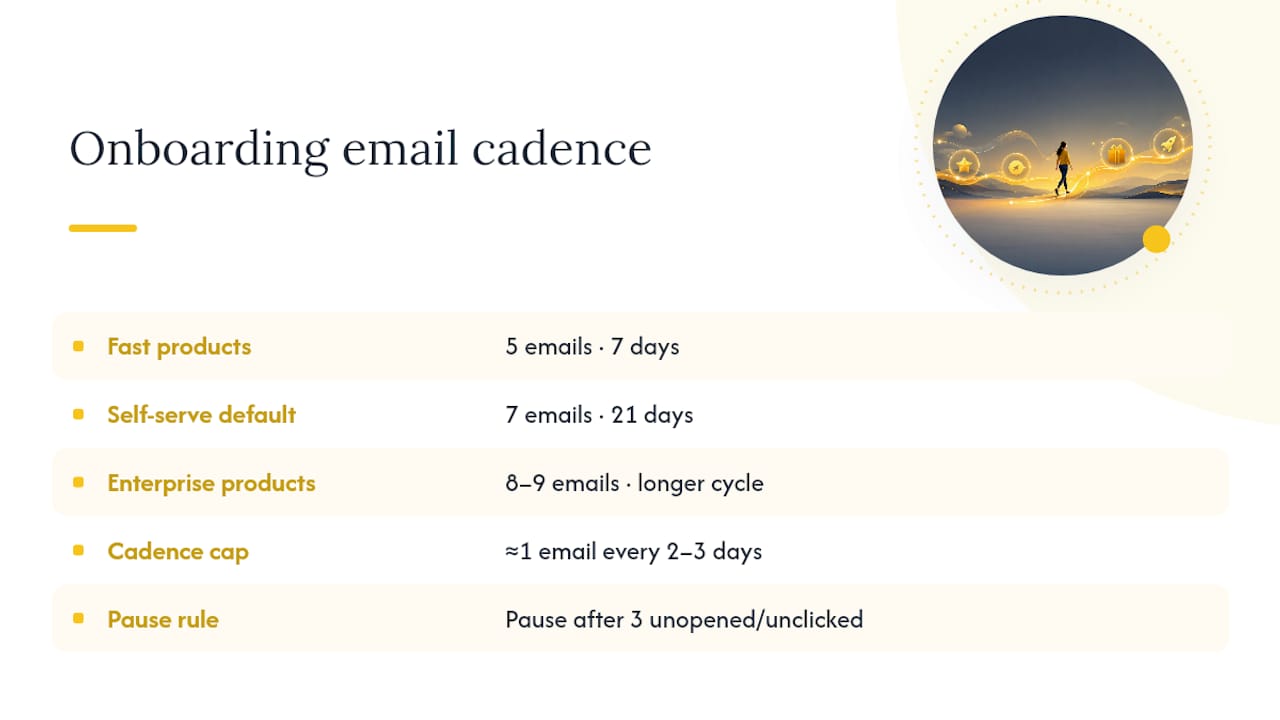
The 7-email, 21-day skeleton is the default for most self-serve SaaS. Fast time-to-value products (think a tool where users see results in minutes) can compress to 5 emails over 7 days. Enterprise or longer-evaluation products often need 8 to 9 emails stretched across a longer cycle, since the buying and setup process itself takes longer.
Cap frequency at roughly one email every 2 to 3 days during the active phase, and build in a hard stop rule: if a user hasn't opened or clicked in three consecutive emails, drop the frequency or pause entirely rather than escalating.
Pro Tip: Tell users how many onboarding emails to expect in your very first message. "We'll send you a few quick tips over the next two weeks" sets expectations and measurably reduces unsubscribes.
Deliverability is the unglamorous part that determines whether any of this matters. Set up SPF, DKIM, and DMARC before you launch, warm up a new sending domain gradually, and treat hard bounces (remove immediately) differently from soft bounces (retry, then suppress after repeated failures). Keep CAN-SPAM and GDPR basics in mind: a visible unsubscribe link and honest sender identification are non-negotiable, not optional extras. Since roughly 60% of email opens happen on mobile, every template needs large tap targets, short subject lines, and a single CTA button that doesn't require pinching to click.
How to A/B Test and Improve Your Onboarding Flow
Not every element is worth testing at once. Prioritize in this order:
- Subject lines for the FVM-push email, since it's the highest-leverage message in the sequence and the easiest to test cleanly.
- CTA framing (single button versus text link) across the setup-nudge emails.
- Sender name (person versus product/brand) for mid-sequence check-ins.
- Delay timing for the welcome email itself. PostHog found that delaying their welcome send improved downstream engagement compared to firing it instantly.
- Single CTA versus two CTAs in milestone-celebration emails.
A worked example: testing two subject lines on the Day 3 FVM-push email. Don't call a winner until each variant has enough volume to detect a real difference. As a rule of thumb, wait for at least a few hundred sends per variant before trusting the result, and define your win criteria upfront as a relative lift in click-to-activation rate, not raw open rate.
Once a variant wins clearly, roll it out and move to the next test. Don't keep re-testing a settled question. Instead, instrument cohorts by signup week so you can track whether this quarter's sequence changes actually move Day-30 and Day-90 retention, not just short-term clicks.
What Good Onboarding Emails Look Like in Practice
A few patterns show up repeatedly across real SaaS onboarding sequences, and they're worth borrowing regardless of your product category.
- Grammarly sends weekly writing-stats recaps that double as re-engagement, turning a passive metric into a reason to log back in. Copy the habit-loop framing.
- Canva leans on template-based CTAs ("Try this design") rather than generic feature tours. Copy the specificity.
- Shopify uses milestone emails tied to concrete store-setup steps (first product added, first sale). Copy the celebration-as-motivation structure.
- Coda and Bubble, both build-your-own-tool products, send short, plain-text nudges toward a single template rather than overwhelming new users with capability. Copy the restraint.
- Poshmark uses simple, mobile-first subject lines with urgency tied to real activity, not manufactured scarcity. Copy the mobile-first formatting.
The through-line: specific, single-action emails beat broad feature tours every time.
What a Real Onboarding Iteration Looks Like at Customerscore
Onboarding sequences aren't built once. Customerscore's own flow moved through recognizable stages: a manual, one-size-fits-all welcome email; then basic product-event tracking bolted on; then persona-based personalization; then behavior-triggered branching; and eventually a simplified "graduate" path for activated users to cut unnecessary sends.
The integrations that made behavior-triggering possible matter as much as the copy. Customerscore pulls signals from HubSpot and Salesforce for CRM context, Mixpanel, PostHog, and Segment for product-usage events, and Stripe for billing state, so an onboarding email can trigger, personalize, or cancel based on what a user actually did, not just when they signed up.
The biggest lesson: simplify branching before you complicate it further. Every added condition is another way a user falls through a gap. We don't publish exact internal conversion figures here, but the direction matches the retention research the industry consistently reports: faster activation correlates with materially better long-term retention.
- Manual welcome only → added event tracking → added personalization → added branching → simplified graduate flow
How to Handle Subscriber Preferences and Opt-Outs
Every onboarding email needs a visible, one-click unsubscribe link. This isn't just a compliance checkbox under CAN-SPAM and GDPR. It's a relevance signal: if users are opting out mid-sequence, your targeting or frequency is off, not just your copy.
Build a preference center rather than a blunt all-or-nothing unsubscribe. Let users opt down (fewer emails, digest mode) instead of opting out entirely when possible. A user who unsubscribes from setup nudges but stays subscribed to product updates is still a retained relationship. Losing them entirely because you only offered one exit door is a self-inflicted wound.
Segment your suppression logic too. Someone who unsubscribes from onboarding emails shouldn't automatically get dropped from billing or security notifications, and someone who opts out of marketing shouldn't be silently kept on transactional sends beyond what's legally required. Keep these lists distinct in your automation platform from day one, because untangling them later after a compliance complaint is far more painful than setting it up correctly first.
Track opt-out rate by email step, not just in aggregate. If your Day 6 milestone email has a spike in unsubscribes compared to the rest of the sequence, that's a specific, fixable signal, not just noise to absorb into an overall average.
How to Re-Engage Users Mid-Onboarding
Silence during onboarding isn't necessarily a lost cause. It's a signal that your current message isn't landing, and re-engagement needs a different approach than simply repeating the same nudge louder.

Start with a lower-effort ask. If a user hasn't logged in for 48 hours, don't email them a feature tour. Ask one question: "Did you get stuck somewhere?" with a single reply-to-respond option, no links required. This mirrors the plain-text, human-sender pattern that consistently performs better in B2B flows than polished template blasts.
Change the channel of urgency, not the pressure level. A trial-ending reminder to a disengaged user should feel like a helpful checkpoint ("here's what you'll lose access to"), not a countdown clock. Manufactured urgency on someone who hasn't engaged yet tends to trigger unsubscribes rather than logins.
Consider a "final attempt" branch distinct from your main sequence: one email, sent once, offering a call or a simplified alternative path (a template, a shorter setup flow) rather than repeating the same CTA a fourth time. If that doesn't land, let the sequence end. Continuing to email an unresponsive user past a reasonable point damages your sender reputation and does nothing for activation. Frequency without relevance tends to produce fatigue, not results, and re-engagement emails are exactly where that tradeoff bites hardest.
What the Onboarding Debate Gets Wrong
Most advice on onboarding emails treats the sequence as a writing problem: better subject lines, better copy, better design. That's backwards. The teams getting real activation lifts treat it as a wiring problem first and a writing problem second.
You can write a flawless Day 3 email, but if it isn't triggered by the right product event and canceled the moment a user reaches value, you're just adding noise to someone's inbox on a fixed schedule. The instrumentation, the goal conditions, the exit logic. That's the unglamorous work that actually moves activation, and it's the part most guides skip because it's harder to template than a subject line.
The other overrated idea is that more personalization is always better. Past a certain point, branching complexity creates more failure modes than it fixes. A three-branch flow (activated, stalled, silent) beats a twelve-branch flow that nobody can debug when it breaks.
If you do one thing after reading this: define your First Value Moment precisely and get that single event tracked reliably before you write another line of copy. Everything else compounds from there.
See How Customerscore Turns Onboarding Signals Into Retention
Customerscore is built for the moment your onboarding sequence ends and the real retention question begins: is this account actually healthy, or just quiet? Where most onboarding tools stop at "email sent" or "email opened," Customerscore pulls in the product events you just spent this article learning to instrument, usage from Mixpanel, PostHog, or Segment, billing status from Stripe, CRM context from HubSpot or Salesforce, and turns them into an explainable health score that flags at risk accounts before they churn.
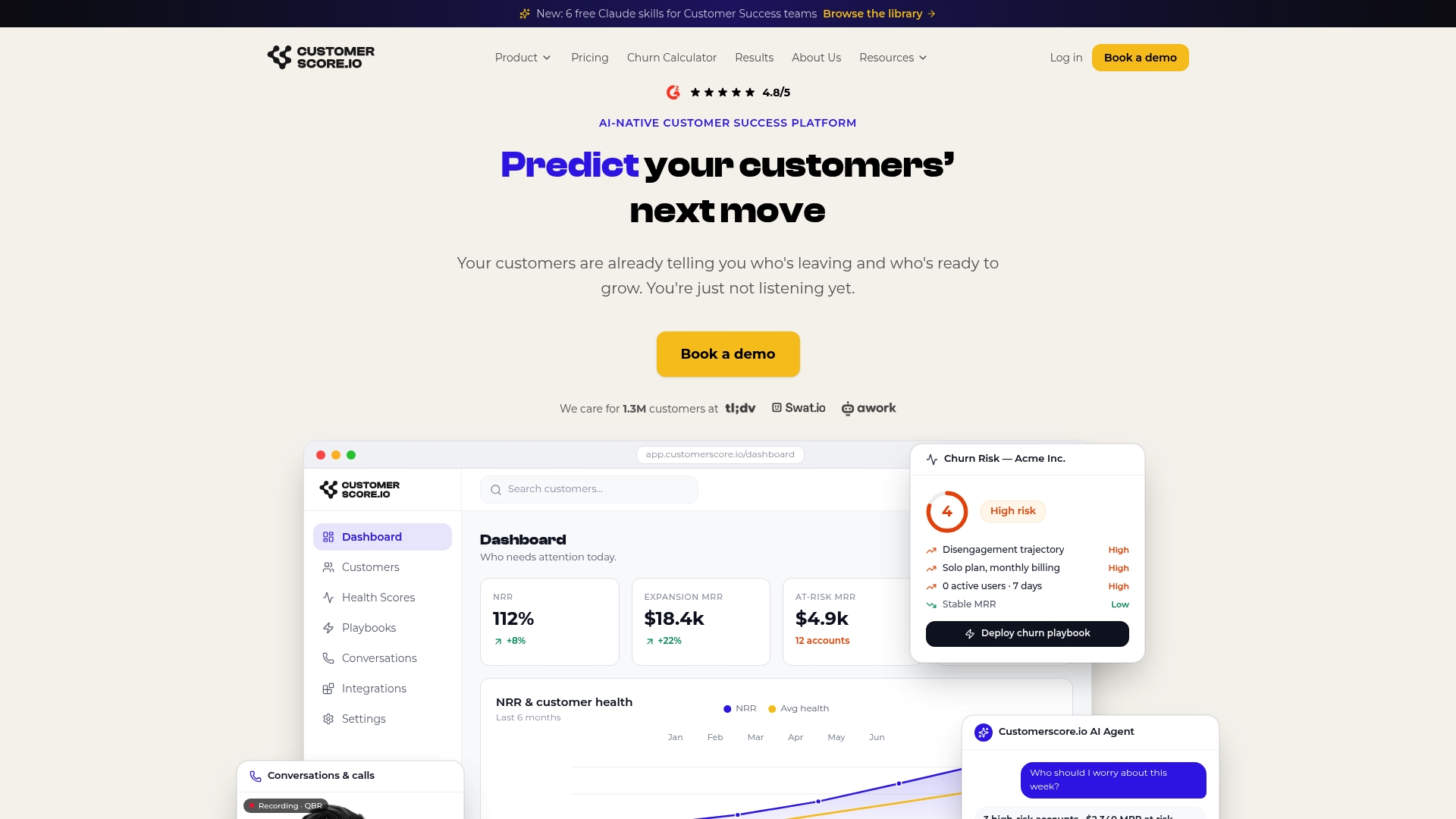
If your onboarding sequence is graduating users into a "recovery" or "silent" branch, that's exactly the signal Customerscore.io's churn prediction is built to catch, putting the account in front of its CSM with the reason behind the risk instead of letting it slip. Marketing teams get the activation data; customer success teams get the account-level view. Book a demo to see how your onboarding events could feed a live health score.
Recommended Reading on Onboarding Email Sequences
- PostHog: real performance data on iterating an onboarding flow
- Kompassify: behavior-triggered framework and templates
- Scale Growth Digital: patterns across 200+ SaaS flows
- Mailchimp: structural and deliverability best practices
- Statista: mobile traffic and email-open data
- Harvard Business Review: cadence and message-fatigue theory
Sources
- How we built our onboarding email flow (with actual performance data) - PostHog
- Onboarding Email Sequence: The 7-Email Framework for SaaS (2026)
- SaaS Onboarding Emails: Moving Users from Signup to Habit A 7-Email Sequence Blueprint
- SaaS Onboarding Email Sequence (7 Emails) - Scale Growth Digital
- Statista | share of website traffic coming from mobile devices
Recommended
Related articles
Cut CSM Intervention 18%: Predictive Playbooks for CS & RevOps
Cut CSM Intervention 18%: Predictive Playbooks for CS & RevOps ! Predictive playbook geometric title card Predictive playbooks link a churn prediction to a specific, repeatable action so customer
BlogPinpoint B2B SaaS Adoption Gaps and the Fix That Lifts Renewal
Pinpoint B2B SaaS Adoption Gaps and the Fix That Lifts Renewal ! Analysts reviewing SaaS adoption gaps Adoption gap analysis identifies the funnel stage where eligible users or accounts fail to reach
BlogAnalysts: 6–12 Month Cohort Forecasts for Net Dollar Retention
Analysts: 6–12 Month Cohort Forecasts for Net Dollar Retention ! Analyst reviewing cohort retention forecast The most reliable way to forecast net dollar retention is cohort-based modeling that
BlogStop Surprise Churn: 5 Phase Data Mapping for RevOps and CS
Stop Surprise Churn: 5 Phase Data Mapping for RevOps and CS ! Analyst mapping customer data fields Data mapping for CS means connecting product usage, billing, CRM, and support data to the fields your